Preguntas Frecuentes sobre Configuración y Cuenta
Manage your account, notifications, premium subscription, password reset, and learn about KitchenPal Premium features.
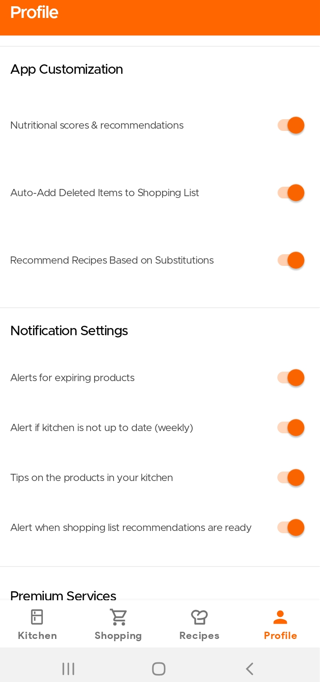
Users have the option to disable or turn on certain notifications or features. Simply visit your Profile Page and scroll down to App Customization and Notifications section.
To change your photo on your profile, just simply change your photo directly on your email account or Facebook account that you are using for KitchenPal, and your new display photo will also reflect on the app.
You will soon have the option of updating this photo on KitchenPal directly too.
We hope you consider buying/subscribing to our Premium services. It helps keep the app ad-free and allows our small team to continue to build and add features that you find useful and love.
Currently, subscribing to our Premium offers the following features:
- Adding & Managing Unlimited Number of Items in the Kitchen (Non-Premium Users are limited to 50)
- Creating New Sections or Storage Spaces in the Kitchen
- Unlimited access to the Meal Planner (Non-Premium Users can only use it for 7-10 days)
- Uploading your own recipes (you can submit links to online recipes or even upload your own recipes manually and they will get saved in your favorites)
- Exporting Pantry List to csv, pdf, etc
- Access to Alternative Versions of Certain Recipes (Lactose Free or Gluten free variants, for example)
- Setting filters while searching/browsing recipes (by Diets like Keto, Low FODMAP, Diabetes, Paleo, Mediterranean; or by Cuisine, Prep Time, and many more)
You can buy Premium with one of the following plans:
- Monthly
- Annually
- Lifetime
(you can click on the Premium button inside the Kitchenpal app to see country specific prices before you purchase)
Please note we also offer a Family Lifetime package for Family Members in the same household, sharing a Kitchen. This way family members do not need to buy separate, individual packages but can avail of a single discounted family plan. Once you purchase this option, all family members with whom you have shared your kitchen and are connected to it, will be upgraded automatically. In case you face issues or you'd like to add additional family members, please drop us an email with the account email addresses of other family members for their free upgrade.
With our Lifetime or Family Lifetime plan, you will receive all future app updates, new features, and upgraded versions at no additional cost.
Tanto el Plan Vitalicio como el Plan Vitalicio Familiar tienen el mismo acceso a nuestras funciones Premium. Solo varían en el precio. El Plan Vitalicio es para un solo usuario, mientras que el Vitalicio Familiar es para un hogar.
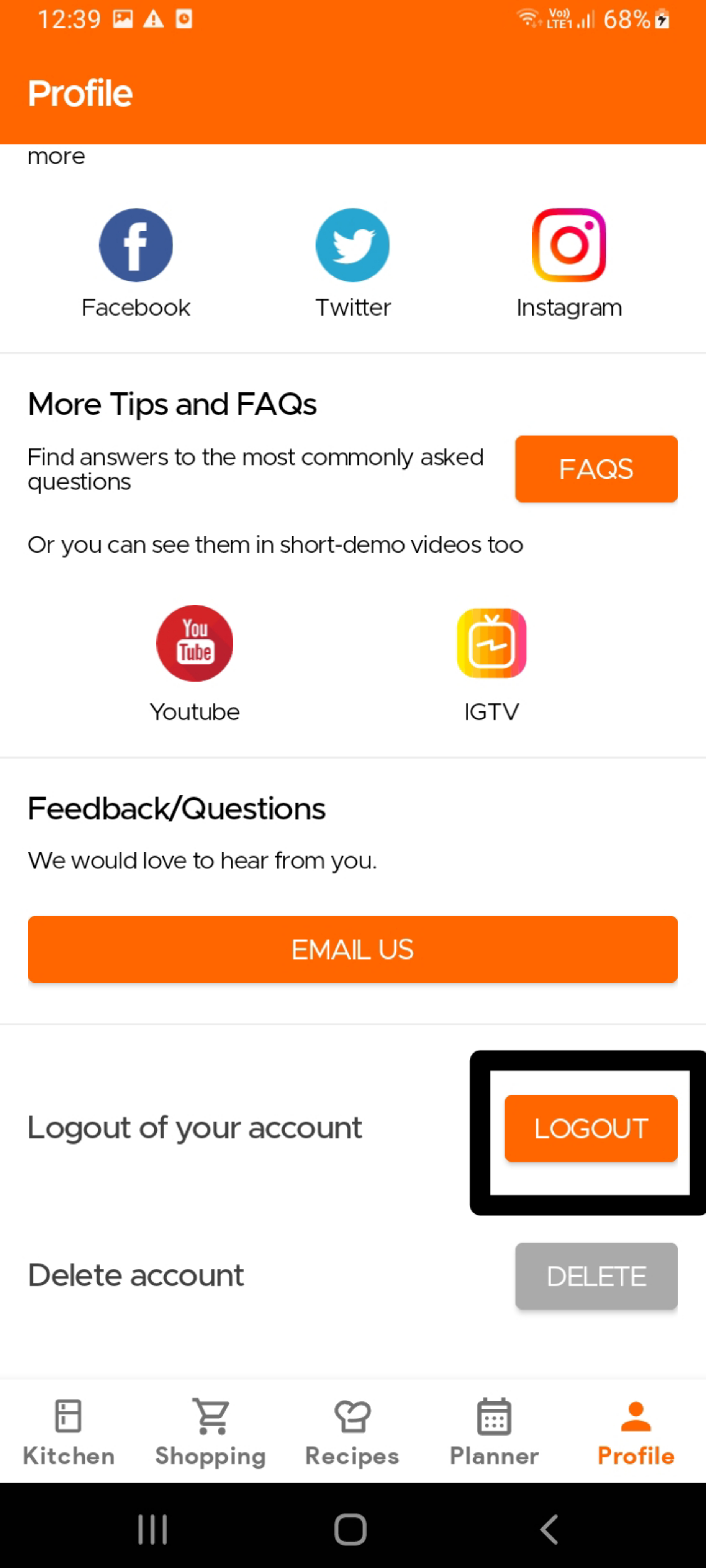
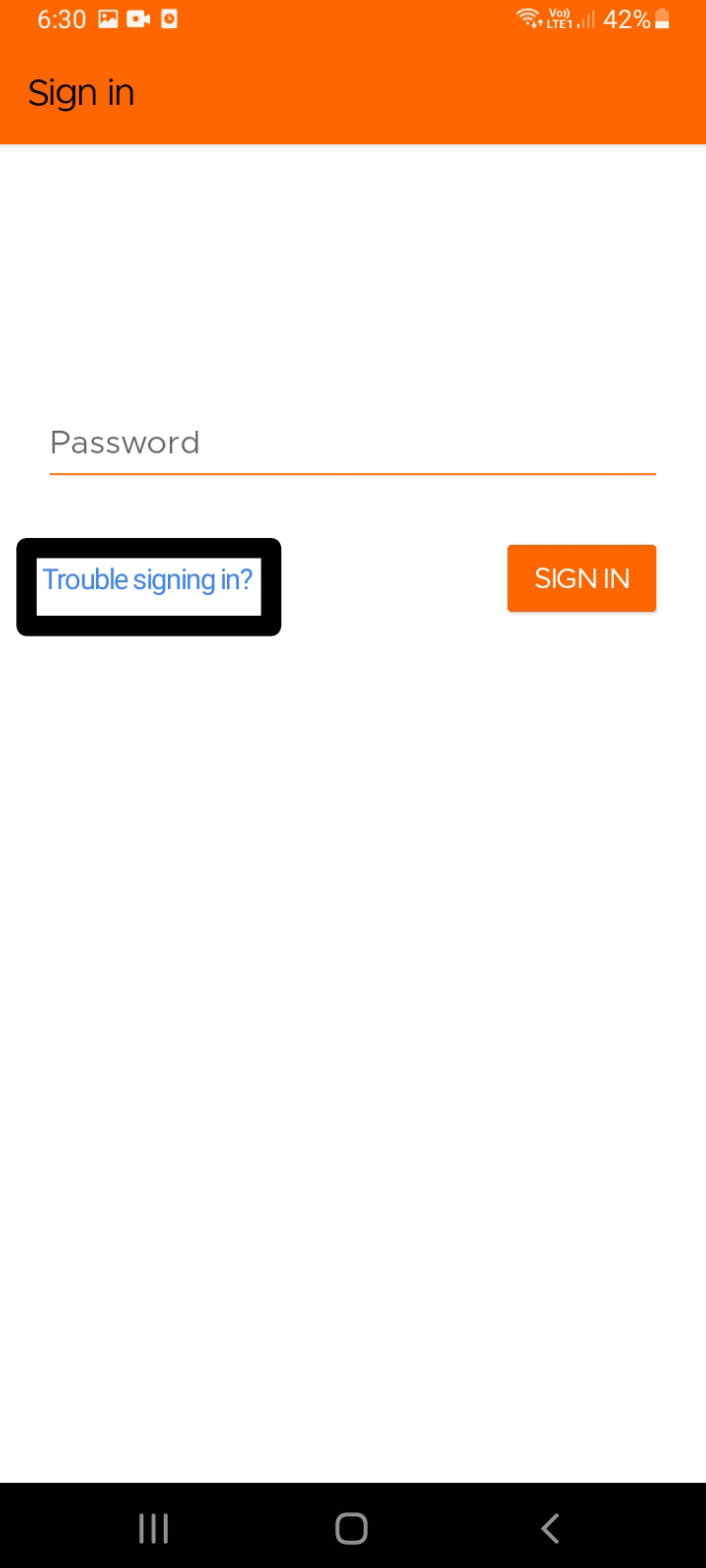
If using your email to log-in to Kitchen (instead of Facebook, Apple or Google/Gmail), to reset your password, please log out of the app from the Profile page. Then, simply sign back into the app using your email ID, and you should see the option to reset your password. This password will be sent directly to your registered email address, entered earlier.
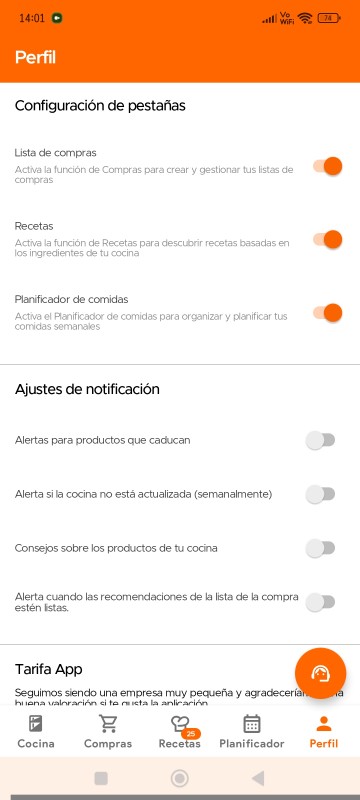
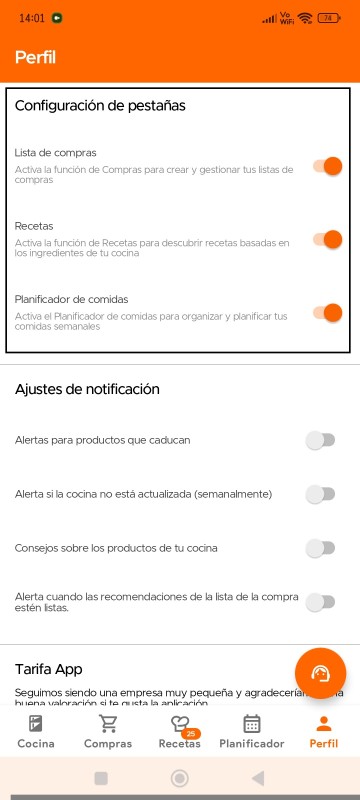
Contamos con la Configuración de Pestañas en la página de Perfil, que permite a los usuarios personalizar su navegación ocultando o desactivando páginas específicas. Así, si no deseas utilizar ciertas funciones de la aplicación (aunque te recomendamos probarlas todas), puedes desactivarlas (y volver a activarlas en cualquier momento).
Ten en cuenta que esta función actualmente solo está disponible en dispositivos Android.
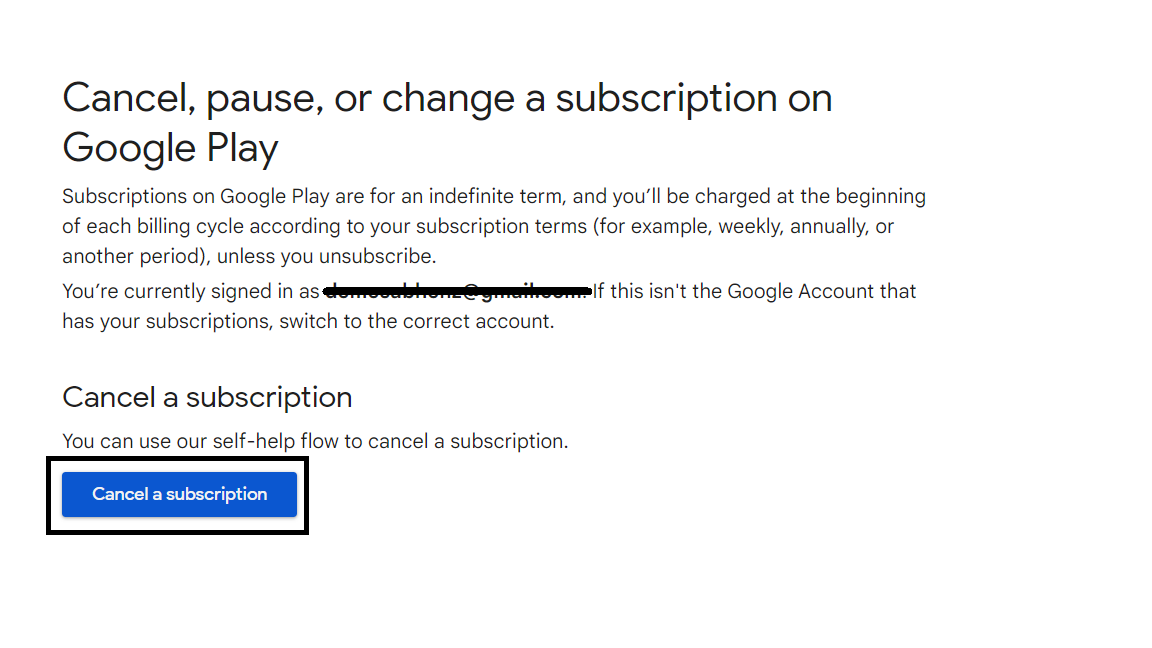
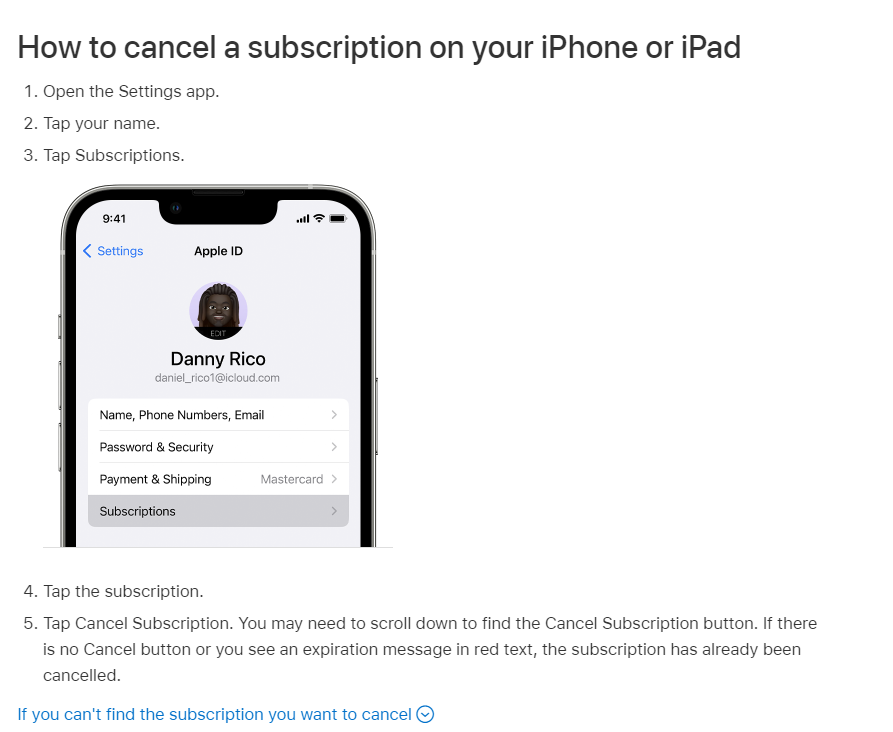
To change your subscription (incl. Upgrading to Lifetime), simply visit the Profile page and click on Update Subscription. This will take you to the subscriptions page within Google Play or Apple Settings. From here you can unsubscribe to your current plan, which will then automatically activate the option to buy Lifetime, again within the KitchenPal App. Visit the Profile Page again and click on Get Premium again to buy the Lifetime pack. If you face any issues, please drop us an email.
For more on Android phones, please read the directions outlined here.
For more on iOS phones, please read the directions outlined here.
To delete your account and all associated data, please use the DELETE Account option in the Settings page of the app. This will delete your account in our systems, though some details may be saved temporarily in our cache. To delete all details immediately, including from our cache, please drop us an email at our support email address.
Ten en cuenta que no vendemos los datos de los usuarios a terceros, ni mostramos anuncios a nuestros usuarios. Por eso, tus suscripciones a Premium son la única forma de ayudarnos a desarrollar y mantener esta aplicación.
Comenzamos esta aplicación como un proyecto personal para resolver nuestros propios problemas en la cocina, y mantener los datos de los usuarios seguros y privados es muy importante para nosotros.
Para más detalles sobre nuestra política de privacidad, puedes consultar este enlace - https://kitchenpalapp.com/es/T&P/PrivacyPolicy.html
Still Need Help?
Can't find what you're looking for? Our support team is here to help!
Email Support Help Center