Perguntas Frequentes sobre Receitas
Discover how to find recipes with your ingredients, upload your own recipes, save favorites, and manage your recipe collection in KitchenPal.
Now you can upload your own recipes or your favourite recipes from other blogs/sites. The simplest way to import a recipe to KitchenPal is to share the URL with KitchenPal while visiting the recipe blog with your browser (choose Share and then scroll and select the KitchenPal app from the list of apps available to share the content with).
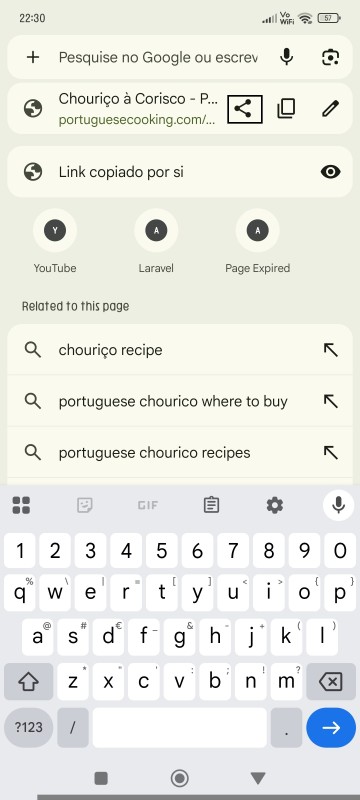
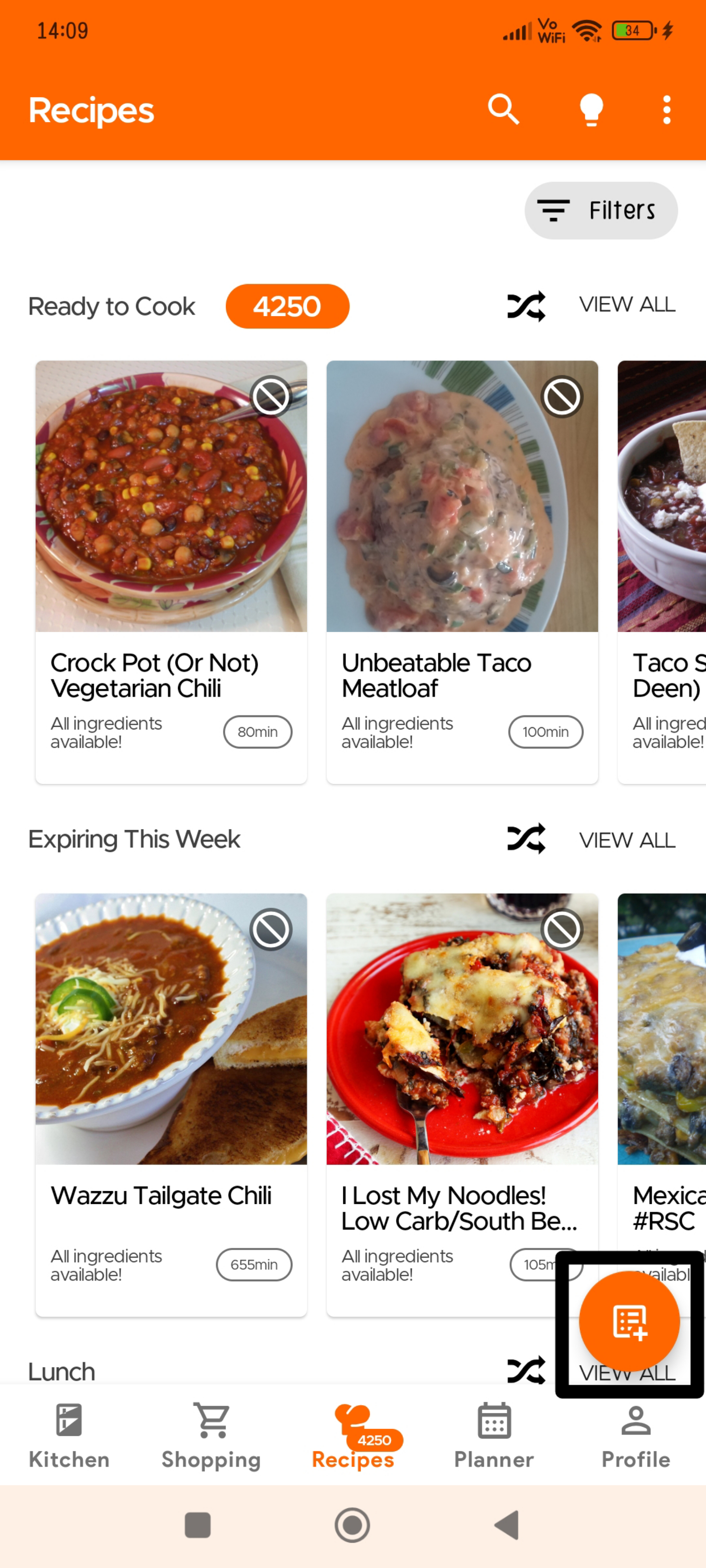
Recipes usually get added automatically but sometimes it may take our team a couple of days to approve these recipes (we check to see if everything is imported correctly, and items are mapped to ones in our DB and your Kitchen).
Or you can go to the Recipe Section and click the Overflow icon (three dots) on the top right:
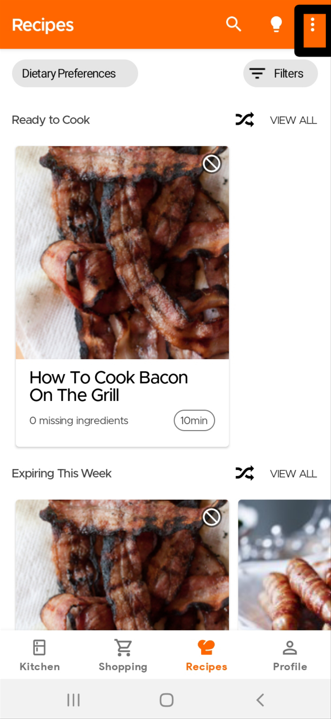
Click on Upload Recipes
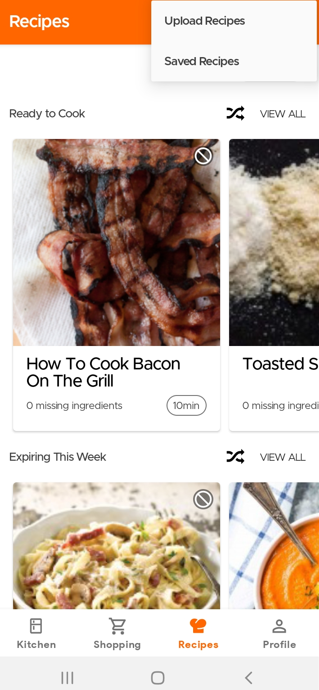
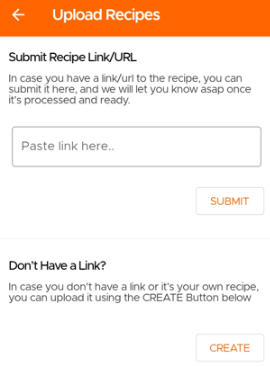
Then you will have the option to choose if you want to submit a recipe from another website or manually submit your own recipe.
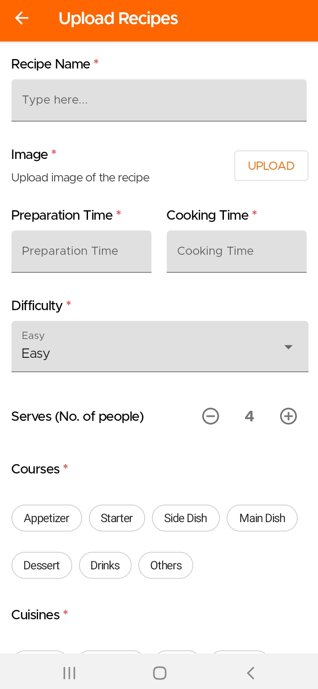
If you wish to manually submit your own recipe, you will need to fill in the required fields marked with an asterisk.
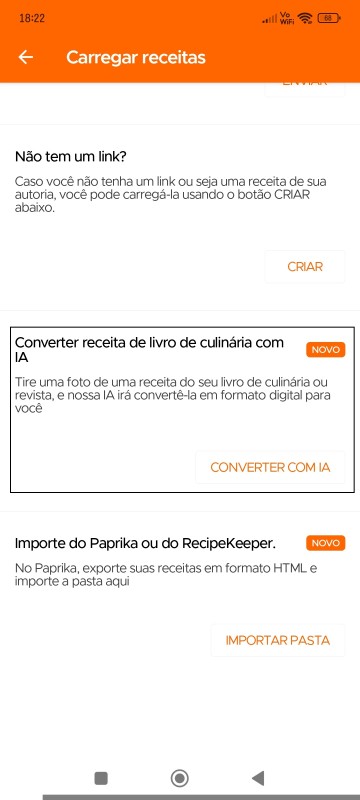
Agora pode carregar receitas simplesmente tirando uma fotografia - seja do seu livro de receitas, de uma revista ou até mesmo de notas manuscritas (disponível apenas para os nossos utilizadores Premium). Nota: as receitas carregadas através do Livro de Receitas AI permanecem privadas para o utilizador.
Para digitalizar/carregar as suas receitas com o Livro de Receitas com AI, vá à página de Receitas e selecione Carregar Receita, depois escolha "Converter Receita do Livro de Receitas com AI"
Passo 1: Tire uma fotografia da sua receita
Passo 2: Introduza o Nome da Receita
Passo 3: Tire uma fotografia do prato finalizado (opcional)
Passo 4: Tire uma fotografia dos detalhes de confeção (porções, tempo de preparação, tempo de confeção)
Passo 5: Tire uma fotografia da lista de ingredientes
Passo 6: Tire uma fotografia das instruções
Passo 7: Selecione a cozinha e o tipo de prato da sua receita
Para importar as suas receitas do Paprika para o KitchenPal:
1. Vá a Definições no Paprika.
2. Selecione "Exportar Receitas."
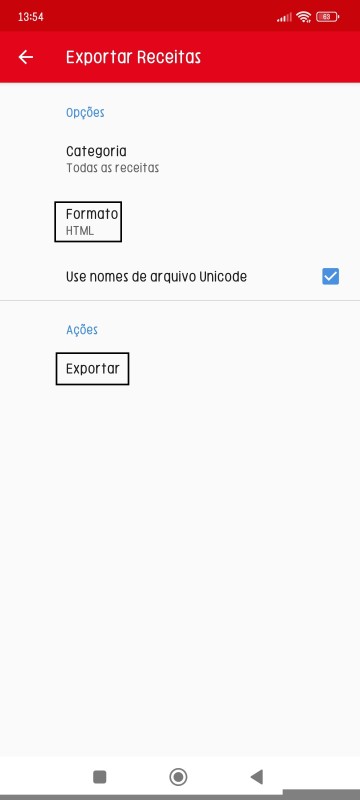
3. Escolha HTML como formato.
4. Depois, na aplicação KitchenPal, selecione "Importar Receitas do Paprika ou Recipe Keeper."
Página Exportar Receitas do Paprika
Página Carregar Receitas do KitchenPal
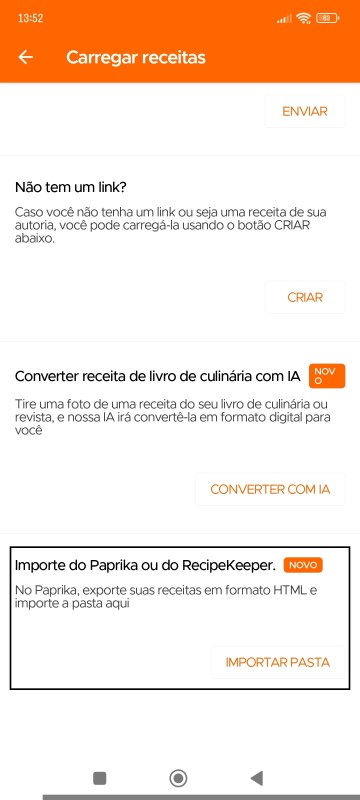
Para importar as suas receitas do Recipe Keeper para o KitchenPal:
1. Vá a Definições no Recipe Keeper.
2. Selecione "Exportar Receitas."
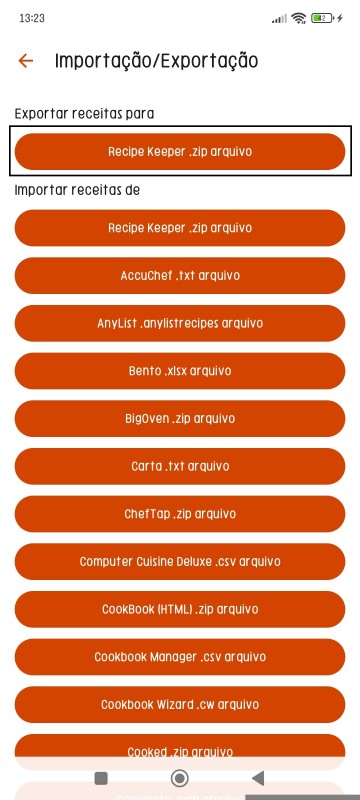
3. Escolha Exportar Receitas para (ficheiro .zip do Recipe Keeper)
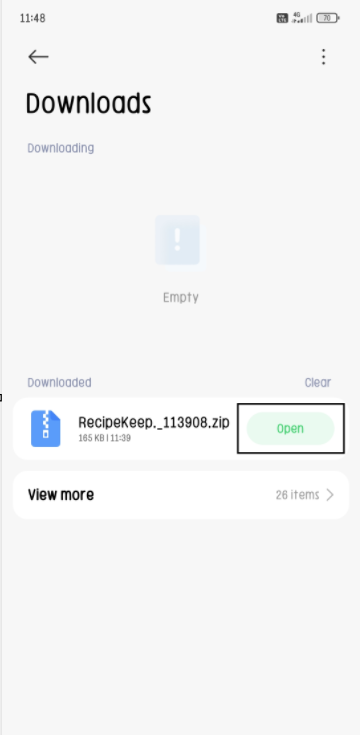
4. Depois, no ficheiro zip transferido do Recipe Keeper, abra/extraia os ficheiros para o armazenamento à sua escolha.
5. Depois, na aplicação KitchenPal, selecione "Importar Receitas do Paprika ou Recipe Keeper."
Página Exportar Receitas do Recipe Keeper
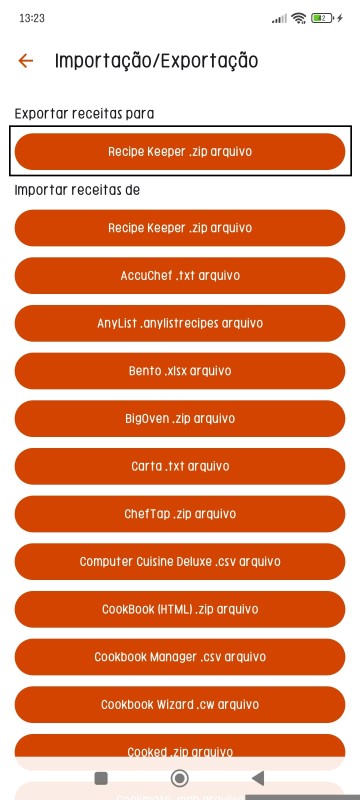
Clique em 'Abrir' para extrair o ficheiro ZIP
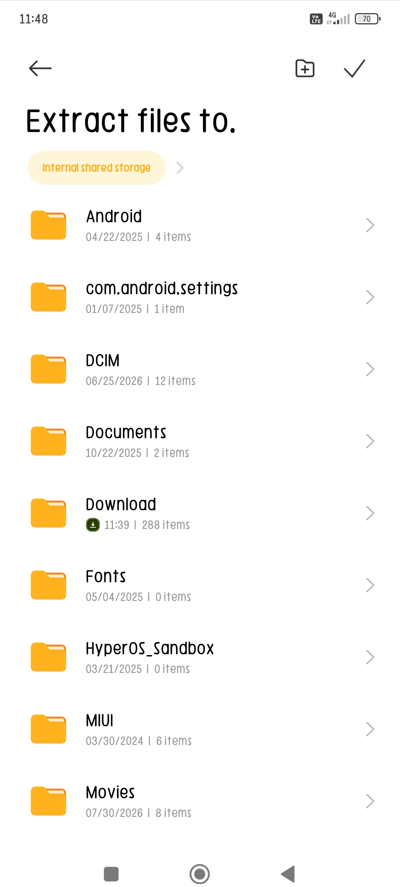
Escolha a pasta para onde deseja extrair estes ficheiros
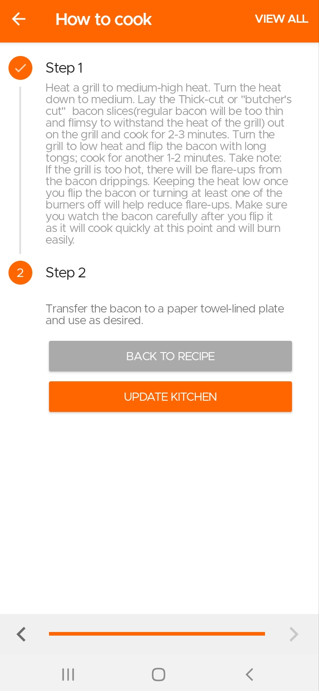
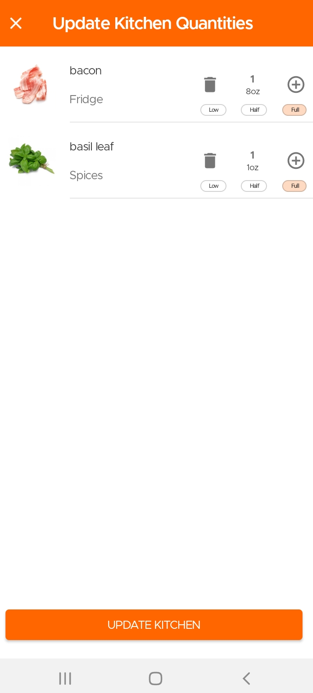
When you finish cooking a recipe, the app will give you an option to deduct the used items from your pantry and keep your kitchen updated.
Go to the Recipes Section and click the Overflow menu (three dots) at the top.
Then click on Saved Recipes to see all the Recipes Saved or Submitted by you.
One of the great advantages of KitchenPal is that you can easily find what to cook with what's in your pantry at any time. But what should you do, when you are looking to cook with only a few specific ingredients in your kitchen (or maybe just looking for inspiration). We have you covered.
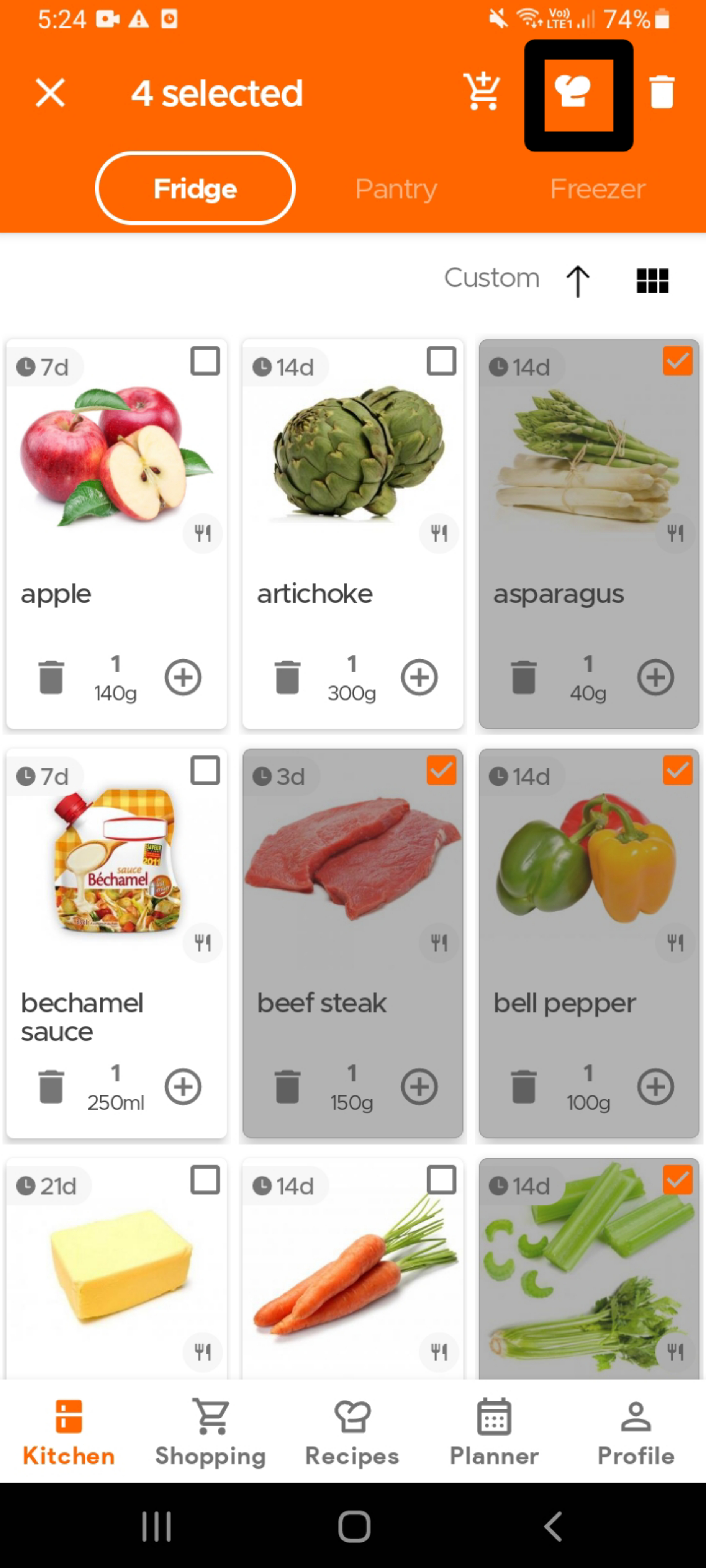
To find recipes using specific ingredients that are already in your kitchen, simply select the ingredient(s) - see the image below (you can select as many ingredients as you want) - and then click on the Recipes icon (chef's hat) on the top app bar.
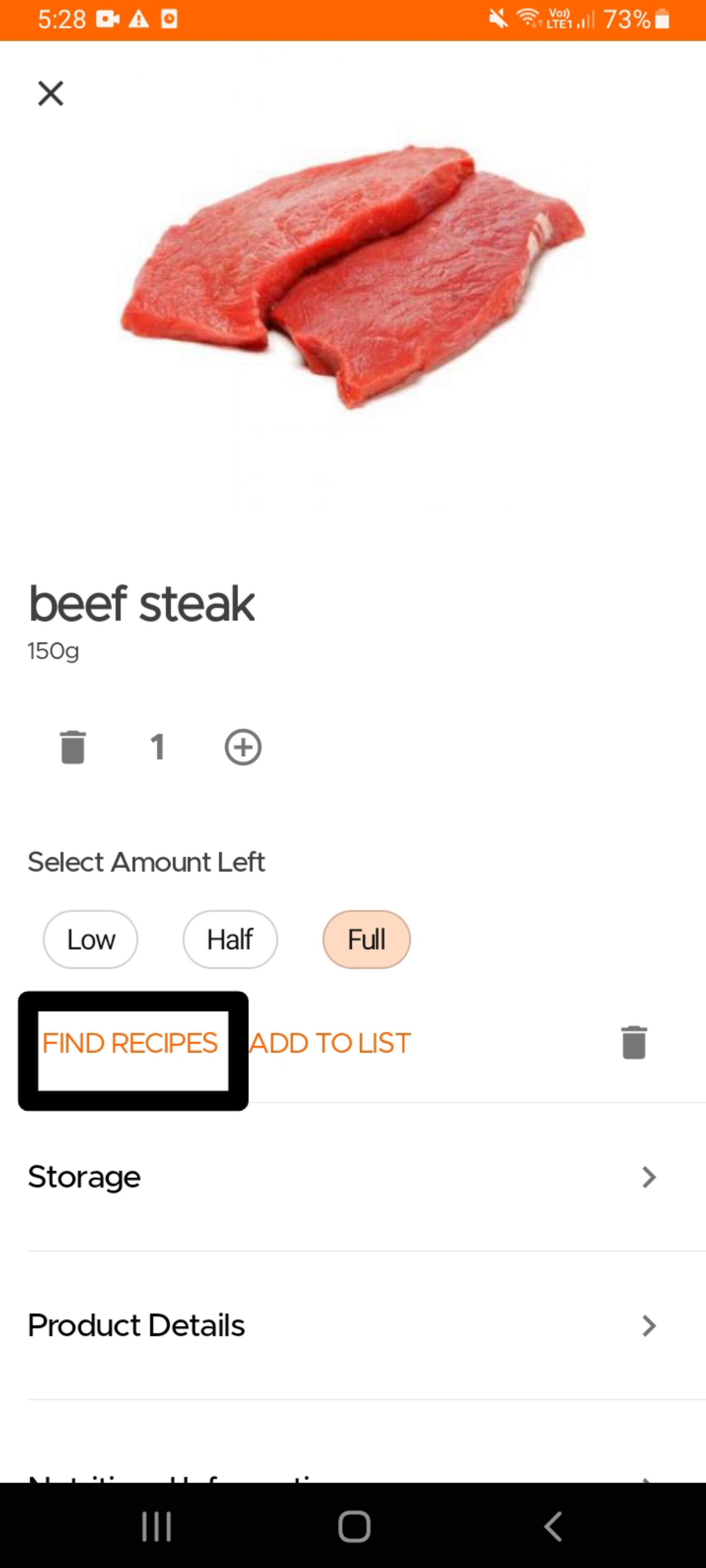
Alternatively, if you are looking for recipes that use a single specific ingredient , you can also open the product card for that ingredient and click on the "Find Recipes" option.
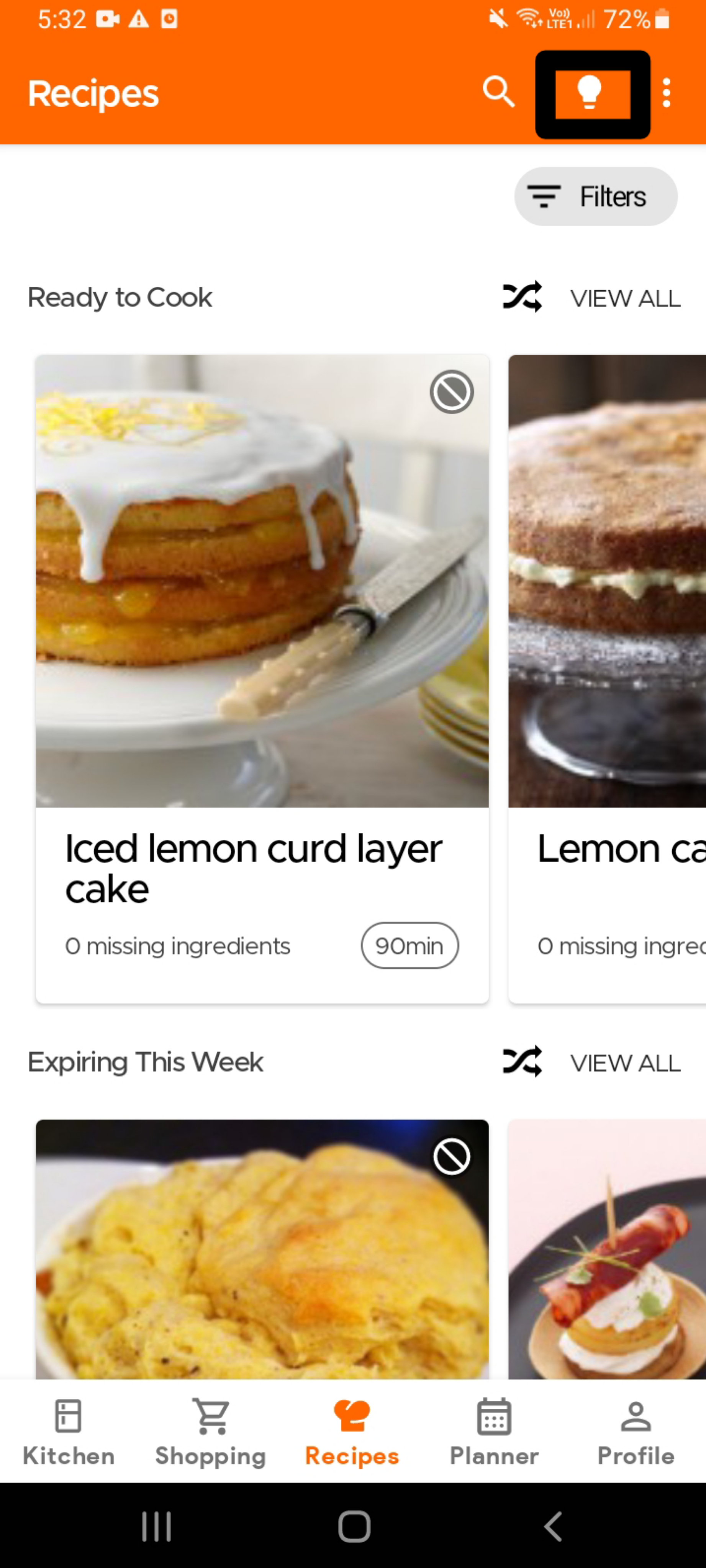
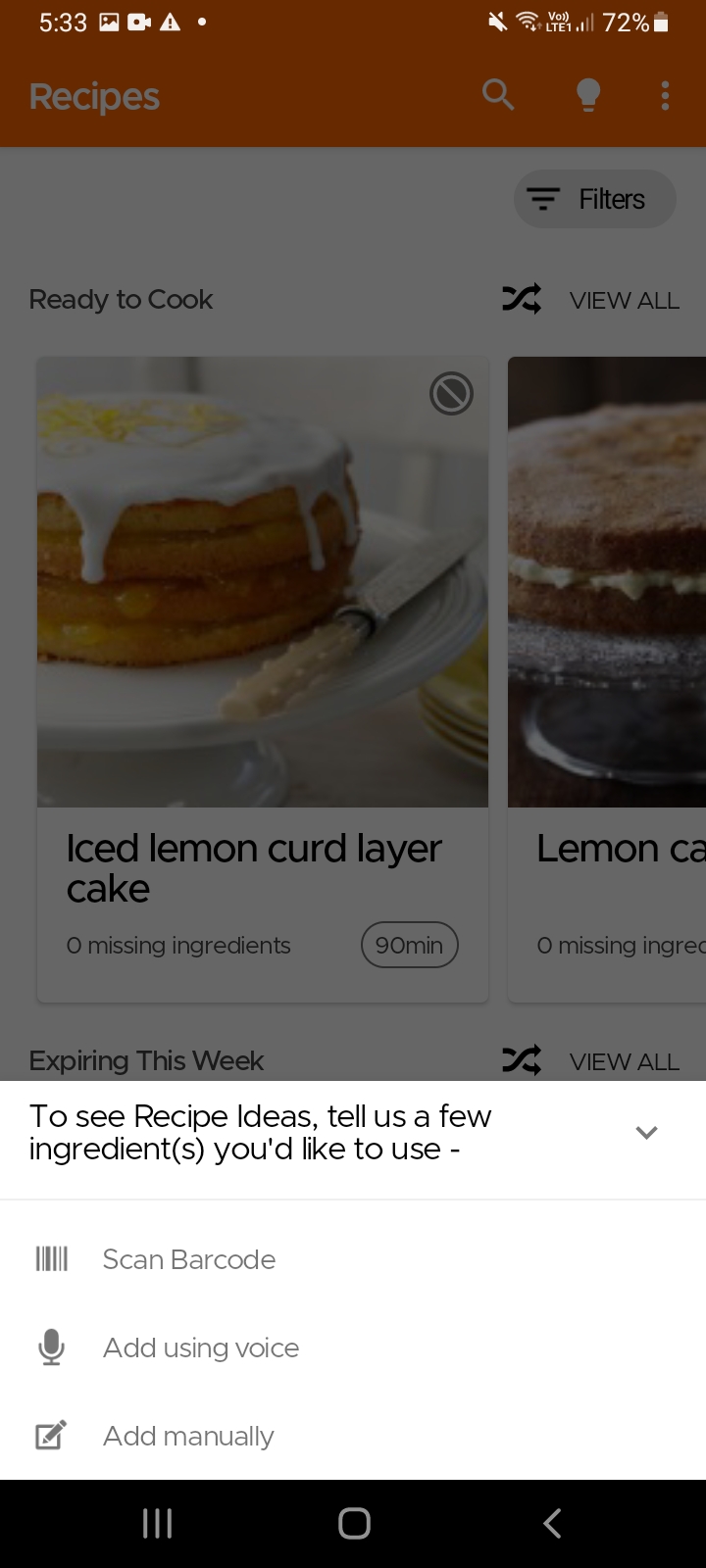
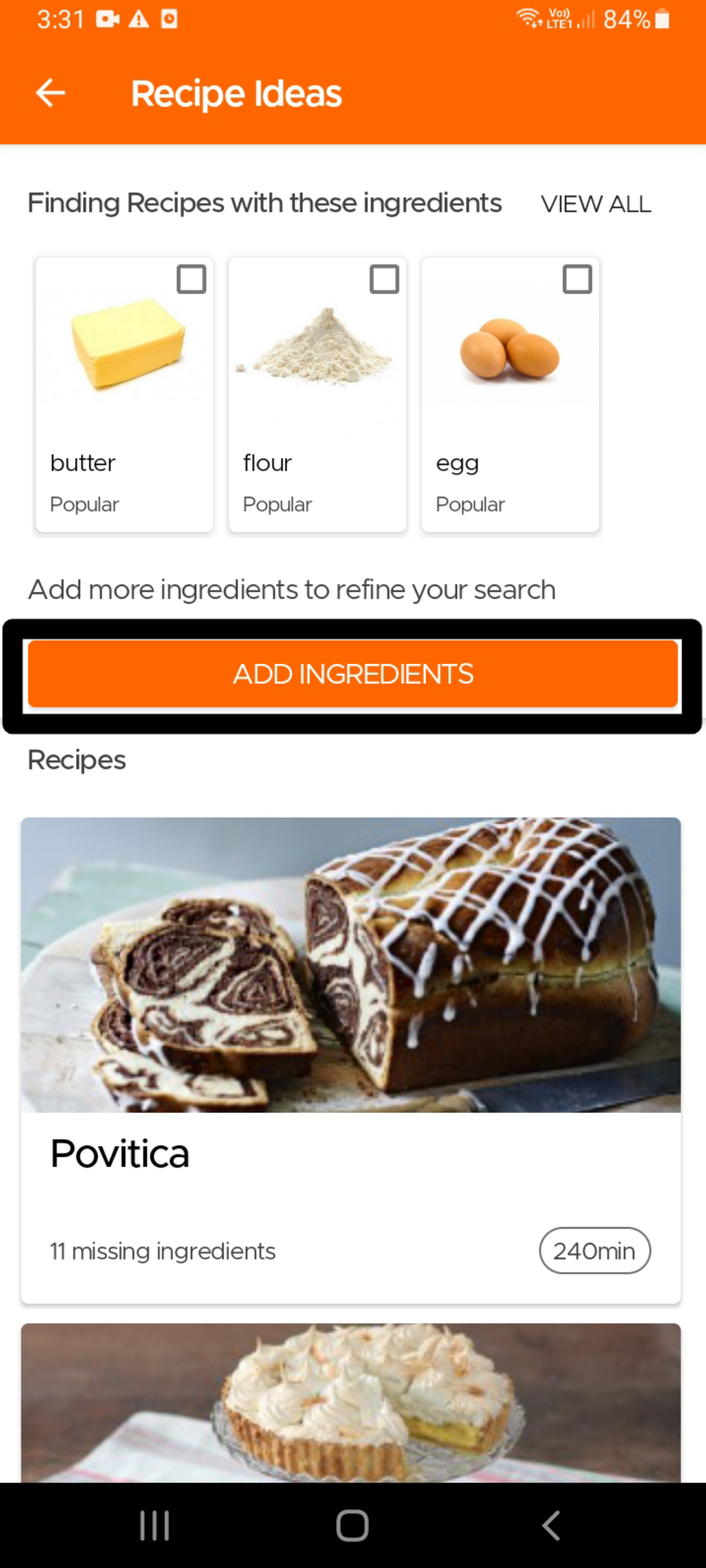
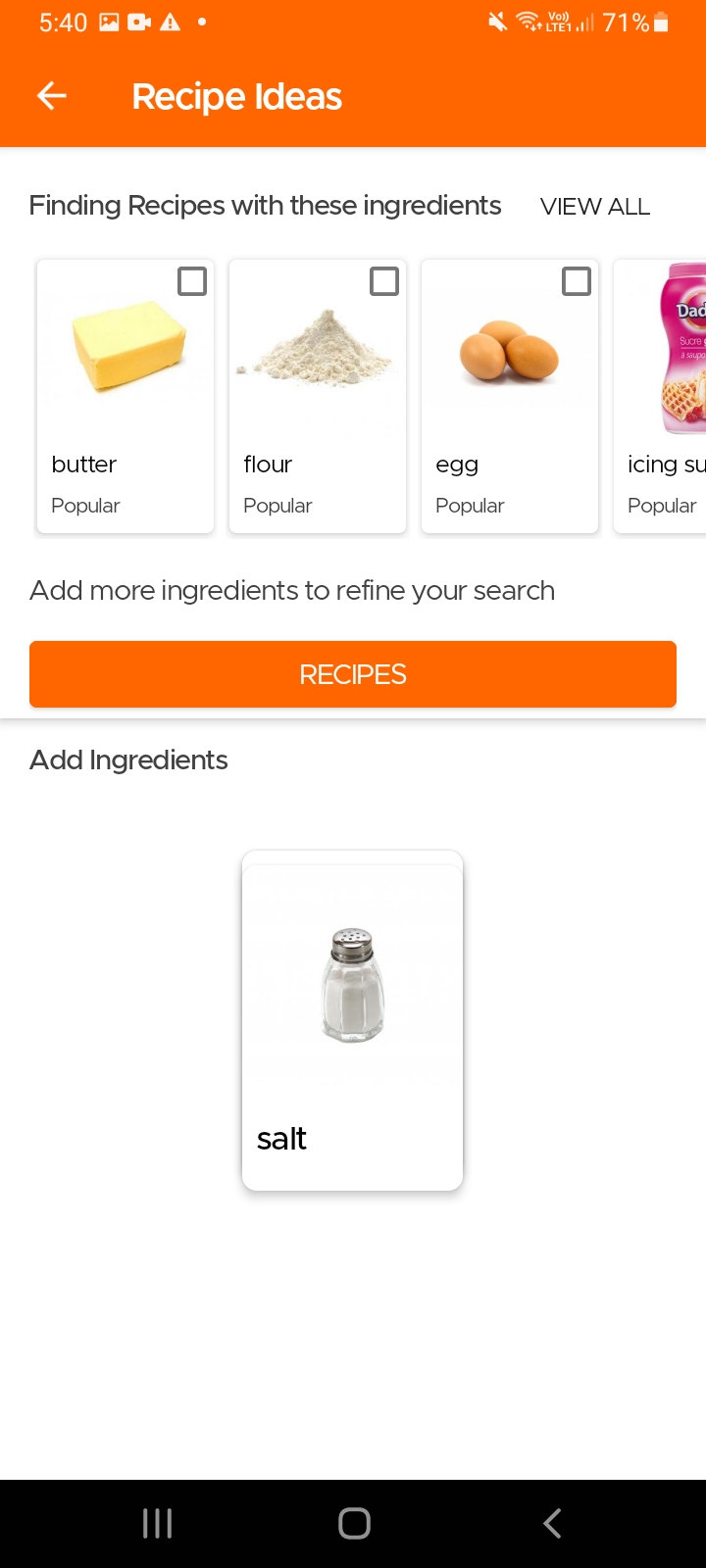
Another option to find recipes using specific ingredients, especially in case you do not use our Pantry feature, is to simply go to the Recipes page and click on the Idea icon (light bulb) on the top right. The app will then ask you to input the main ingredients for which you are looking for recipes. It will then give you tailored recommendations which you can refine further by choosing additional ingredients that should be included or excluded.
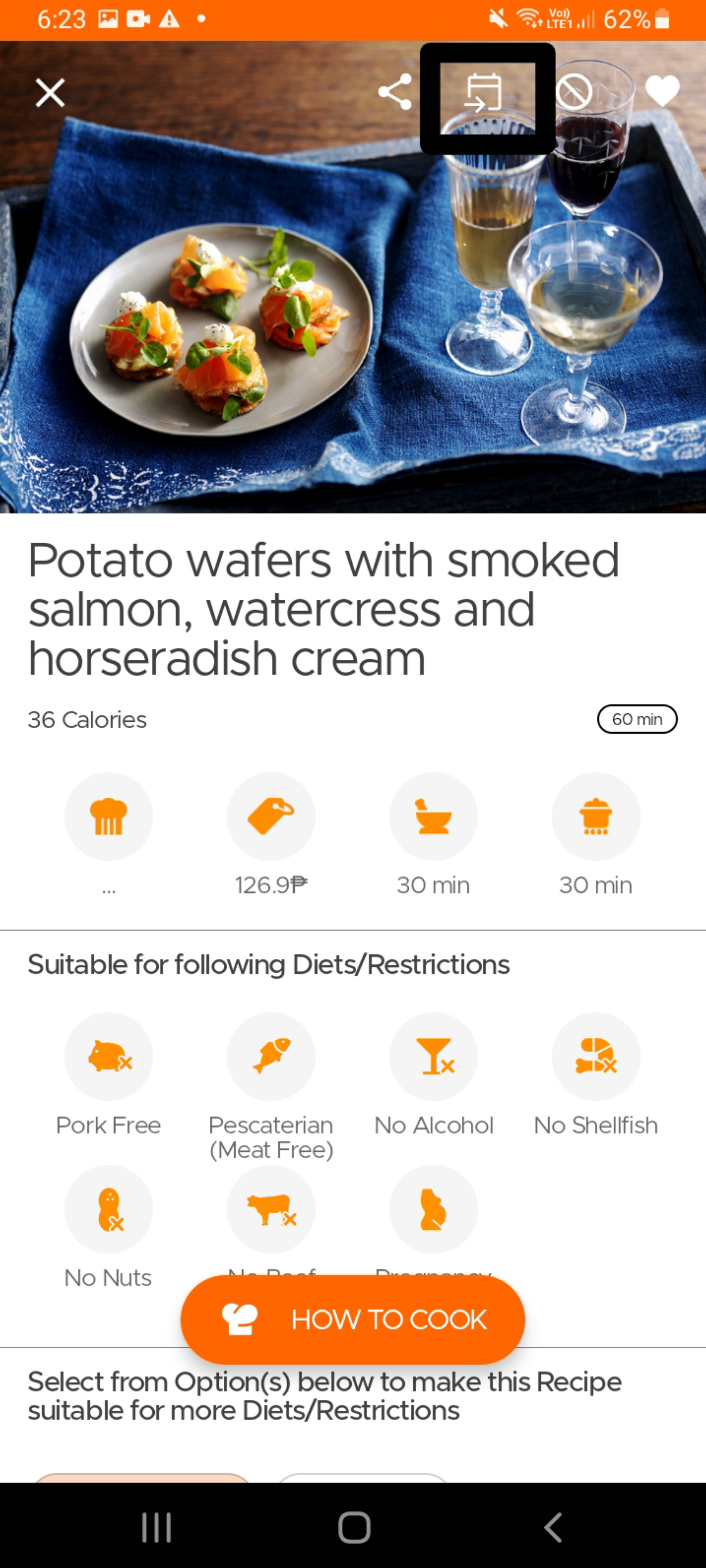
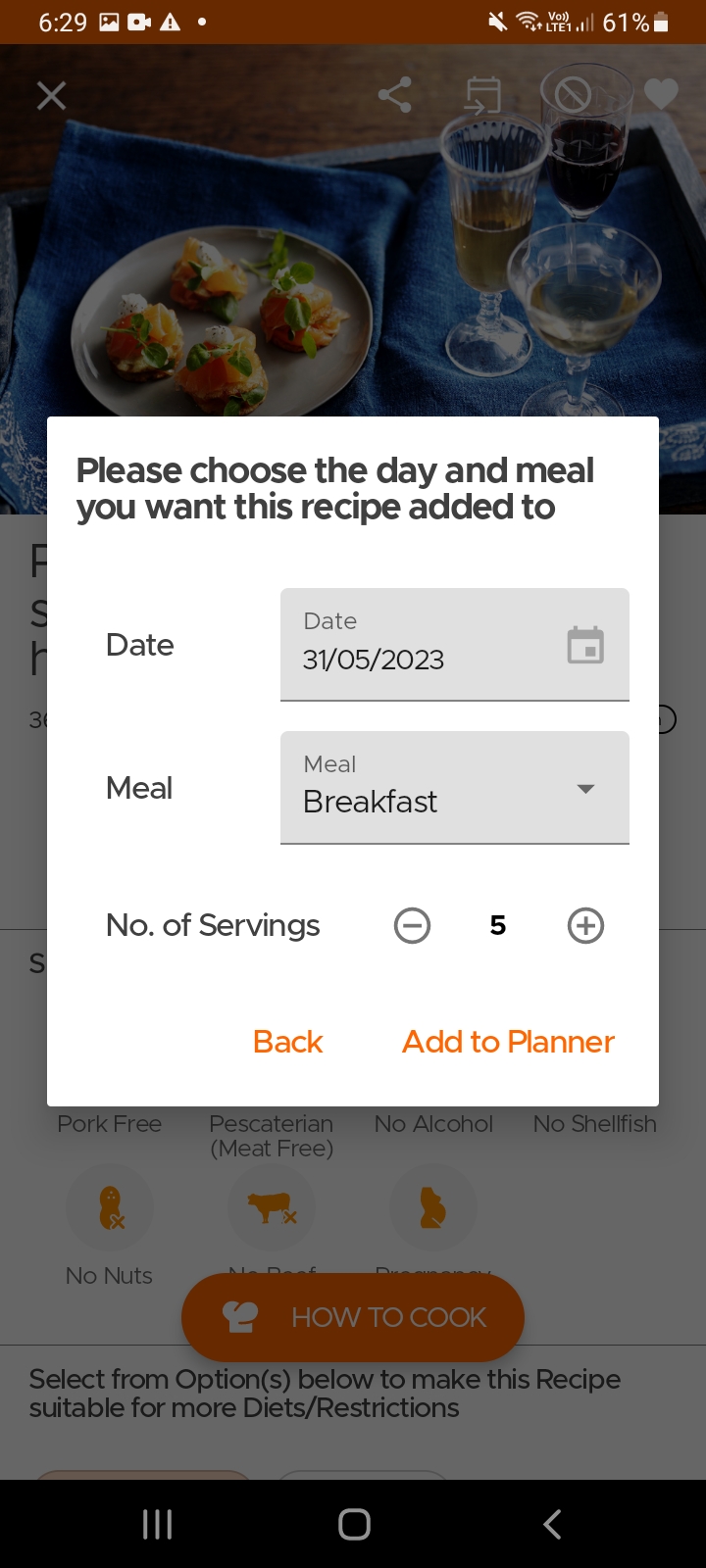
To add a recipe to your planner, simply open the recipe page and click on the Add to Planner icon on top. Select the date, meal and the number of servings and viola, you are done.
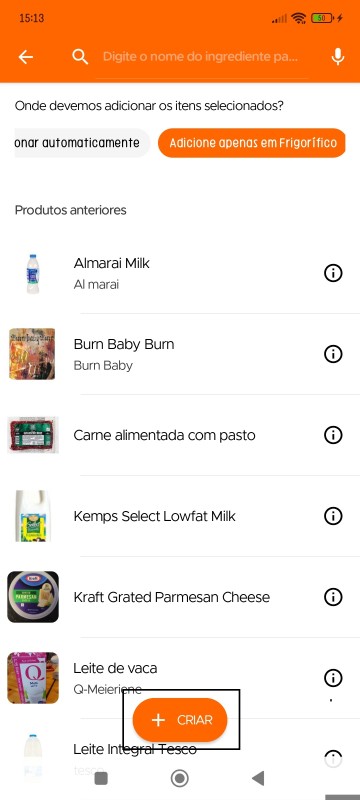
Os utilizadores podem criar pratos caseiros/cozinhados ou sobras no inventário (com a opção criar) e definir uma data de validade para os mesmos. Isto permite ver uma lista de todos os pratos disponíveis para comer, juntamente com os itens no seu inventário.
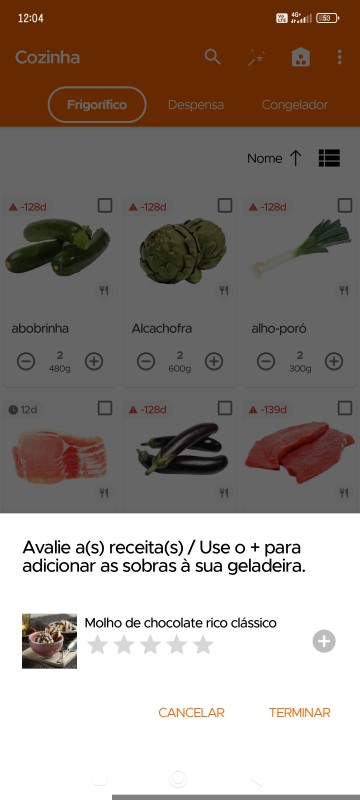
Além disso, depois de cozinhar uma receita [a partir da página da receita], da próxima vez que abrir a aplicação, receberá uma mensagem como esta na secção Cozinha, permitindo-lhe adicionar as suas sobras diretamente à cozinha (os itens são adicionados automaticamente ao frigorífico com uma validade de 3 dias, podendo ambos ser alterados posteriormente).
Still Need Help?
Can't find what you're looking for? Our support team is here to help!
Email Support Help Center