Questions Fréquentes sur les Paramètres et le Compte
Manage your account, notifications, premium subscription, password reset, and learn about KitchenPal Premium features.
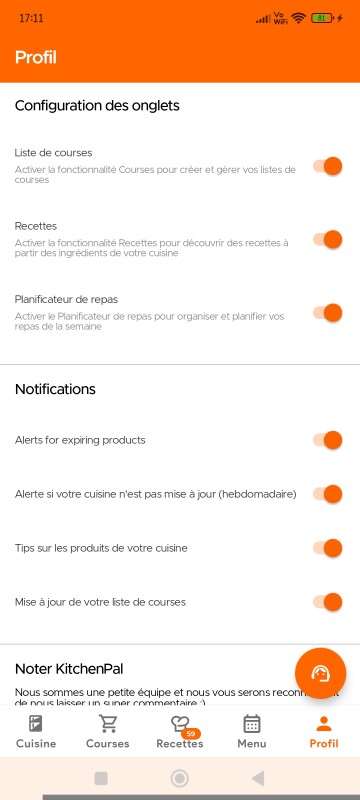
Users have the option to disable or turn on certain notifications or features. Simply visit your Profile Page and scroll down to App Customization and Notifications section.

To change your photo on your profile, just simply change your photo directly on your email account or Facebook account that you are using for KitchenPal, and your new display photo will also reflect on the app.
You will soon have the option of updating this photo on KitchenPal directly too.
We hope you consider buying/subscribing to our Premium services. It helps keep the app ad-free and allows our small team to continue to build and add features that you find useful and love.
Currently, subscribing to our Premium offers the following features:
- Adding & Managing Unlimited Number of Items in the Kitchen (Non-Premium Users are limited to 50)
- Creating New Sections or Storage Spaces in the Kitchen
- Unlimited access to the Meal Planner (Non-Premium Users can only use it for 7-10 days)
- Uploading your own recipes (you can submit links to online recipes or even upload your own recipes manually and they will get saved in your favorites)
- Exporting Pantry List to csv, pdf, etc
- Access to Alternative Versions of Certain Recipes (Lactose Free or Gluten free variants, for example)
- Setting filters while searching/browsing recipes (by Diets like Keto, Low FODMAP, Diabetes, Paleo, Mediterranean; or by Cuisine, Prep Time, and many more)
You can buy Premium with one of the following plans:
- Monthly
- Annually
- Lifetime
(you can click on the Premium button inside the Kitchenpal app to see country specific prices before you purchase)
Please note we also offer a Family Lifetime package for Family Members in the same household, sharing a Kitchen. This way family members do not need to buy separate, individual packages but can avail of a single discounted family plan. Once you purchase this option, all family members with whom you have shared your kitchen and are connected to it, will be upgraded automatically. In case you face issues or you'd like to add additional family members, please drop us an email with the account email addresses of other family members for their free upgrade.
With our Lifetime or Family Lifetime plan, you will receive all future app updates, new features, and upgraded versions at no additional cost.
Le Forfait à Vie et le Forfait Famille à Vie donnent tous deux accès aux mêmes fonctionnalités Premium. Ils diffèrent uniquement par leur tarification. Le Forfait à Vie est destiné à un seul utilisateur, tandis que le Forfait Famille à Vie est destiné à un foyer.
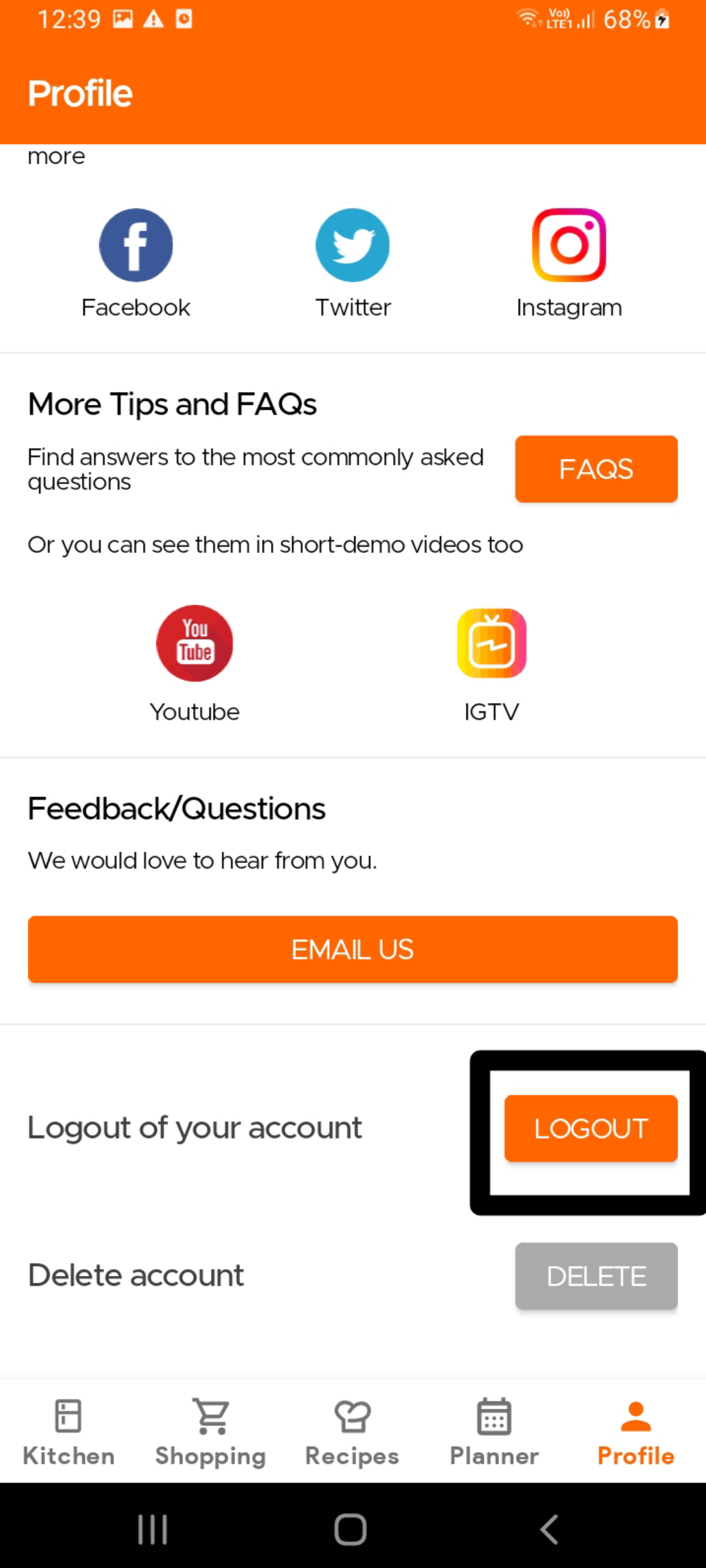
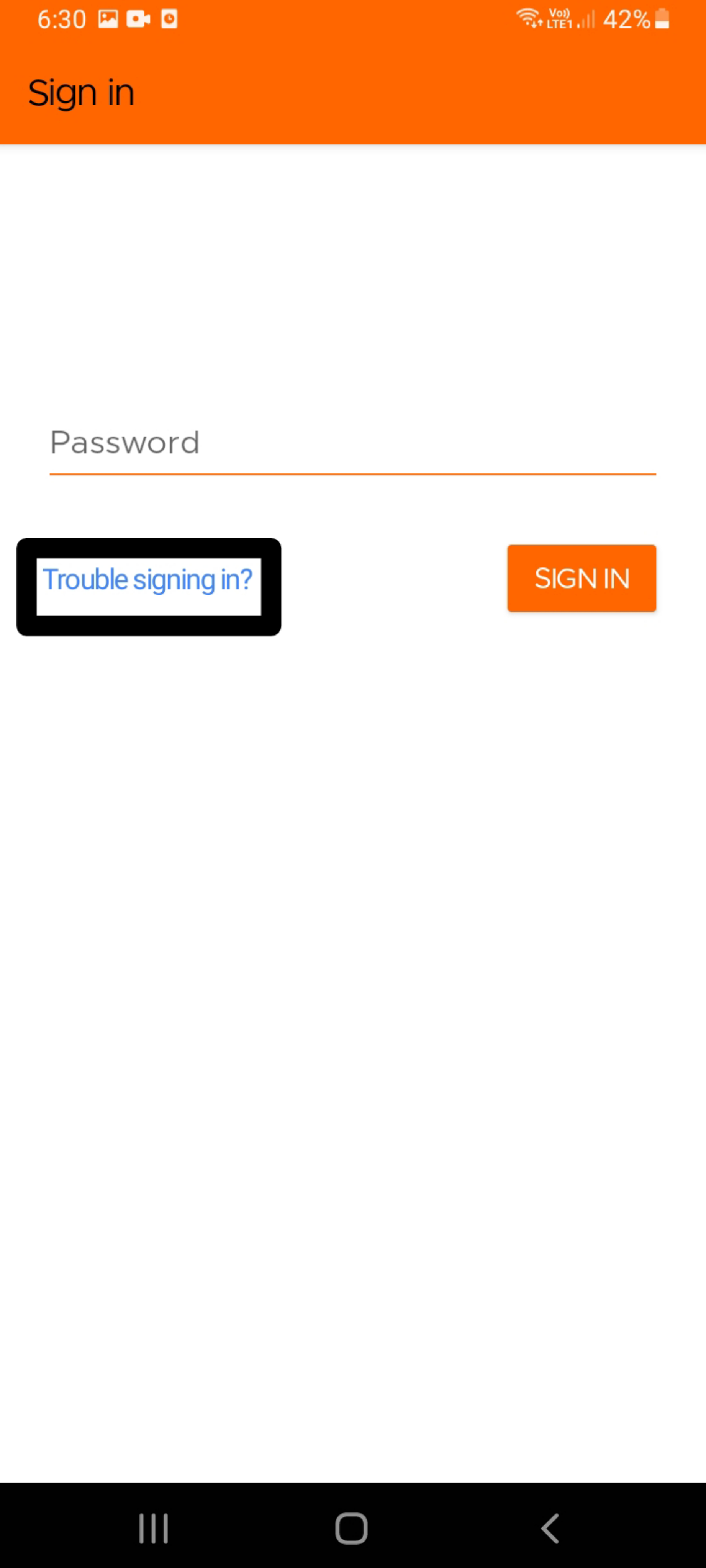
If using your email to log-in to Kitchen (instead of Facebook, Apple or Google/Gmail), to reset your password, please log out of the app from the Profile page. Then, simply sign back into the app using your email ID, and you should see the option to reset your password. This password will be sent directly to your registered email address, entered earlier.
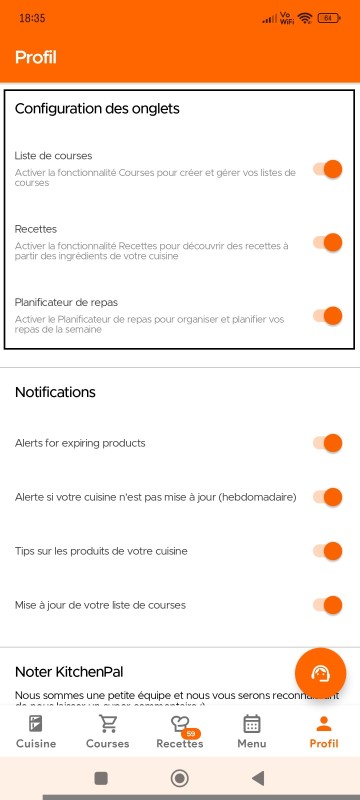
Nous proposons la Configuration des Onglets sur la page Profil, qui permet aux utilisateurs de personnaliser leur navigation en masquant ou en désactivant certaines pages. Ainsi, si vous ne souhaitez pas utiliser certaines fonctionnalités de l'application (même si nous vous recommandons de toutes les essayer), vous pouvez les désactiver (et les réactiver à tout moment).
Veuillez noter que cette fonctionnalité n'est actuellement disponible que sur les appareils Android.
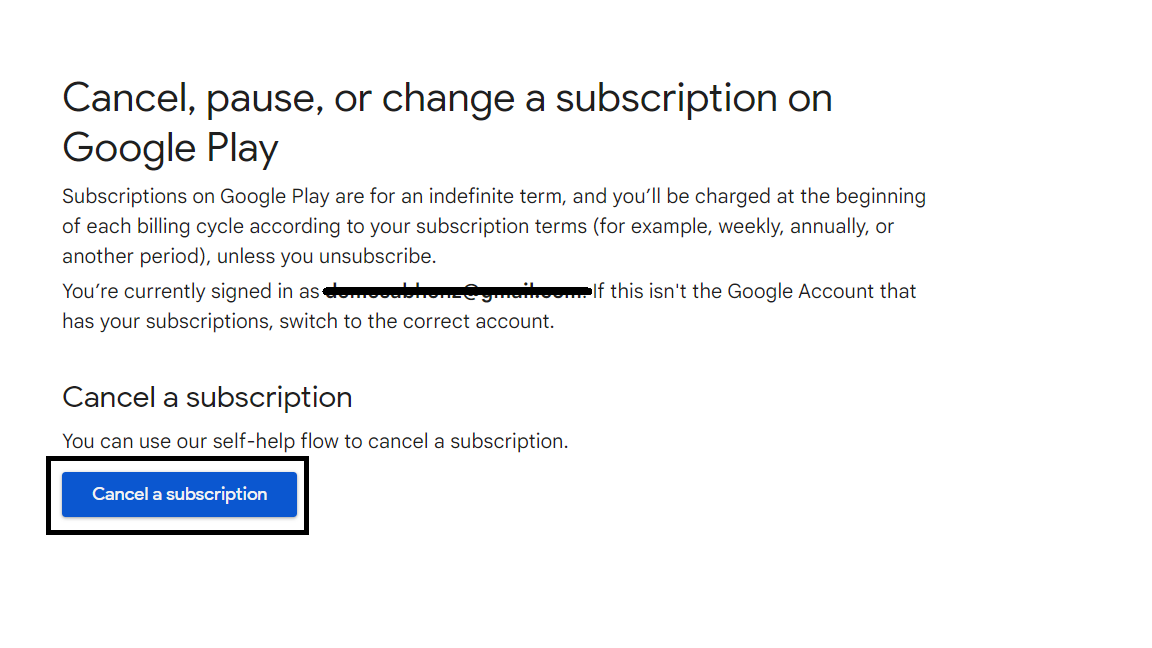
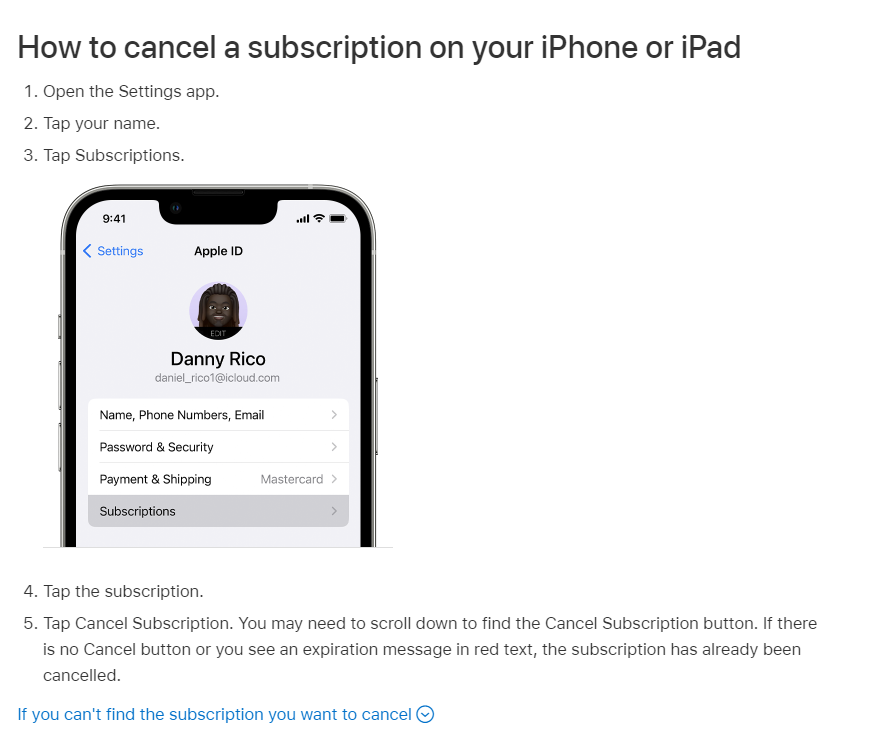
To change your subscription (incl. Upgrading to Lifetime), simply visit the Profile page and click on Update Subscription. This will take you to the subscriptions page within Google Play or Apple Settings. From here you can unsubscribe to your current plan, which will then automatically activate the option to buy Lifetime, again within the KitchenPal App. Visit the Profile Page again and click on Get Premium again to buy the Lifetime pack. If you face any issues, please drop us an email.
For more on Android phones, please read the directions outlined here.
For more on iOS phones, please read the directions outlined here.
To delete your account and all associated data, please use the DELETE Account option in the Settings page of the app. This will delete your account in our systems, though some details may be saved temporarily in our cache. To delete all details immediately, including from our cache, please drop us an email at our support email address.
Veuillez noter que nous ne vendons pas les données des utilisateurs à des tiers et que nous ne diffusons pas de publicités auprès de nos utilisateurs. Vos abonnements Premium sont donc le seul moyen de nous aider à développer et à maintenir cette application.
Nous avons créé cette application par passion pour résoudre nos propres problèmes de cuisine, et il est très important pour nous de protéger la confidentialité des données des utilisateurs.
Pour plus de détails sur notre politique de confidentialité, vous pouvez consulter ce lien - https://kitchenpalapp.com/fr/T&P/PrivacyPolicy.html
Still Need Help?
Can't find what you're looking for? Our support team is here to help!
Email Support Help Center