Häufige Fragen zu Rezepten
Discover how to find recipes with your ingredients, upload your own recipes, save favorites, and manage your recipe collection in KitchenPal.
Now you can upload your own recipes or your favourite recipes from other blogs/sites. The simplest way to import a recipe to KitchenPal is to share the URL with KitchenPal while visiting the recipe blog with your browser (choose Share and then scroll and select the KitchenPal app from the list of apps available to share the content with).
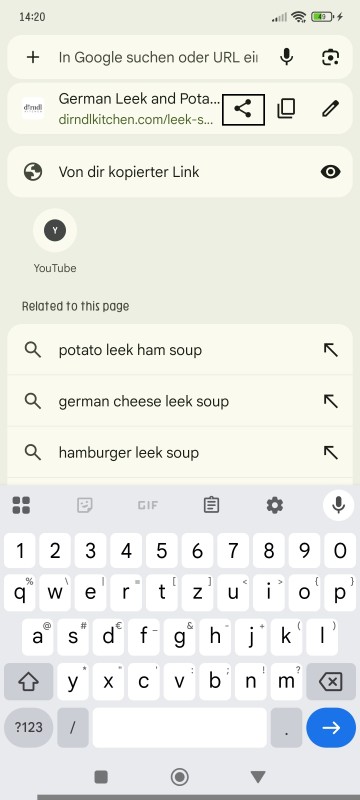
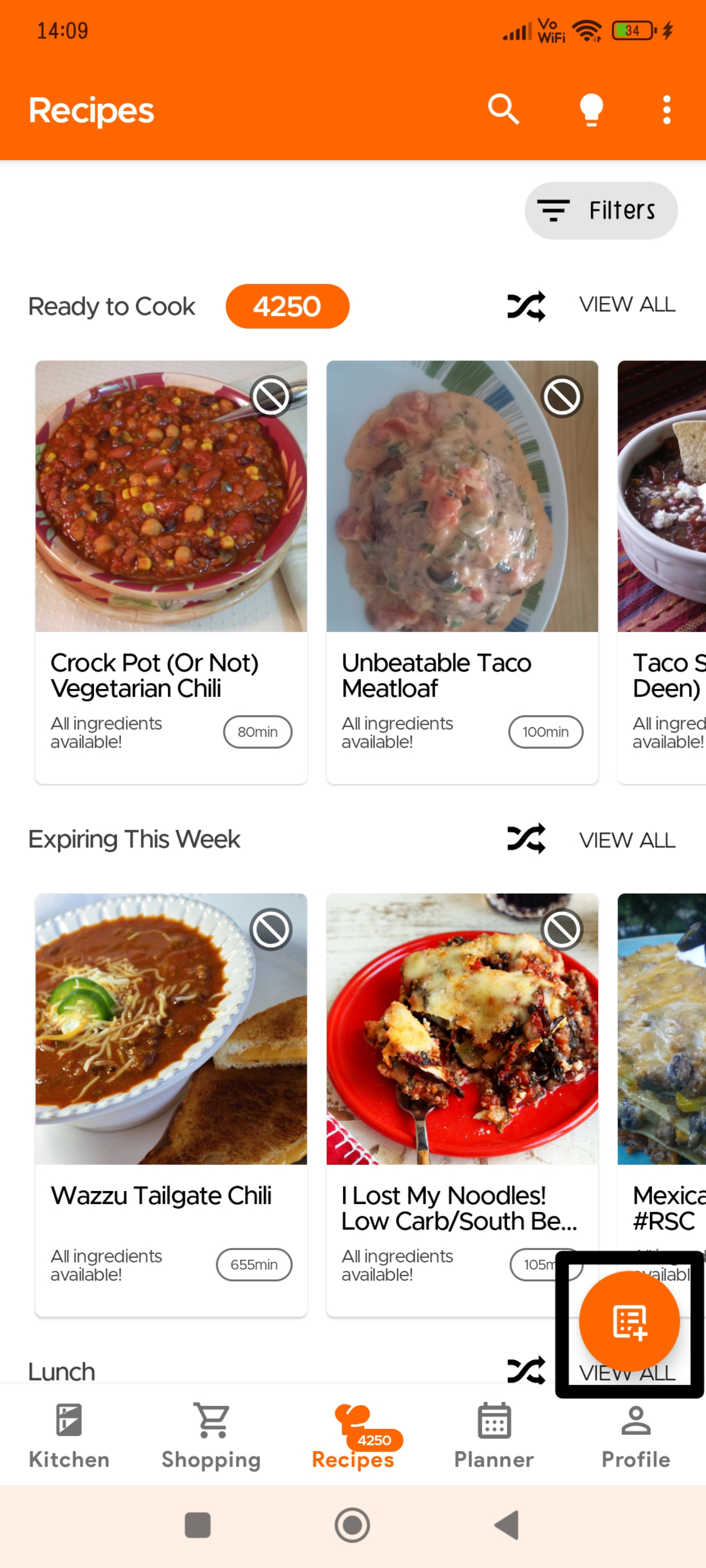
Recipes usually get added automatically but sometimes it may take our team a couple of days to approve these recipes (we check to see if everything is imported correctly, and items are mapped to ones in our DB and your Kitchen).
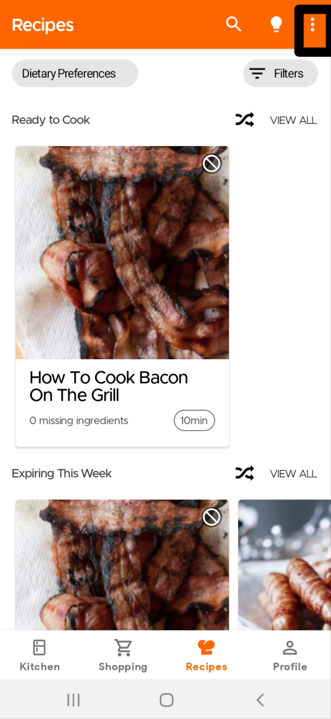
Or you can go to the Recipe Section and click the Overflow icon (three dots) on the top right:
Click on Upload Recipes
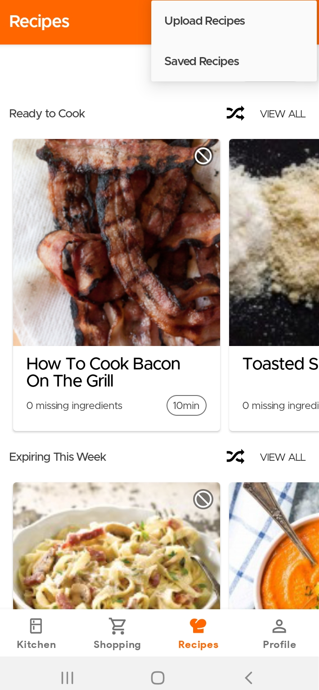
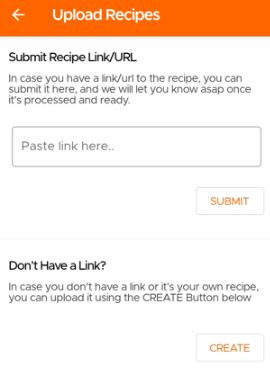
Then you will have the option to choose if you want to submit a recipe from another website or manually submit your own recipe.
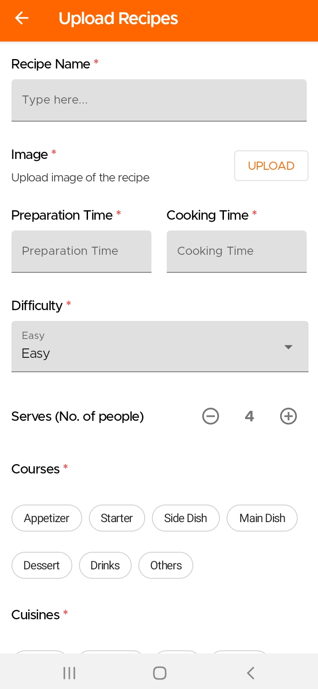
If you wish to manually submit your own recipe, you will need to fill in the required fields marked with an asterisk.
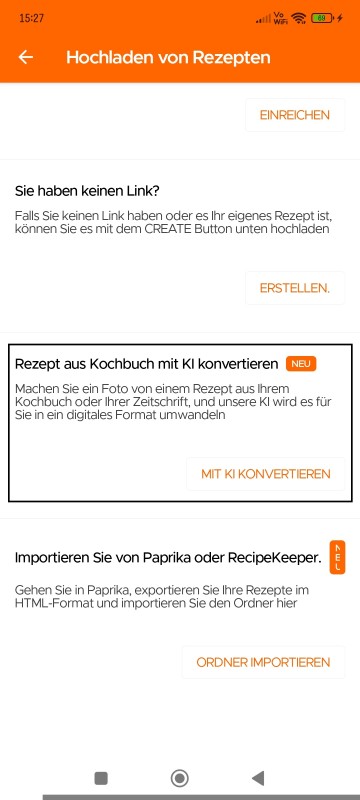
Sie können jetzt Rezepte einfach hochladen, indem Sie ein Foto machen – egal ob aus Ihrem Kochbuch, einer Zeitschrift oder sogar handschriftlichen Notizen (nur für unsere Premium-Nutzer verfügbar). Bitte beachten Sie, dass über die Kochbuch-KI hochgeladene Rezepte privat für den Nutzer bleiben.
Um Ihre Rezepte mit Kochbuch-KI zu scannen/hochzuladen, gehen Sie bitte zur Rezeptseite und wählen Sie Rezept hochladen, dann wählen Sie „Rezept aus Kochbuch mit KI konvertieren“
Schritt 1: Machen Sie ein Foto von Ihrem Rezept
Schritt 2: Geben Sie den Rezeptnamen ein
Schritt 3: Machen Sie ein Foto des fertigen Gerichts (optional)
Schritt 4: Machen Sie ein Foto der Kochdetails (Portionen, Vorbereitungszeit, Kochzeit)
Schritt 5: Machen Sie ein Foto der Zutatenliste
Schritt 6: Machen Sie ein Foto der Anleitung
Schritt 7: Wählen Sie die Küche und den Gangtyp für Ihr Rezept
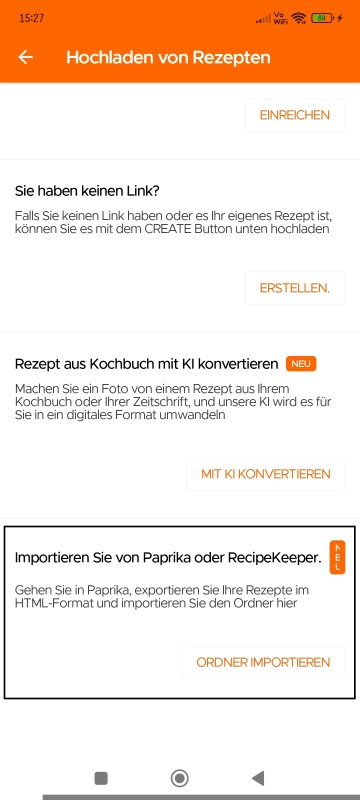
So importieren Sie Ihre Paprika-Rezepte in KitchenPal:
1. Gehen Sie zu den Einstellungen in Paprika.
2. Wählen Sie „Rezepte exportieren“.
3. Wählen Sie HTML als Format.
4. Wählen Sie dann in der KitchenPal-App „Rezepte aus Paprika oder Recipe Keeper importieren“.
Rezepte-Export-Seite von Paprika
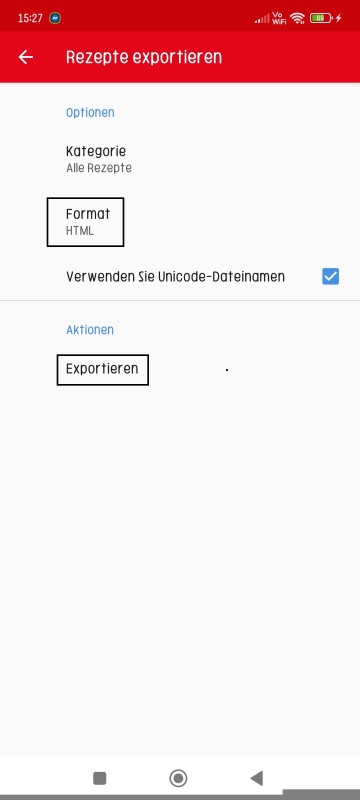
Rezepte-Upload-Seite von KitchenPal
So importieren Sie Ihre Recipe Keeper-Rezepte in KitchenPal:
1. Gehen Sie zu den Einstellungen in Recipe Keeper.
2. Wählen Sie „Rezepte exportieren“.
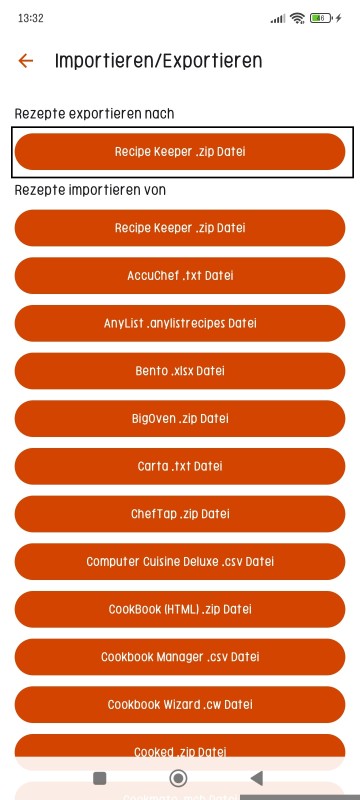
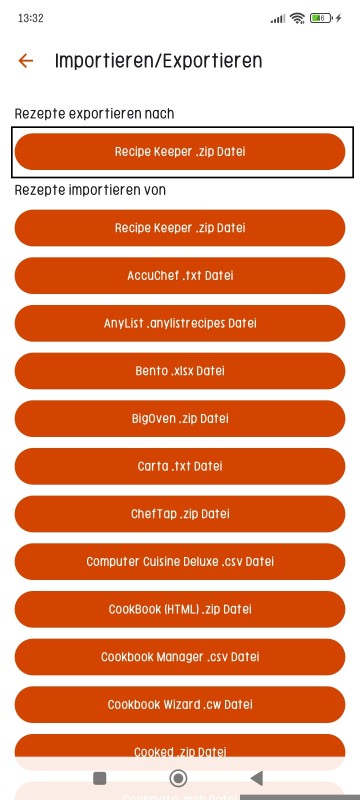
3. Wählen Sie Rezepte exportieren nach (Recipe Keeper .zip-Datei)
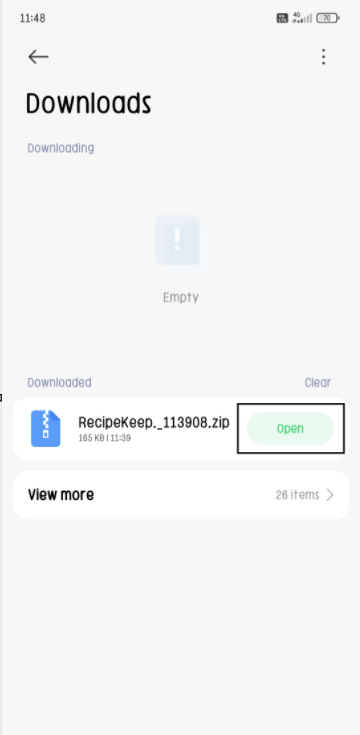
4. Öffnen/entpacken Sie dann die heruntergeladene ZIP-Datei von Recipe Keeper in einen beliebigen Speicherort.
5. Wählen Sie dann in der KitchenPal-App „Rezepte aus Paprika oder Recipe Keeper importieren“.
Rezepte-Export-Seite von Recipe Keeper
Klicken Sie auf „Öffnen“, um die ZIP-Datei zu entpacken
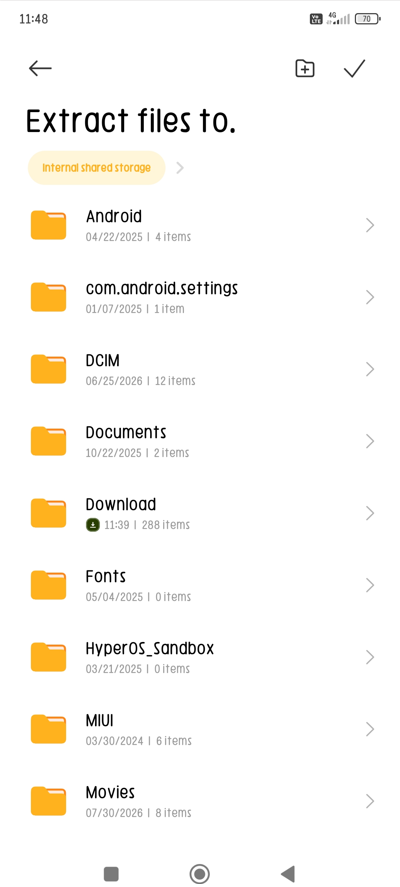
Wählen Sie den Ordner, in den Sie diese Dateien entpacken möchten
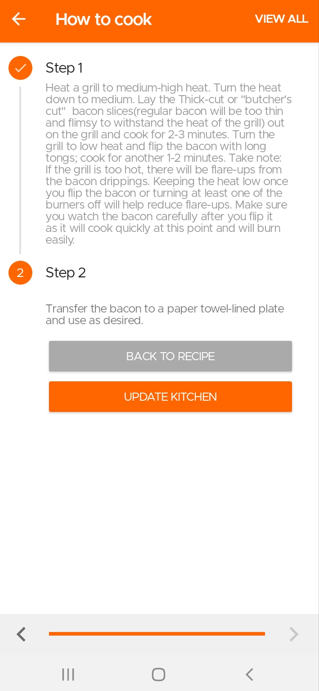
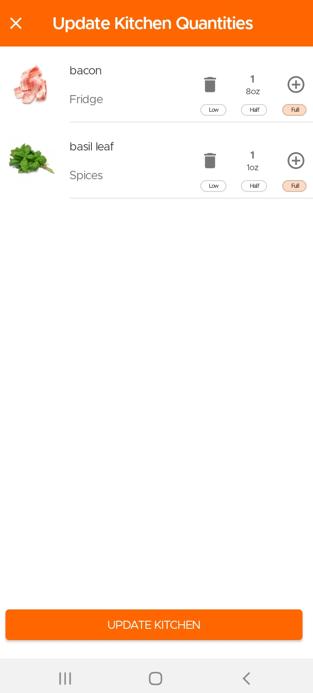
When you finish cooking a recipe, the app will give you an option to deduct the used items from your pantry and keep your kitchen updated.
Go to the Recipes Section and click the Overflow menu (three dots) at the top.
Then click on Saved Recipes to see all the Recipes Saved or Submitted by you.
One of the great advantages of KitchenPal is that you can easily find what to cook with what's in your pantry at any time. But what should you do, when you are looking to cook with only a few specific ingredients in your kitchen (or maybe just looking for inspiration). We have you covered.
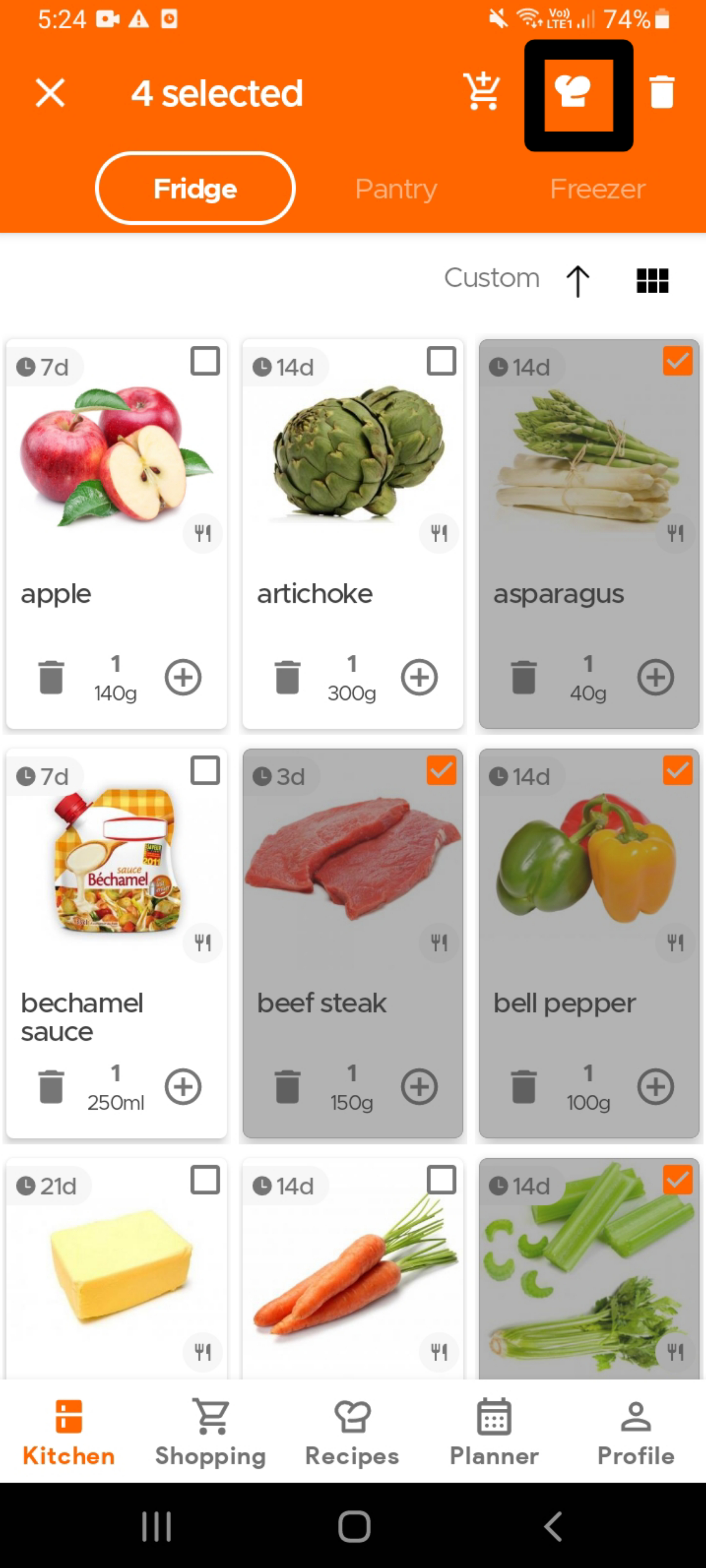
To find recipes using specific ingredients that are already in your kitchen, simply select the ingredient(s) - see the image below (you can select as many ingredients as you want) - and then click on the Recipes icon (chef's hat) on the top app bar.
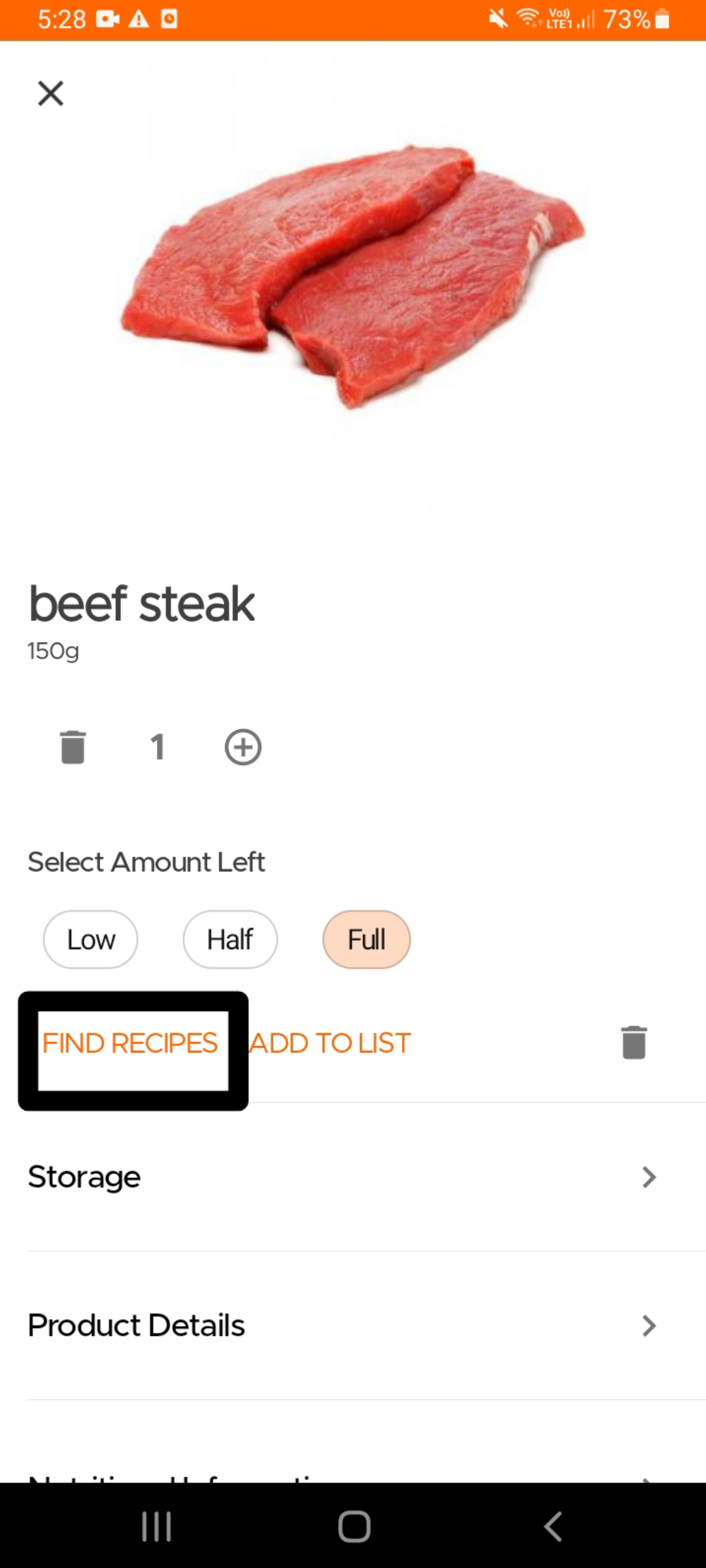
Alternatively, if you are looking for recipes that use a single specific ingredient , you can also open the product card for that ingredient and click on the "Find Recipes" option.
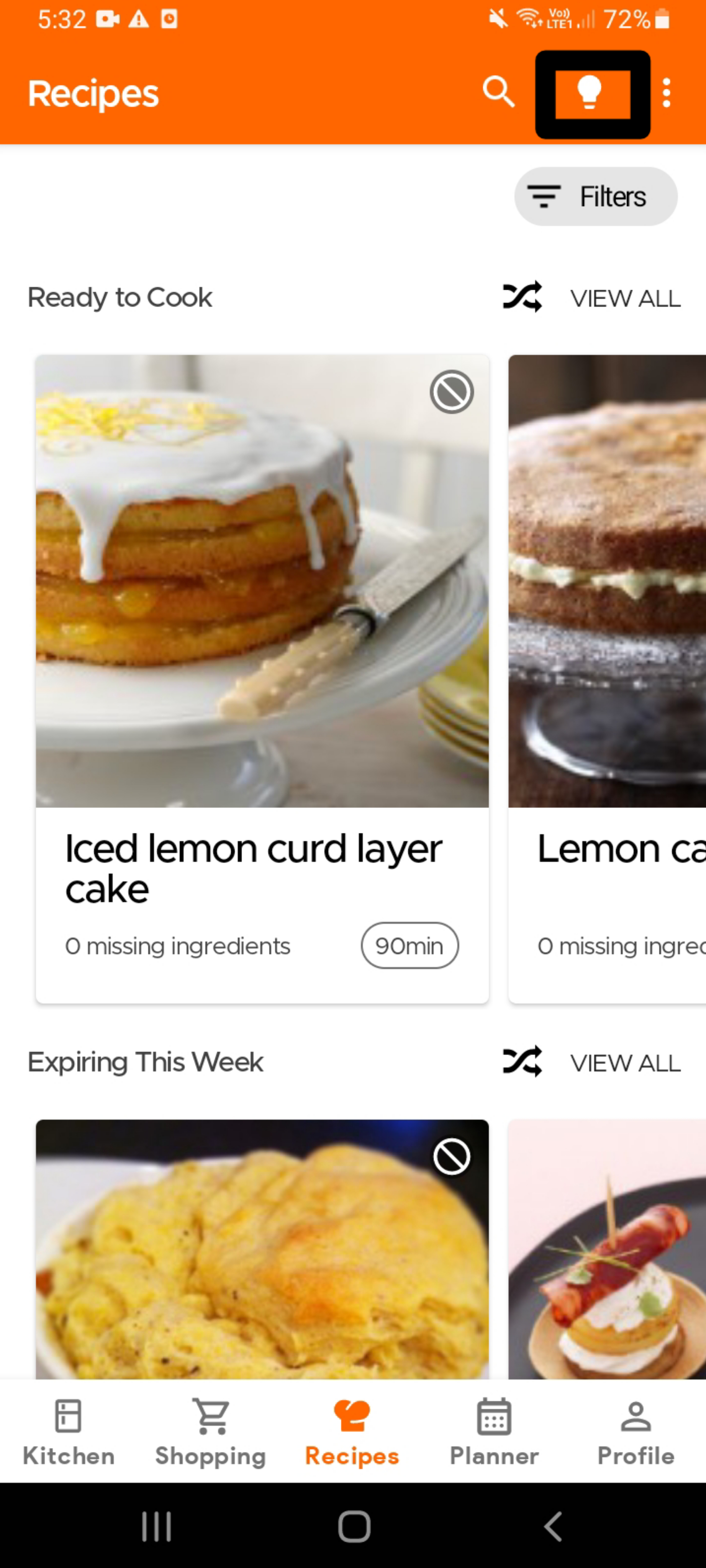
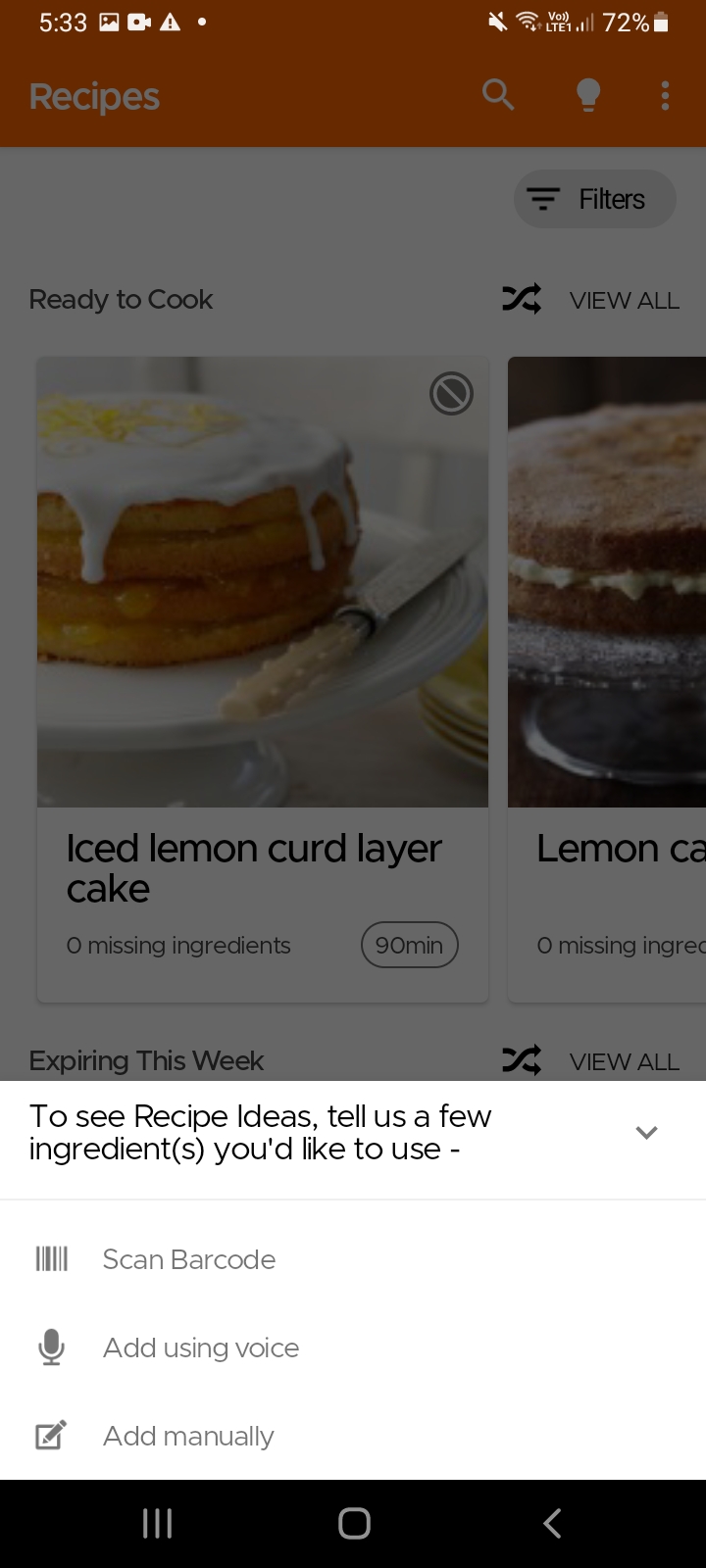
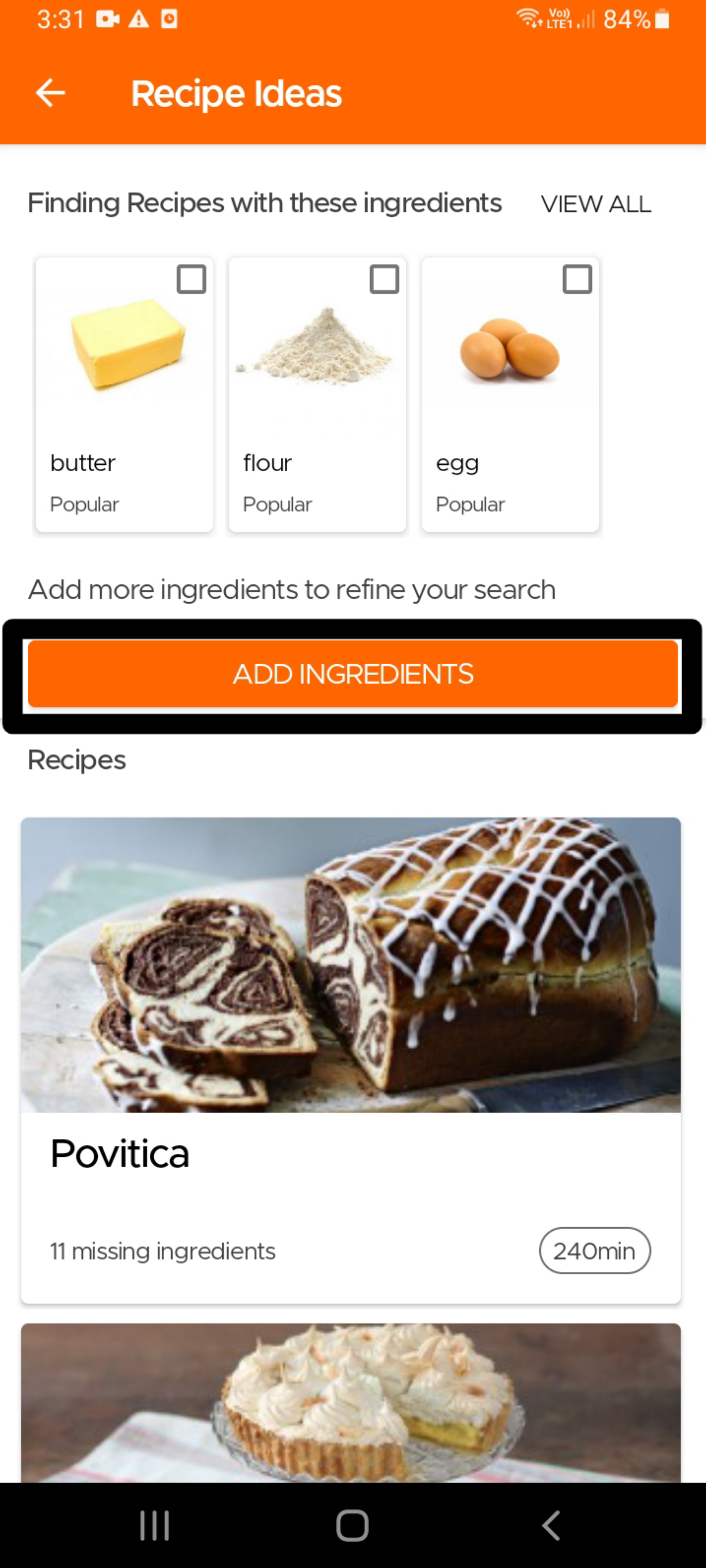
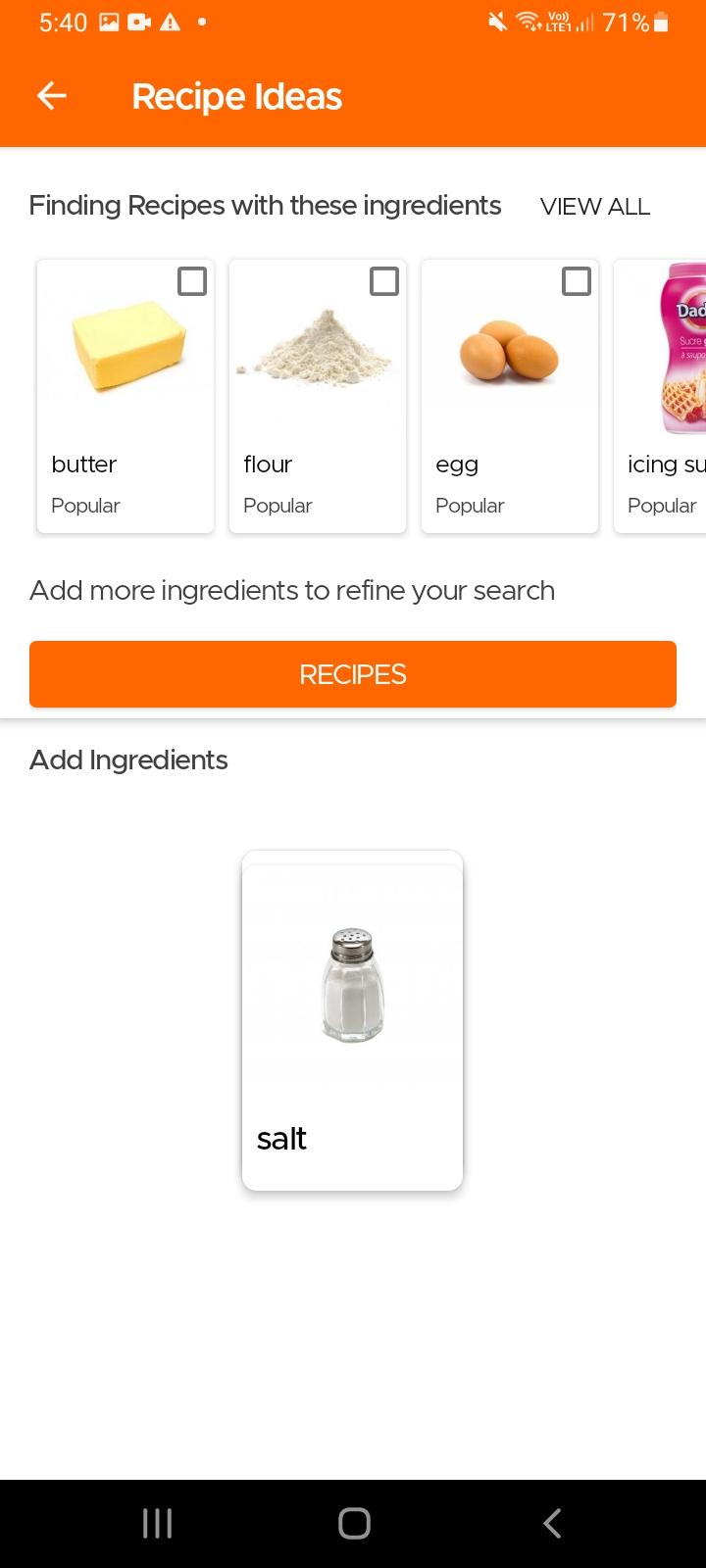
Another option to find recipes using specific ingredients, especially in case you do not use our Pantry feature, is to simply go to the Recipes page and click on the Idea icon (light bulb) on the top right. The app will then ask you to input the main ingredients for which you are looking for recipes. It will then give you tailored recommendations which you can refine further by choosing additional ingredients that should be included or excluded.
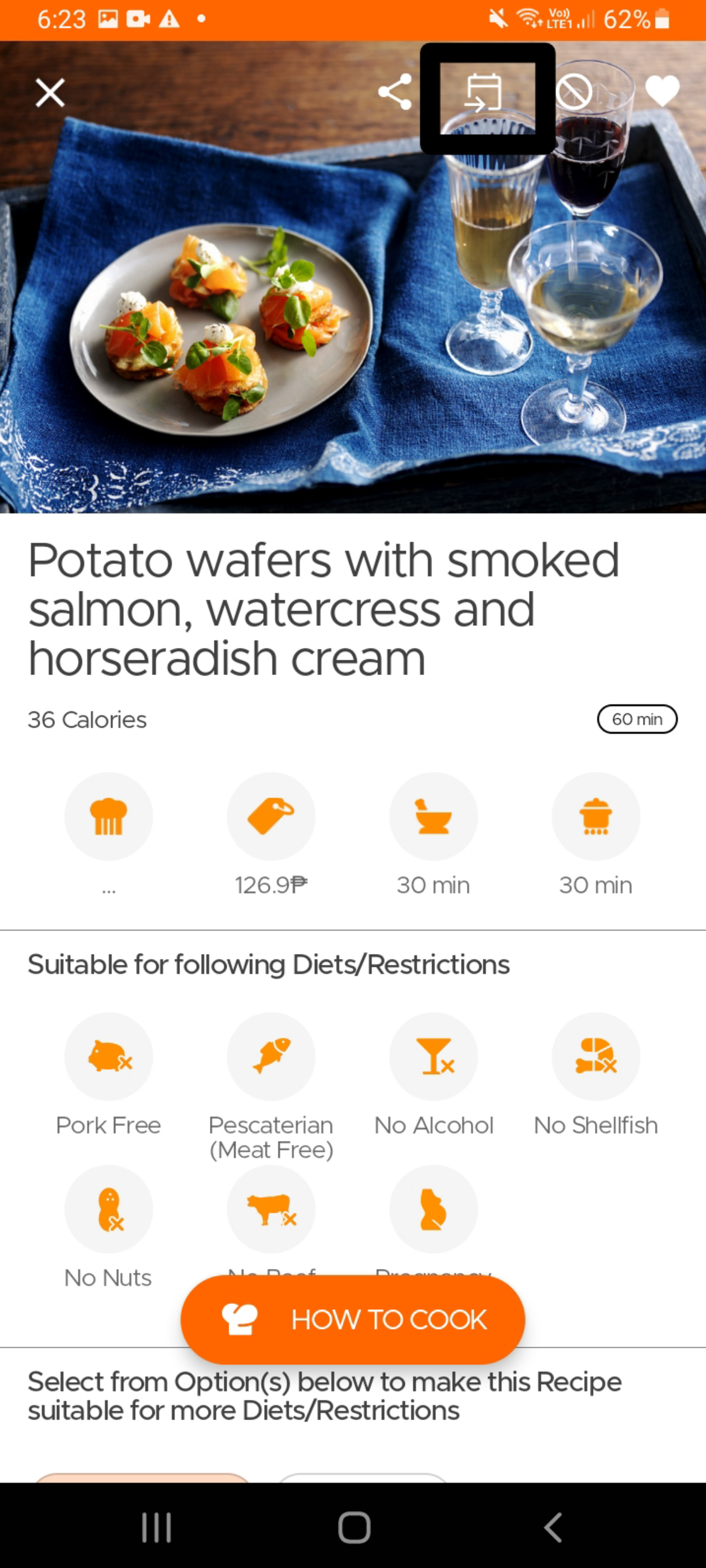
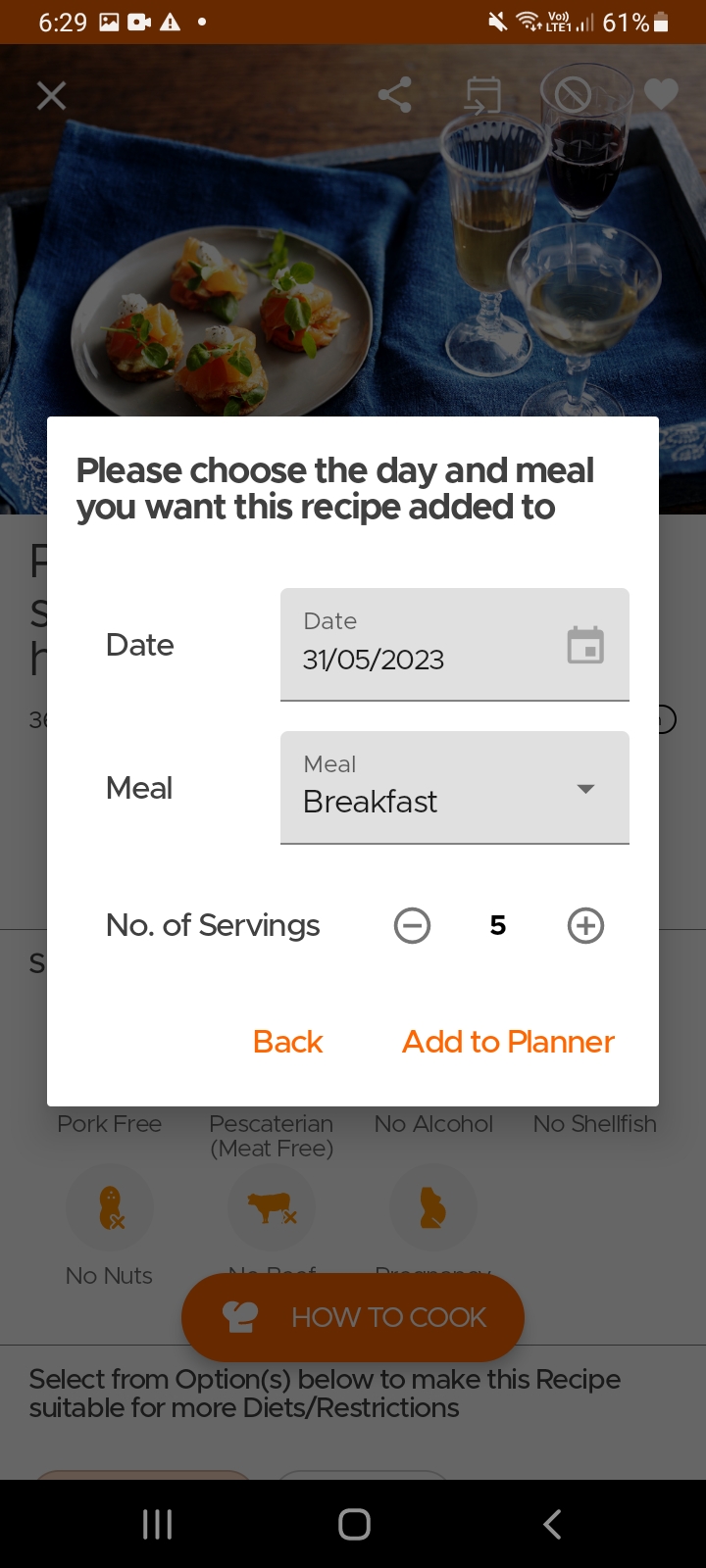
To add a recipe to your planner, simply open the recipe page and click on the Add to Planner icon on top. Select the date, meal and the number of servings and viola, you are done.
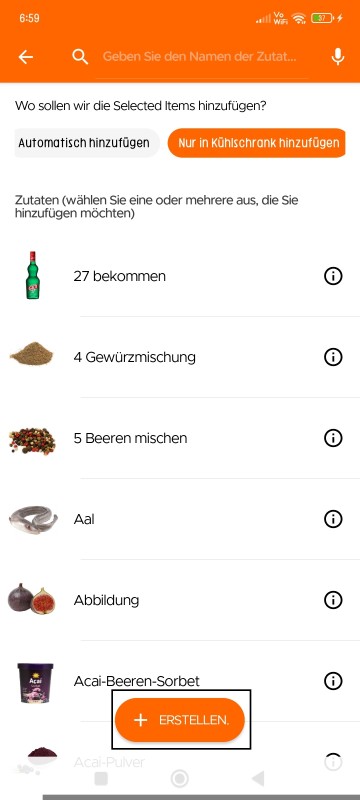
Benutzer können hausgemachte/gekochte Gerichte oder Reste im Bestand erstellen (mit der Erstellen-Option) und ein Ablaufdatum dafür festlegen. So können Sie eine Liste aller verfügbaren Gerichte zum Essen zusammen mit den Artikeln in Ihrem Bestand sehen.
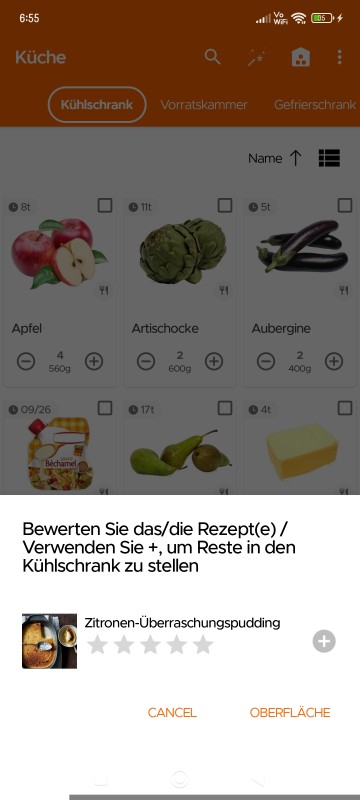
Wenn Sie außerdem ein Rezept gekocht haben [von der Rezeptseite], wird Ihnen beim nächsten Öffnen der App eine solche Nachricht im Küchenbereich angezeigt, mit der Sie Ihre Reste direkt zur Küche hinzufügen können (die Artikel werden automatisch mit 3 Tagen Ablaufzeit zum Kühlschrank hinzugefügt, beides können Sie später ändern).
Still Need Help?
Can't find what you're looking for? Our support team is here to help!
Email Support Help Center