Domande Frequenti sulle Ricette di KitchenPal
Discover how to find recipes with your ingredients, upload your own recipes, save favorites, and manage your recipe collection in KitchenPal.
Now you can upload your own recipes or your favourite recipes from other blogs/sites. The simplest way to import a recipe to KitchenPal is to share the URL with KitchenPal while visiting the recipe blog with your browser (choose Share and then scroll and select the KitchenPal app from the list of apps available to share the content with).

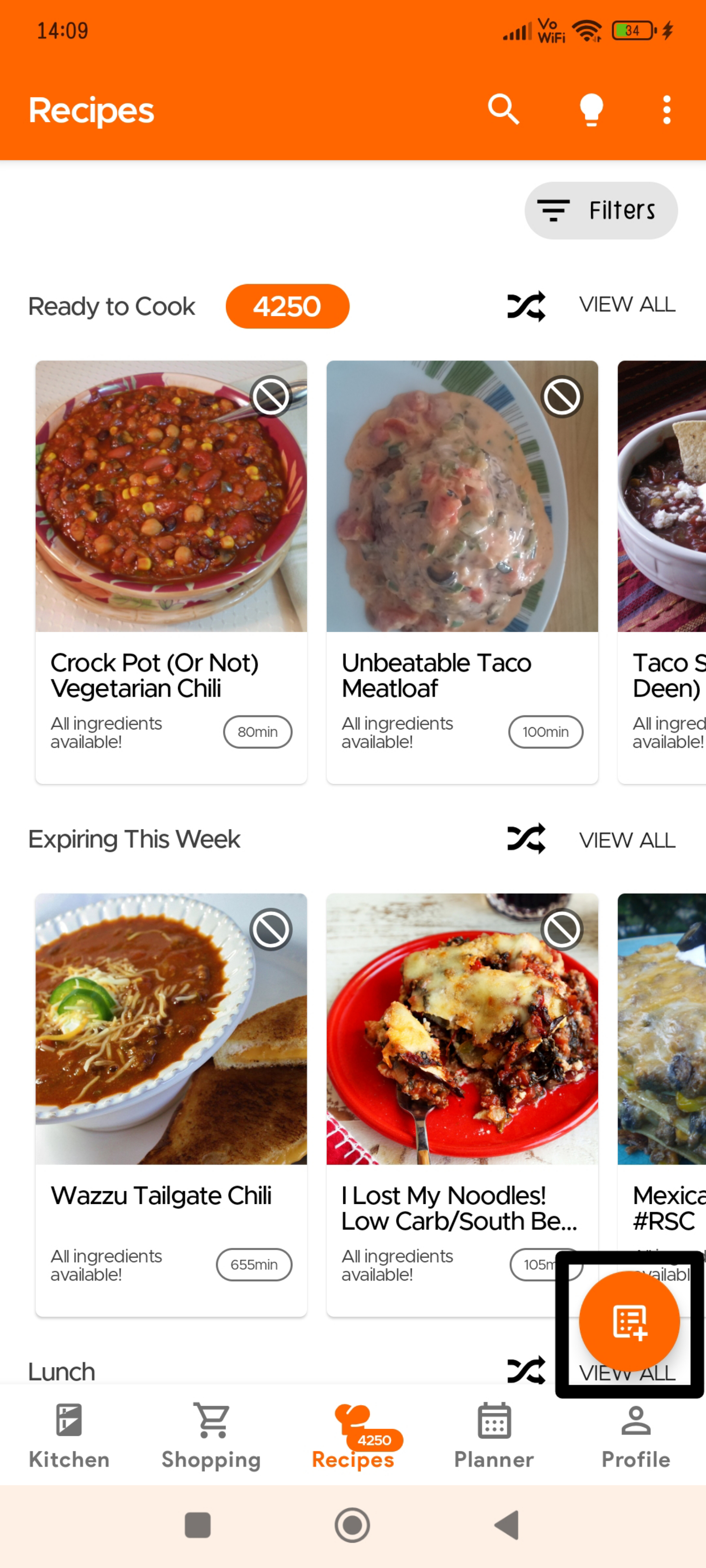
Recipes usually get added automatically but sometimes it may take our team a couple of days to approve these recipes (we check to see if everything is imported correctly, and items are mapped to ones in our DB and your Kitchen).
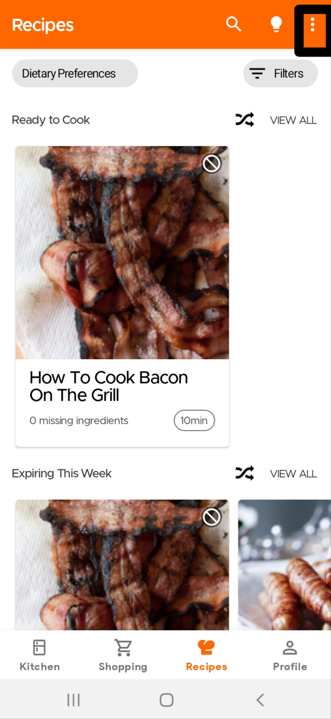
Or you can go to the Recipe Section and click the Overflow icon (three dots) on the top right:
Click on Upload Recipes
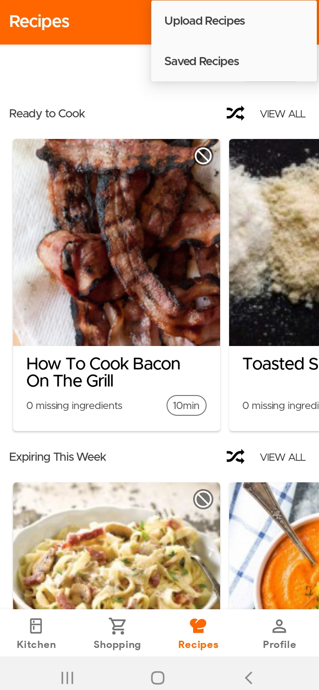
Then you will have the option to choose if you want to submit a recipe from another website or manually submit your own recipe.
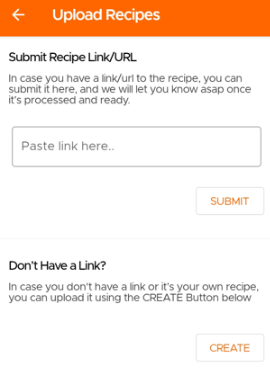
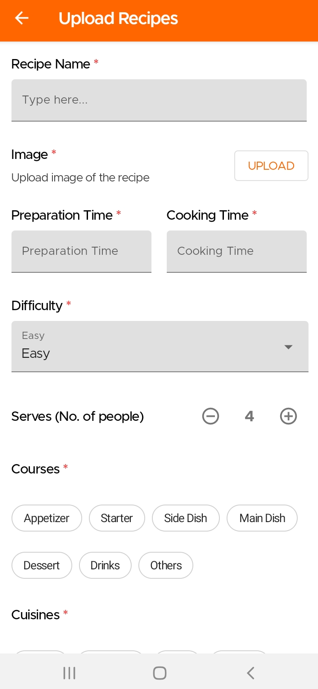
If you wish to manually submit your own recipe, you will need to fill in the required fields marked with an asterisk.
Ora puoi caricare le ricette semplicemente scattando una foto, che sia dal tuo ricettario, da una rivista o anche da appunti scritti a mano (disponibile solo per gli utenti Premium). Nota bene: le ricette caricate tramite l'IA Ricettario rimangono private per l'utente.
Per scansionare/caricare le tue ricette usando il Ricettario con IA, vai alla pagina Ricette e seleziona Carica Ricetta, quindi scegli «Converti Ricetta da Ricettario con IA»
Passo 1: Scatta una foto della tua ricetta
Passo 2: Inserisci il Nome della Ricetta
Passo 3: Scatta una foto del piatto finito (opzionale)
Passo 4: Scatta una foto dei dettagli di cottura (porzioni, tempo di preparazione, tempo di cottura)
Passo 5: Scatta una foto della lista degli ingredienti
Passo 6: Scatta una foto delle istruzioni
Passo 7: Seleziona il tipo di cucina e di portata per la tua ricetta
Per importare le tue ricette Paprika in KitchenPal:
1. Vai alle Impostazioni in Paprika.
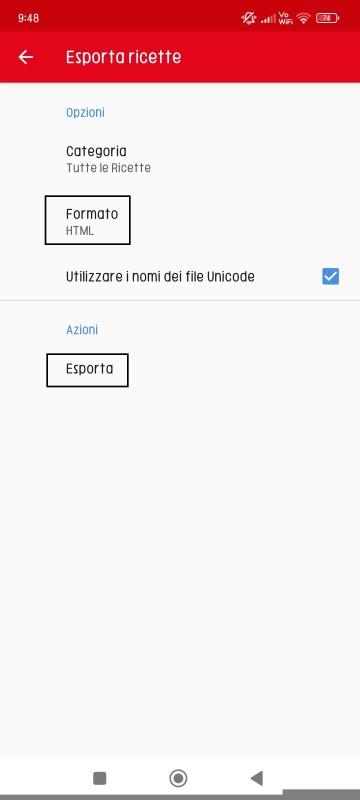
2. Seleziona «Esporta Ricette».
3. Scegli HTML come formato.
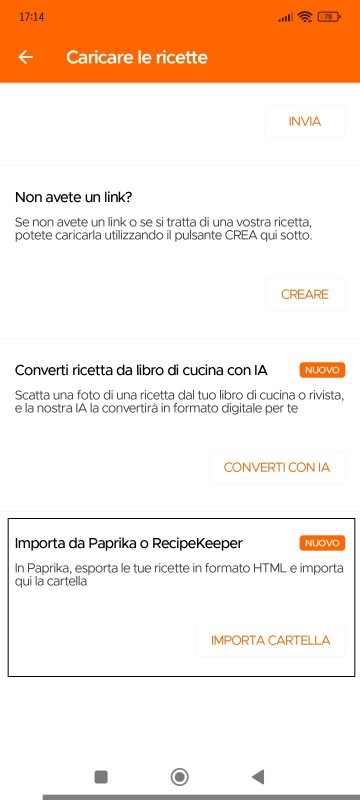
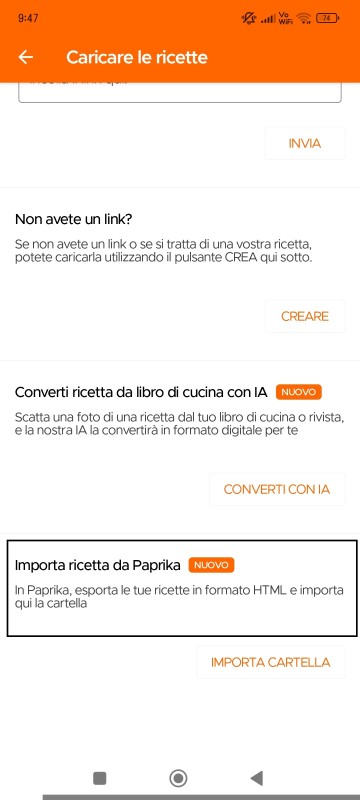
4. Poi, nell'app KitchenPal, seleziona «Importa Ricette da Paprika o Recipe Keeper».
Pagina di esportazione ricette di Paprika
Pagina di caricamento ricette di KitchenPal
Per importare le tue ricette Recipe Keeper in KitchenPal:
1. Vai alle Impostazioni in Recipe Keeper.
2. Seleziona «Esporta Ricette».
3. Scegli Esporta Ricette in (file .zip Recipe Keeper)
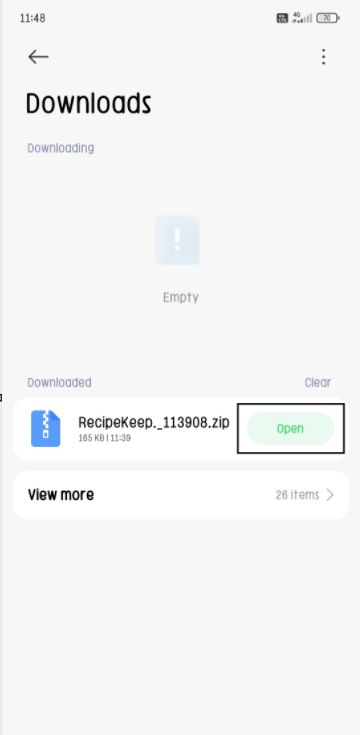
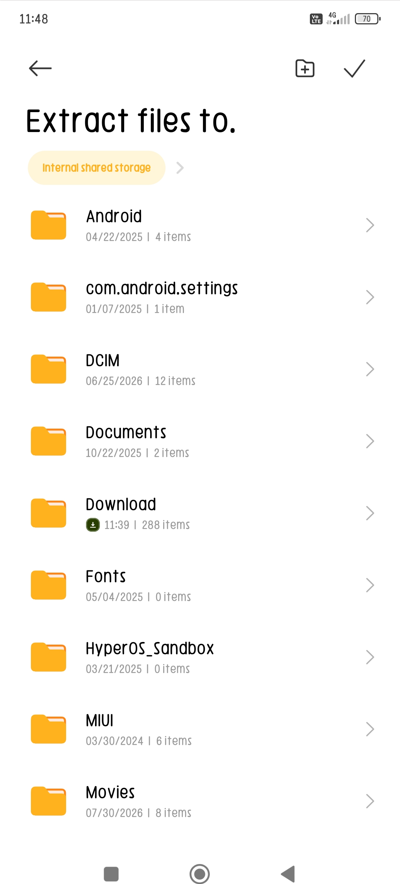
4. Poi, nel file zip scaricato da Recipe Keeper, apri/estrai i file nella memoria che preferisci.
5. Poi, nell'app KitchenPal, seleziona «Importa Ricette da Paprika o Recipe Keeper».
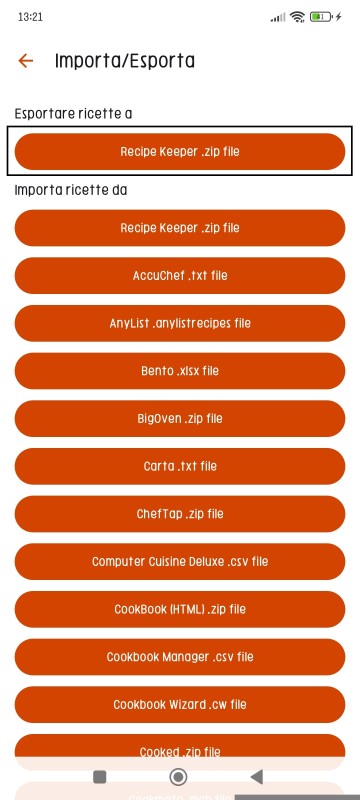
Pagina di esportazione ricette di Recipe Keeper
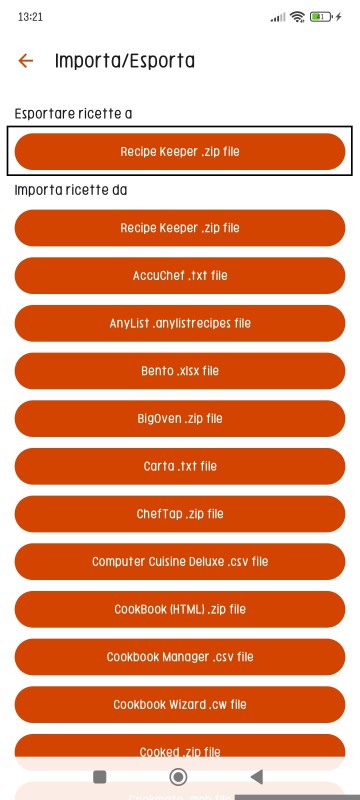
Clicca su «Apri» per estrarre il file ZIP
Scegli la cartella in cui estrarre questi file
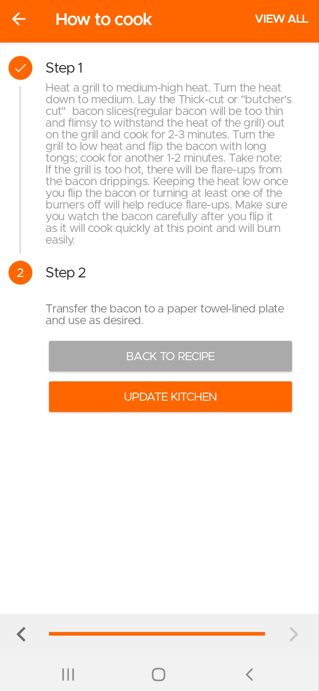
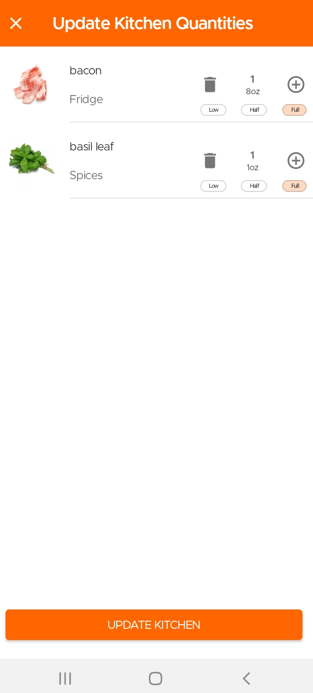
When you finish cooking a recipe, the app will give you an option to deduct the used items from your pantry and keep your kitchen updated.
Go to the Recipes Section and click the Overflow menu (three dots) at the top.
Then click on Saved Recipes to see all the Recipes Saved or Submitted by you.
One of the great advantages of KitchenPal is that you can easily find what to cook with what's in your pantry at any time. But what should you do, when you are looking to cook with only a few specific ingredients in your kitchen (or maybe just looking for inspiration). We have you covered.
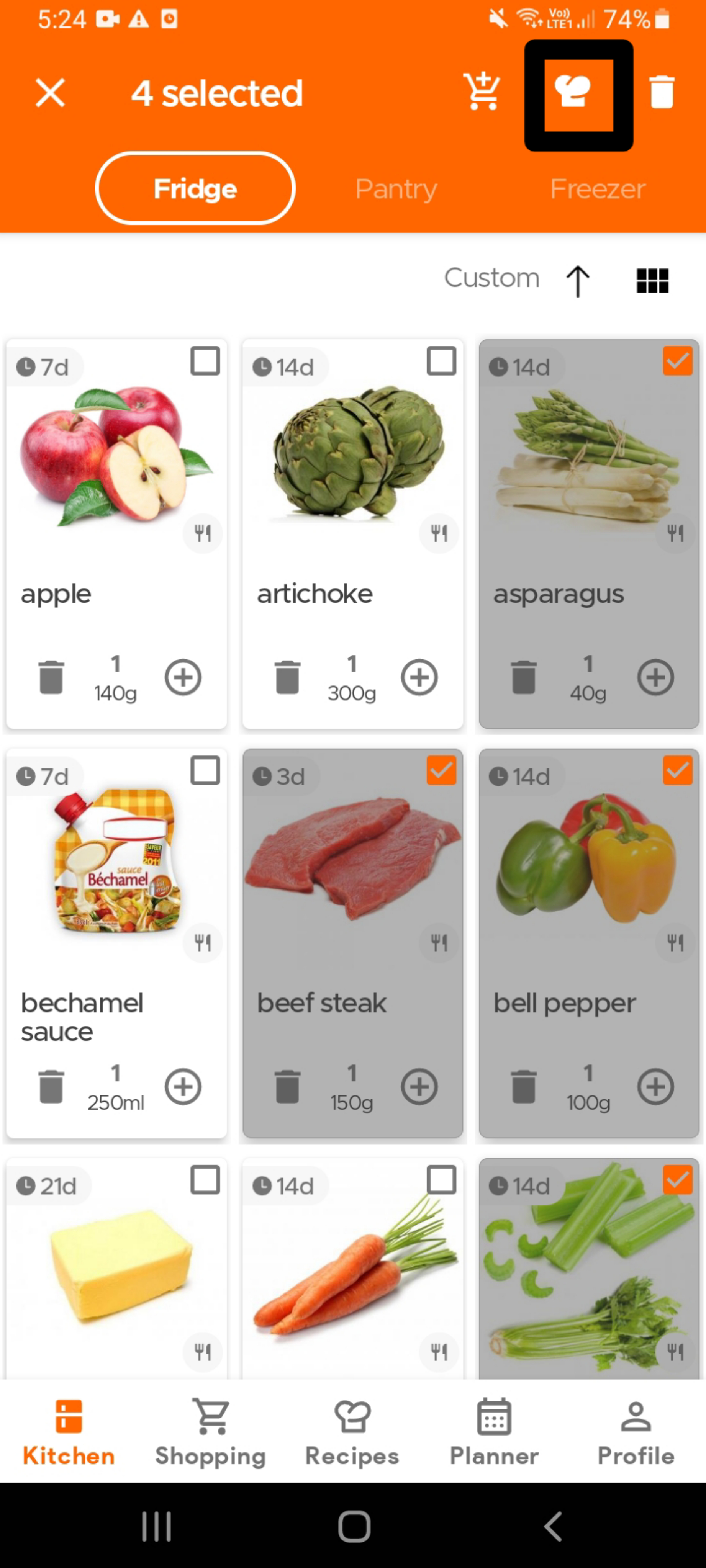
To find recipes using specific ingredients that are already in your kitchen, simply select the ingredient(s) - see the image below (you can select as many ingredients as you want) - and then click on the Recipes icon (chef's hat) on the top app bar.
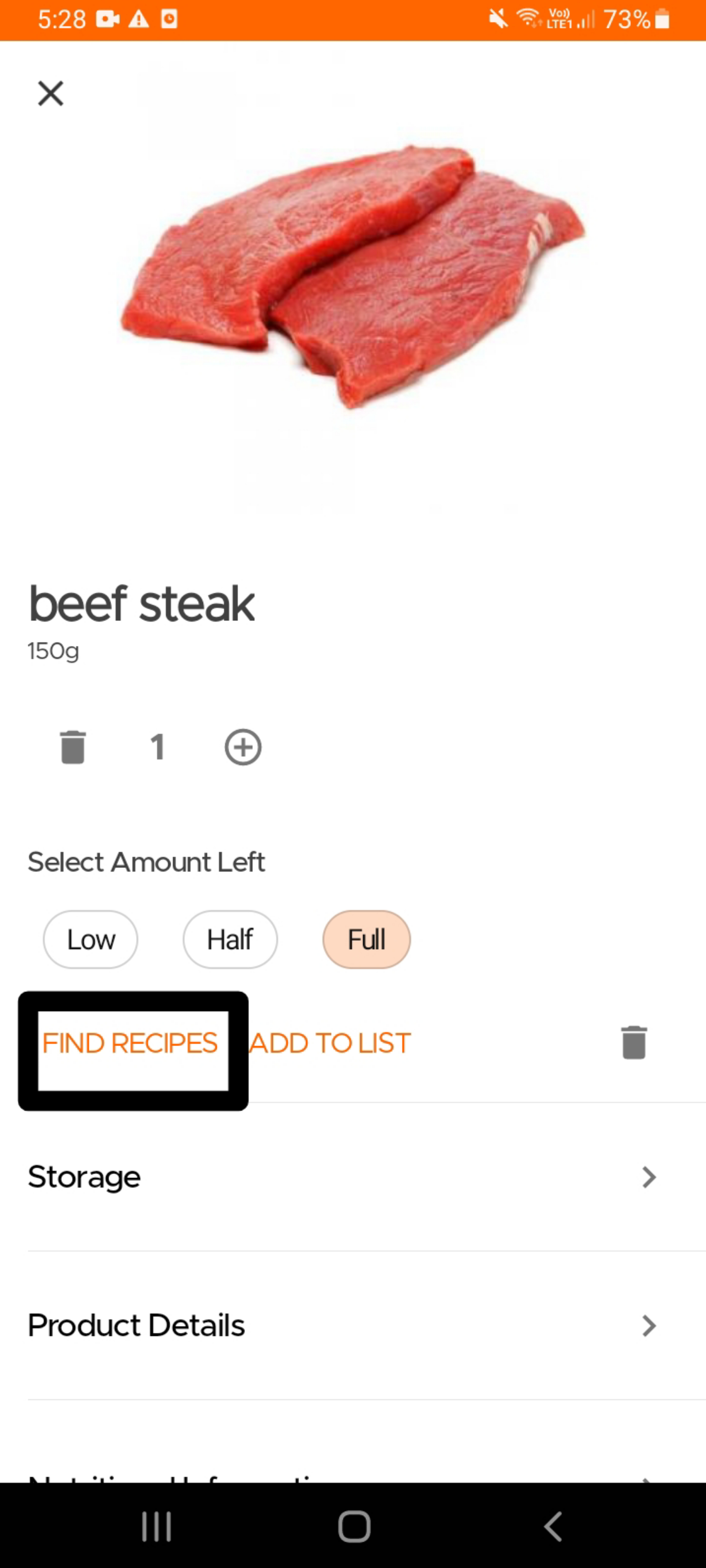
Alternatively, if you are looking for recipes that use a single specific ingredient , you can also open the product card for that ingredient and click on the "Find Recipes" option.
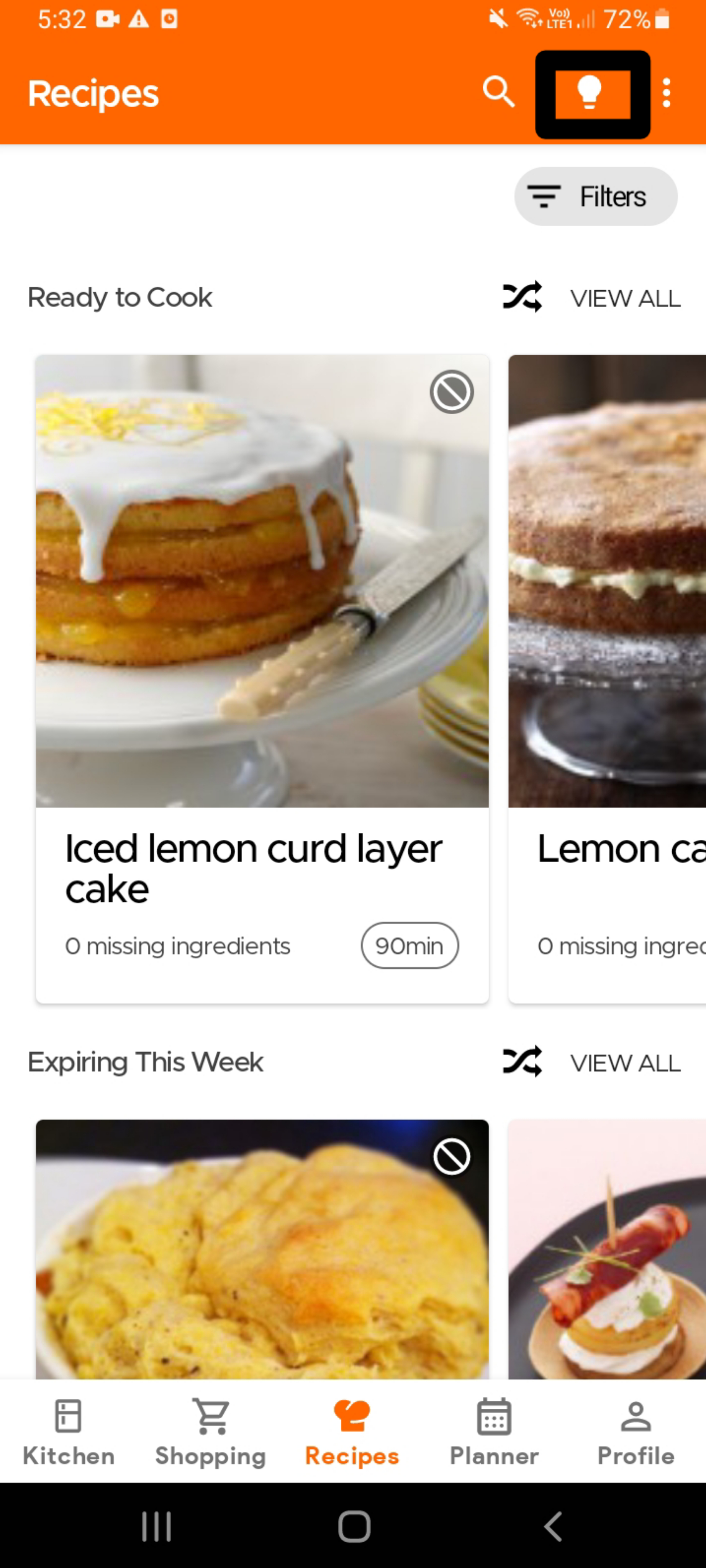
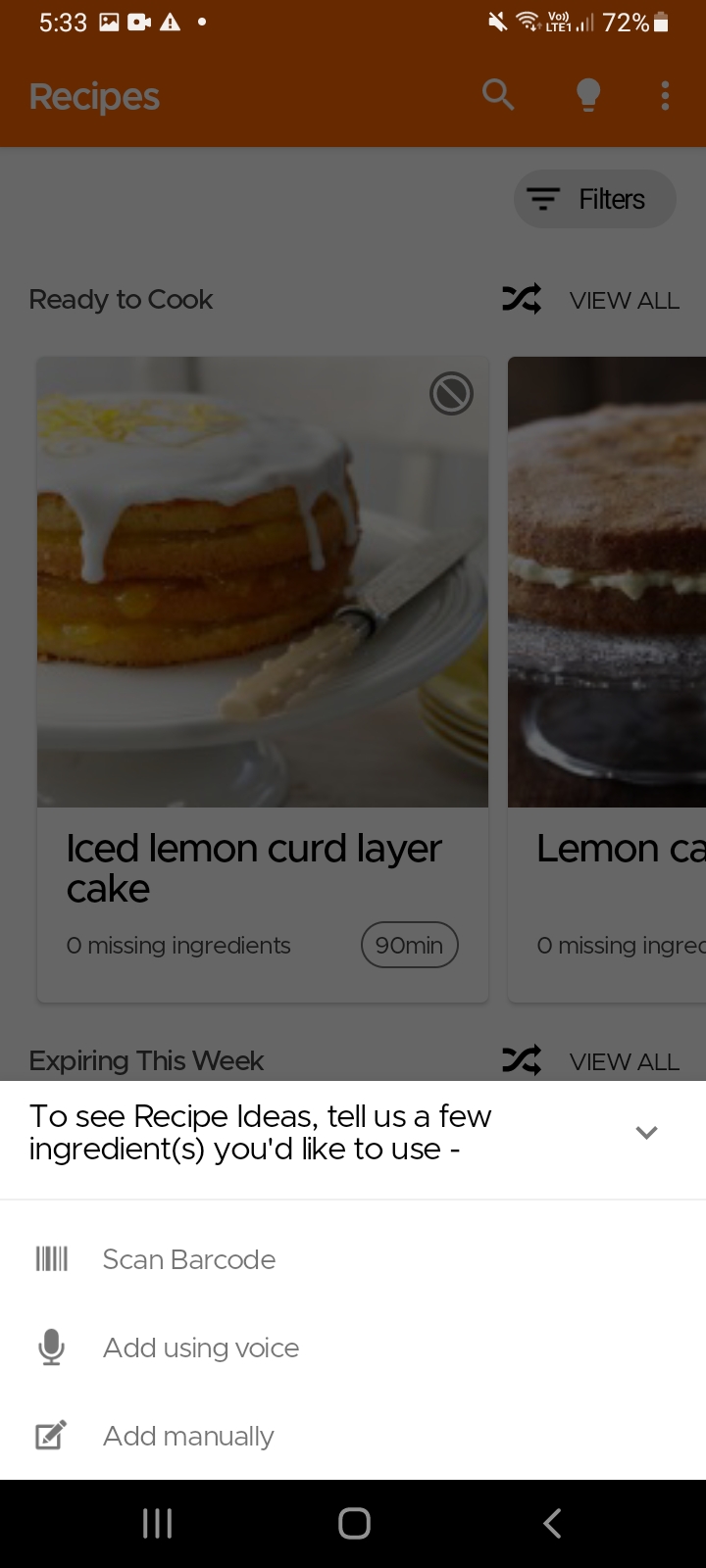
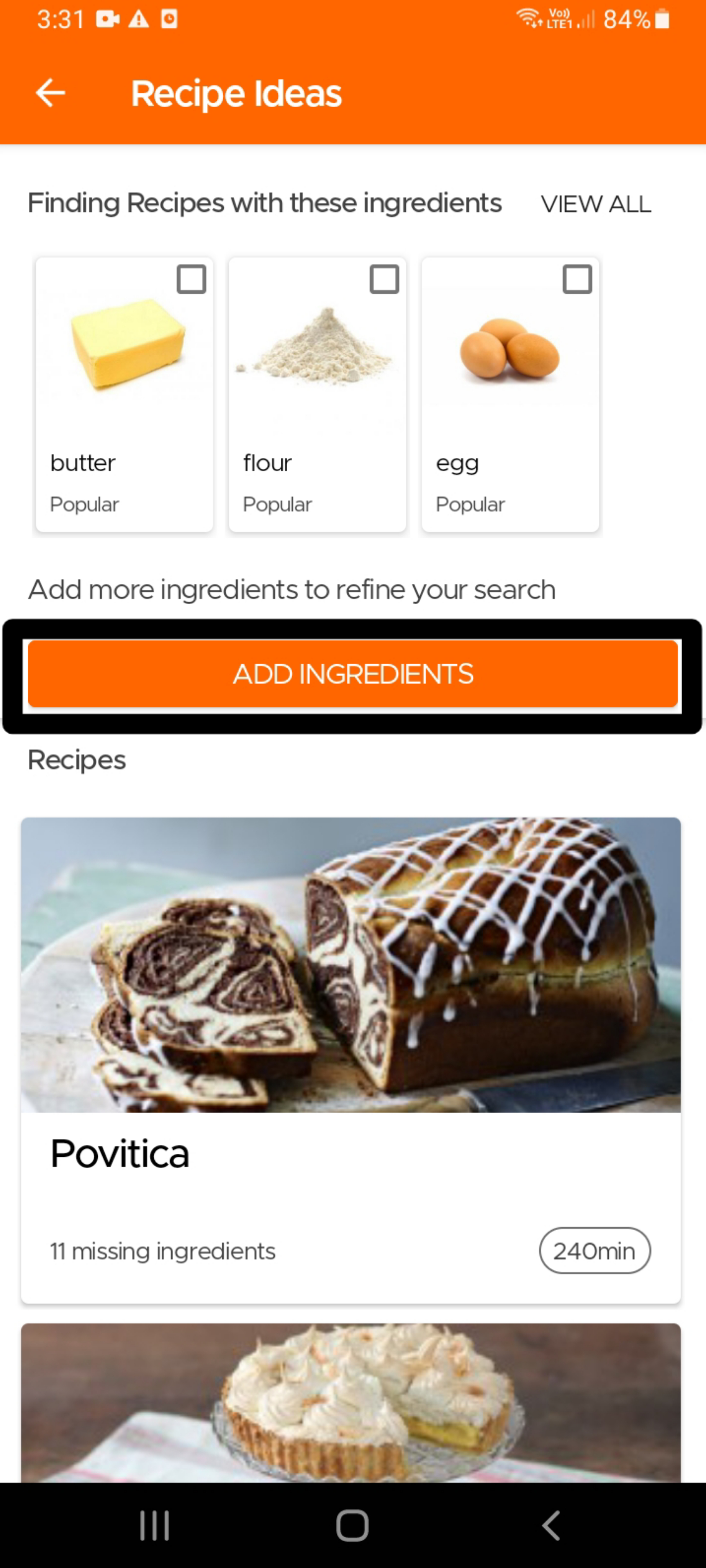
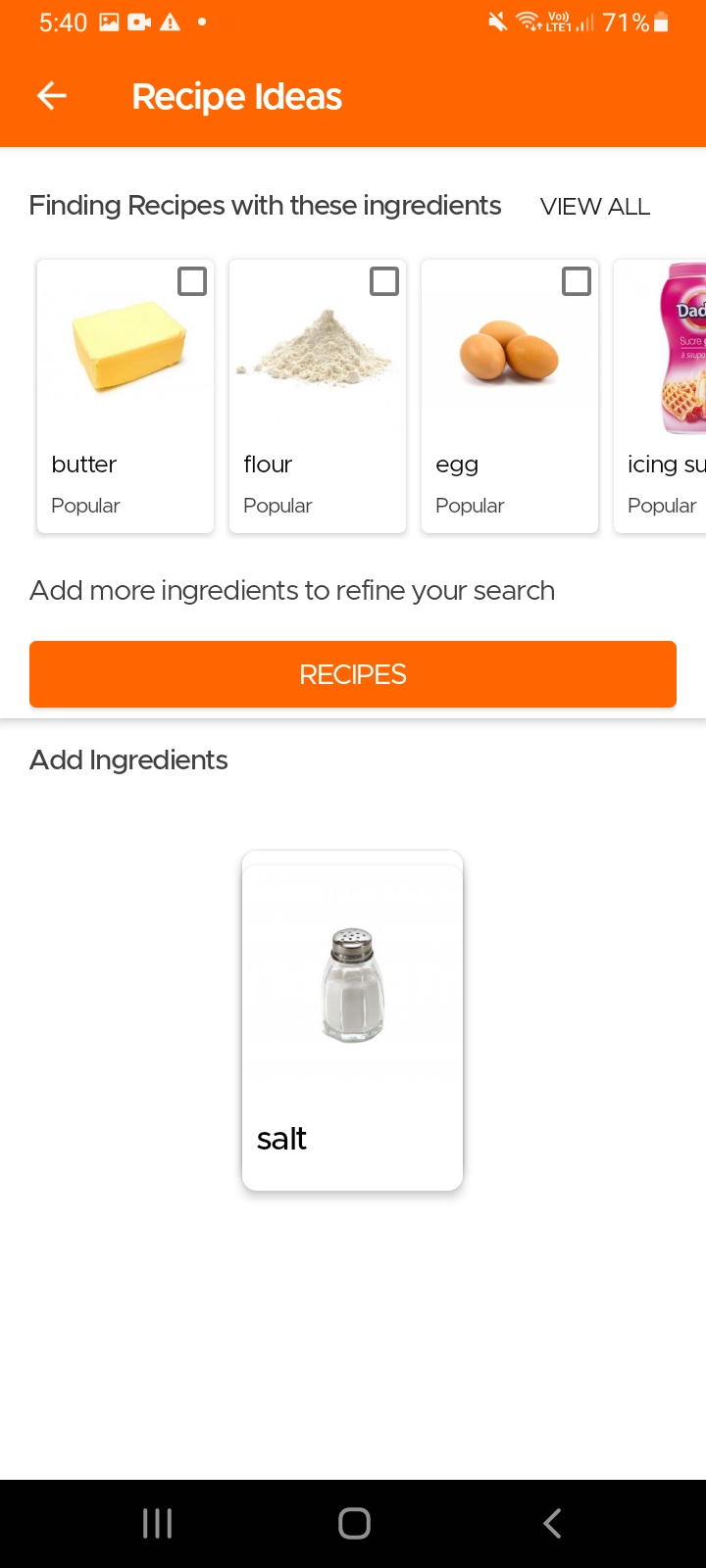
Another option to find recipes using specific ingredients, especially in case you do not use our Pantry feature, is to simply go to the Recipes page and click on the Idea icon (light bulb) on the top right. The app will then ask you to input the main ingredients for which you are looking for recipes. It will then give you tailored recommendations which you can refine further by choosing additional ingredients that should be included or excluded.
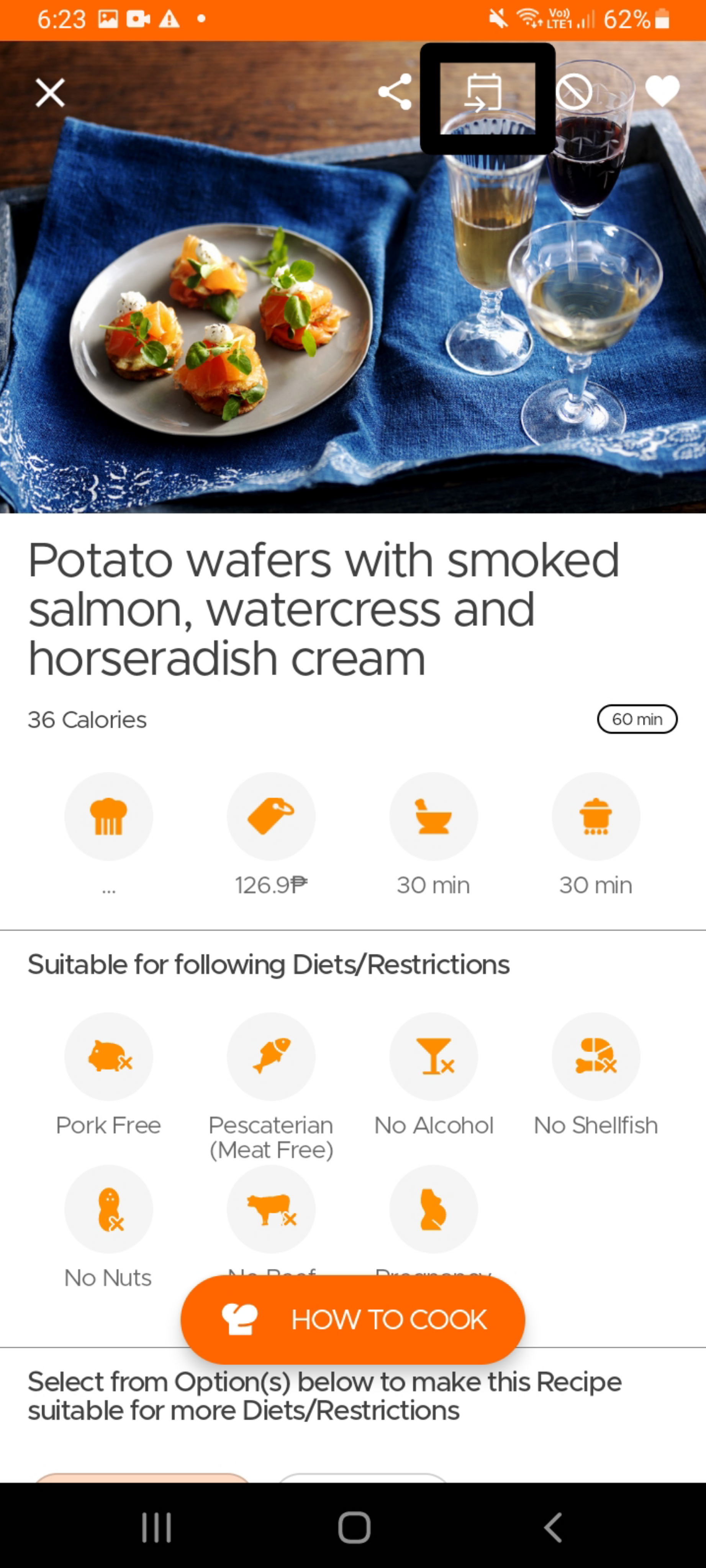
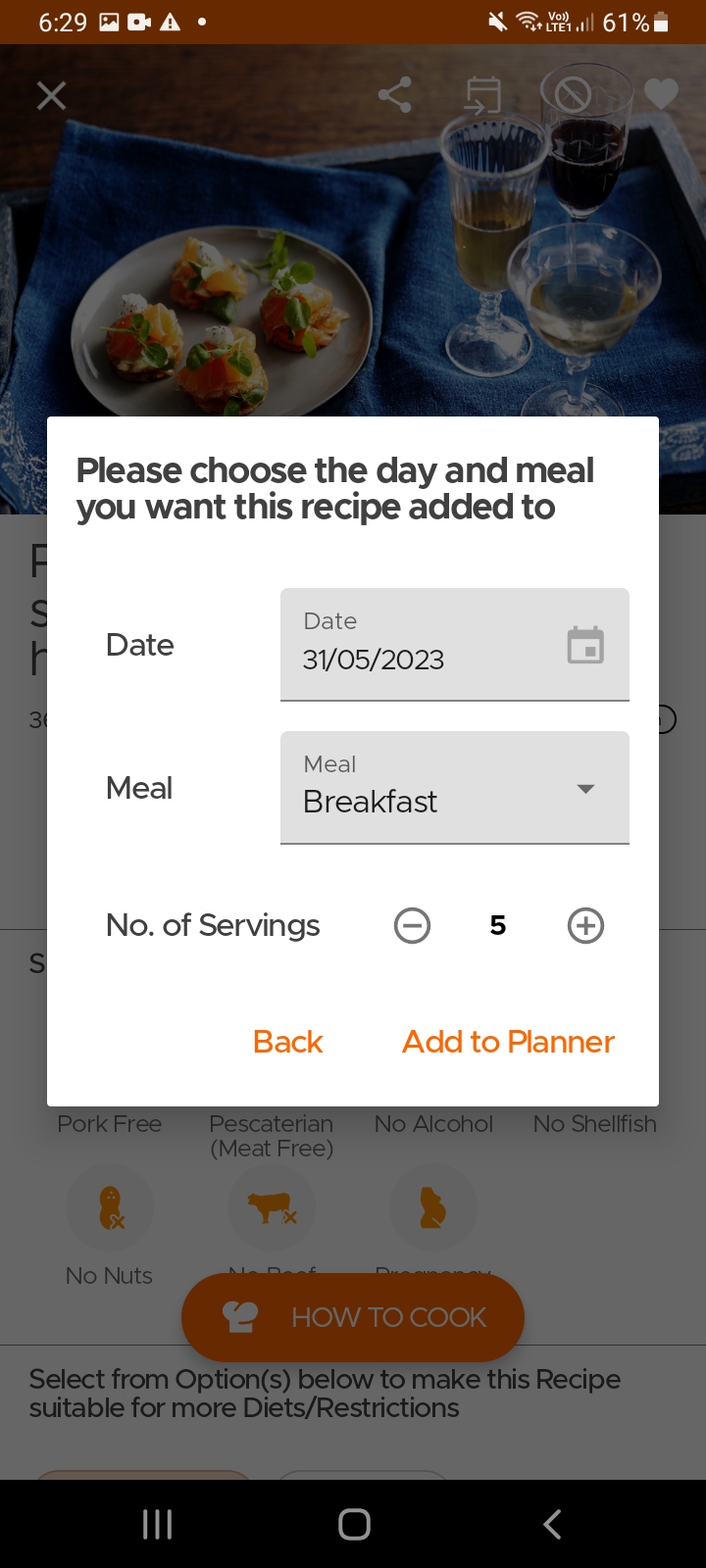
To add a recipe to your planner, simply open the recipe page and click on the Add to Planner icon on top. Select the date, meal and the number of servings and viola, you are done.
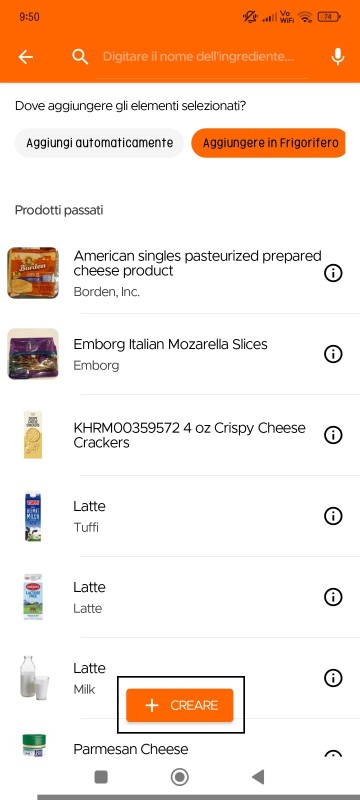
Gli utenti possono creare piatti fatti in casa/cucinati o avanzi nell'inventario (usando l'opzione crea) e impostare una data di scadenza per essi. Questo ti permetterà di vedere un elenco di tutti i piatti disponibili da mangiare, insieme agli articoli nel tuo inventario.
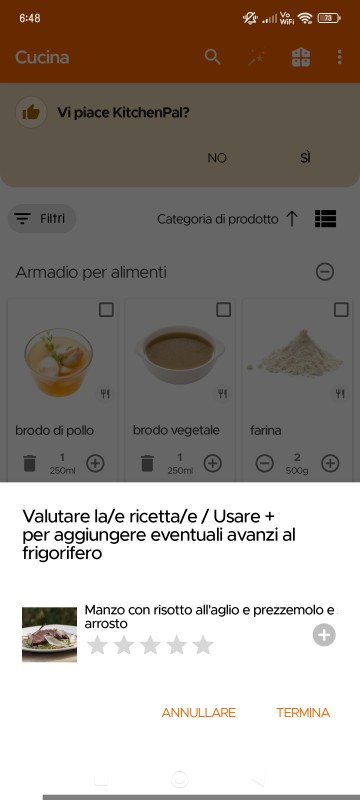
Inoltre, dopo aver cucinato una ricetta [dalla pagina della ricetta], la prossima volta che apri l'app, ti verrà mostrato un messaggio come questo nella sezione Cucina, che ti permetterà di aggiungere direttamente i tuoi avanzi alla cucina (gli articoli verranno aggiunti automaticamente al frigorifero con una scadenza di 3 giorni, entrambi modificabili in seguito).
Still Need Help?
Can't find what you're looking for? Our support team is here to help!
Email Support Help Center