Questions Fréquentes sur les Recettes
Discover how to find recipes with your ingredients, upload your own recipes, save favorites, and manage your recipe collection in KitchenPal.
Now you can upload your own recipes or your favourite recipes from other blogs/sites. The simplest way to import a recipe to KitchenPal is to share the URL with KitchenPal while visiting the recipe blog with your browser (choose Share and then scroll and select the KitchenPal app from the list of apps available to share the content with).

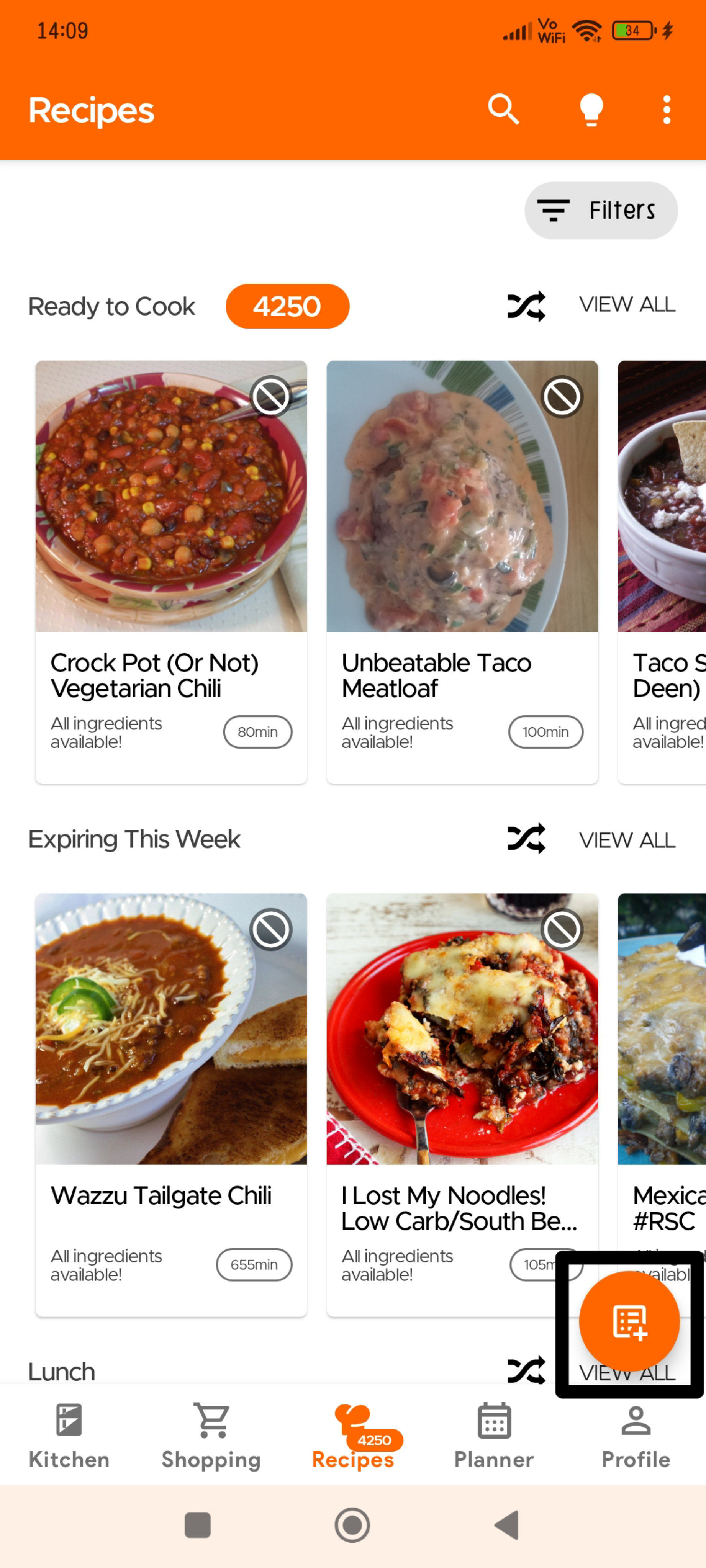
Recipes usually get added automatically but sometimes it may take our team a couple of days to approve these recipes (we check to see if everything is imported correctly, and items are mapped to ones in our DB and your Kitchen).
Or you can go to the Recipe Section and click the Overflow icon (three dots) on the top right:

Click on Upload Recipes

Then you will have the option to choose if you want to submit a recipe from another website or manually submit your own recipe.

If you wish to manually submit your own recipe, you will need to fill in the required fields marked with an asterisk.

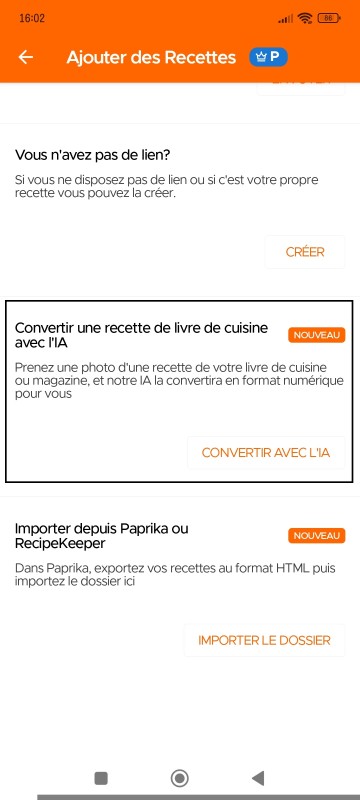
Vous pouvez désormais télécharger des recettes simplement en prenant une photo - que ce soit depuis votre livre de cuisine, un magazine, ou même des notes manuscrites (disponible uniquement pour nos utilisateurs Premium). Veuillez noter que les recettes téléchargées via l'IA Livre de Cuisine restent privées pour l'utilisateur.
Pour scanner/télécharger vos recettes en utilisant Livre de Cuisine avec IA, veuillez vous rendre sur la page Recette et sélectionner Télécharger une Recette, puis choisir « Convertir une Recette depuis un Livre de Cuisine avec IA »
Étape 1 : Prenez une photo de votre recette
Étape 2 : Entrez le Nom de la Recette
Étape 3 : Prenez une photo de la recette terminée (optionnel)
Étape 4 : Prenez une photo des détails de cuisson (portions, temps de préparation, temps de cuisson)
Étape 5 : Prenez une photo de la liste des ingrédients
Étape 6 : Prenez une photo des instructions
Étape 7 : Sélectionnez le type de cuisine et de plat pour votre recette
Pour importer vos recettes Paprika dans KitchenPal :
1. Allez dans les Paramètres de Paprika.
2. Sélectionnez « Exporter les Recettes ».
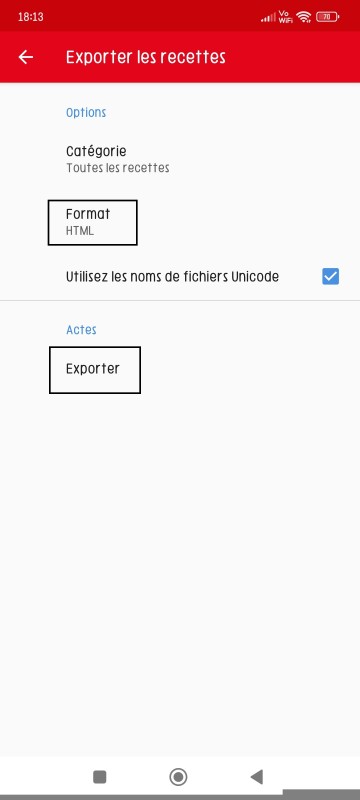
3. Choisissez HTML comme format.
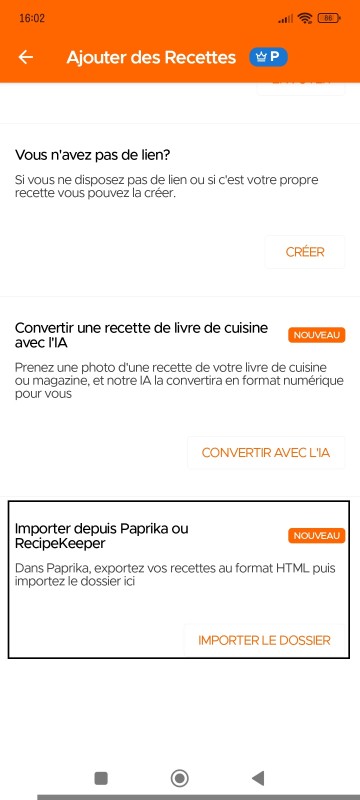
4. Ensuite, dans l'application KitchenPal, sélectionnez « Importer des Recettes depuis Paprika ou Recipe Keeper ».
Page d'exportation des recettes de Paprika
Page de téléchargement des recettes de KitchenPal
Pour importer vos recettes Recipe Keeper dans KitchenPal :
1. Allez dans les Paramètres de Recipe Keeper.
2. Sélectionnez « Exporter les Recettes ».
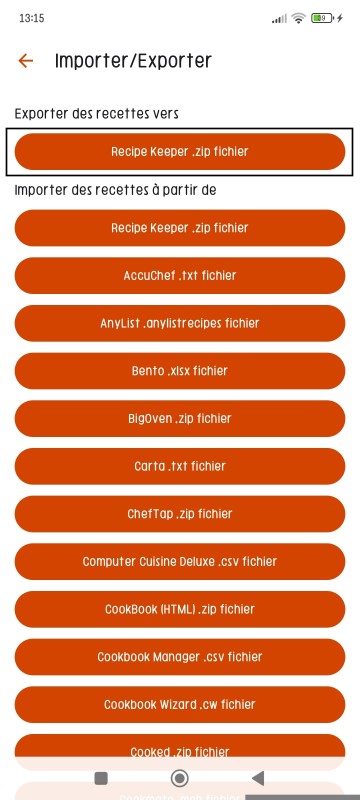
3. Choisissez Exporter les Recettes vers (fichier .zip Recipe Keeper)
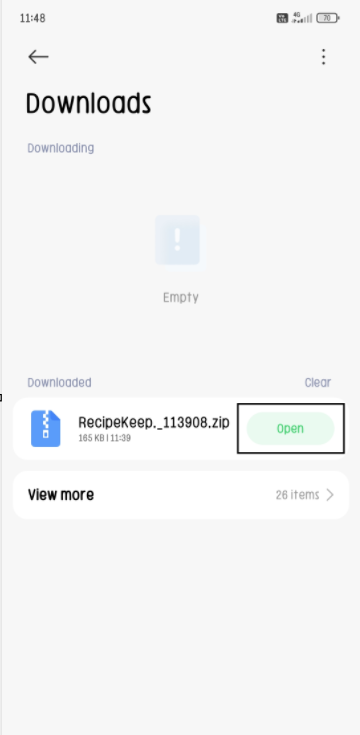
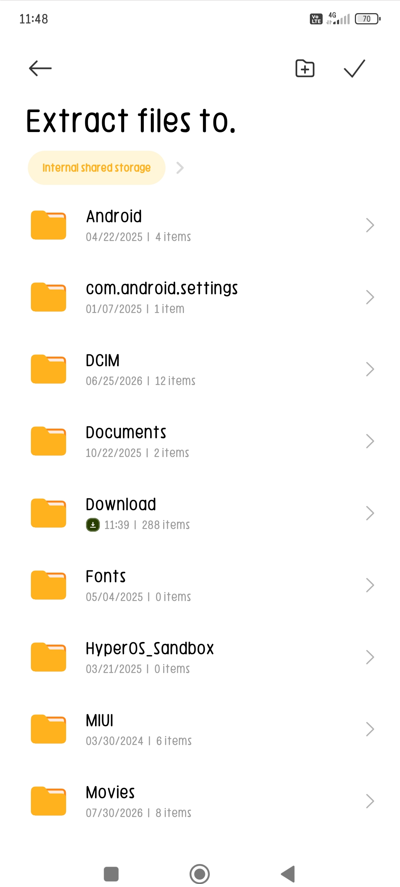
4. Ensuite, dans le fichier zip téléchargé depuis Recipe Keeper, ouvrez/extrayez les fichiers vers le stockage de votre choix.
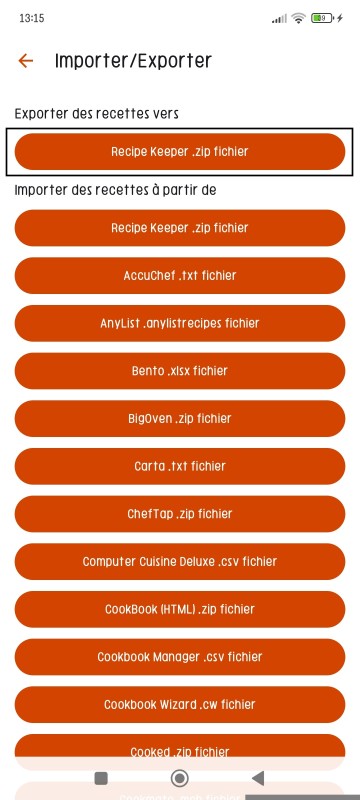
5. Ensuite, dans l'application KitchenPal, sélectionnez « Importer des Recettes depuis Paprika ou Recipe Keeper ».
Page d'exportation des recettes de Recipe Keeper
Cliquez sur « Ouvrir » pour extraire le fichier ZIP
Choisissez le dossier dans lequel extraire ces fichiers
When you finish cooking a recipe, the app will give you an option to deduct the used items from your pantry and keep your kitchen updated.


Go to the Recipes Section and click the Overflow menu (three dots) at the top.
Then click on Saved Recipes to see all the Recipes Saved or Submitted by you.
One of the great advantages of KitchenPal is that you can easily find what to cook with what's in your pantry at any time. But what should you do, when you are looking to cook with only a few specific ingredients in your kitchen (or maybe just looking for inspiration). We have you covered.
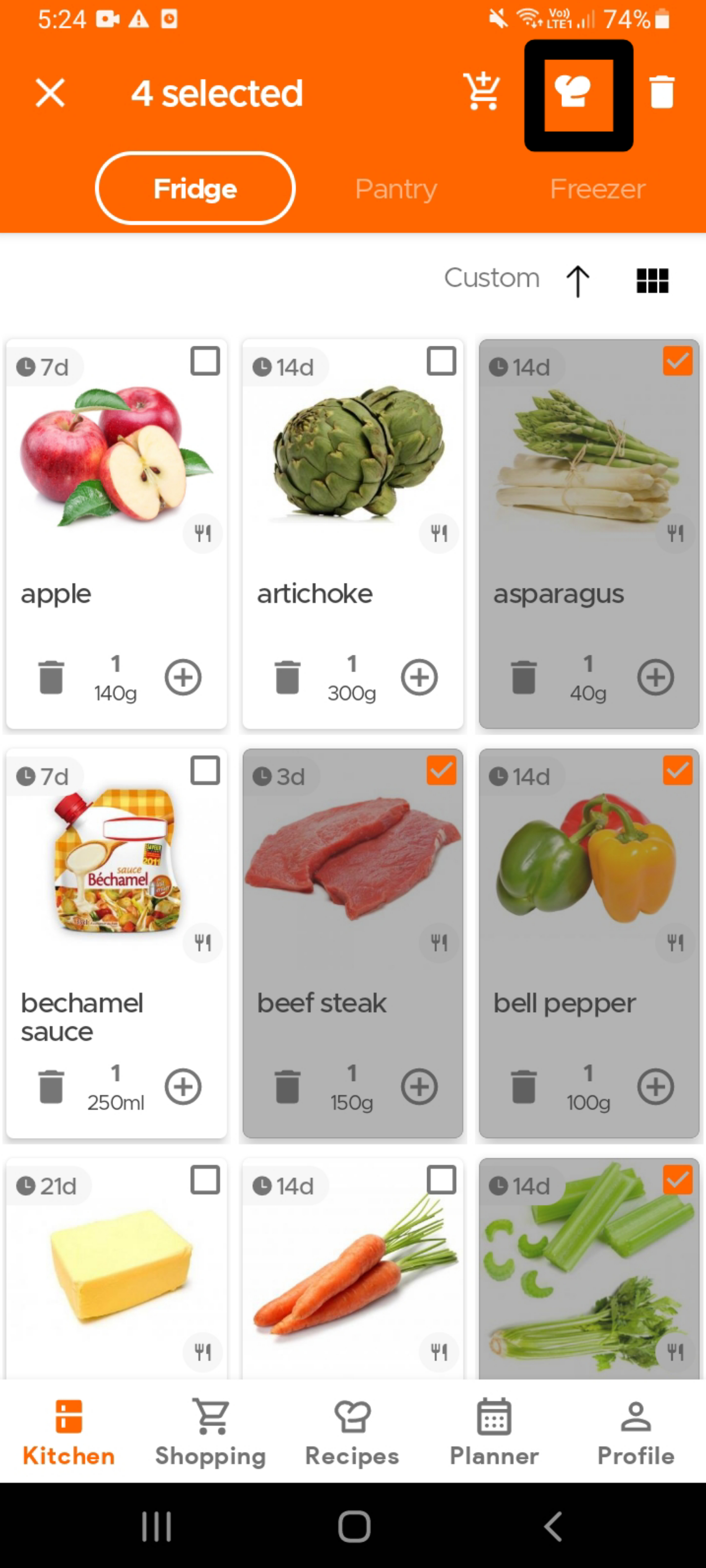
To find recipes using specific ingredients that are already in your kitchen, simply select the ingredient(s) - see the image below (you can select as many ingredients as you want) - and then click on the Recipes icon (chef's hat) on the top app bar.
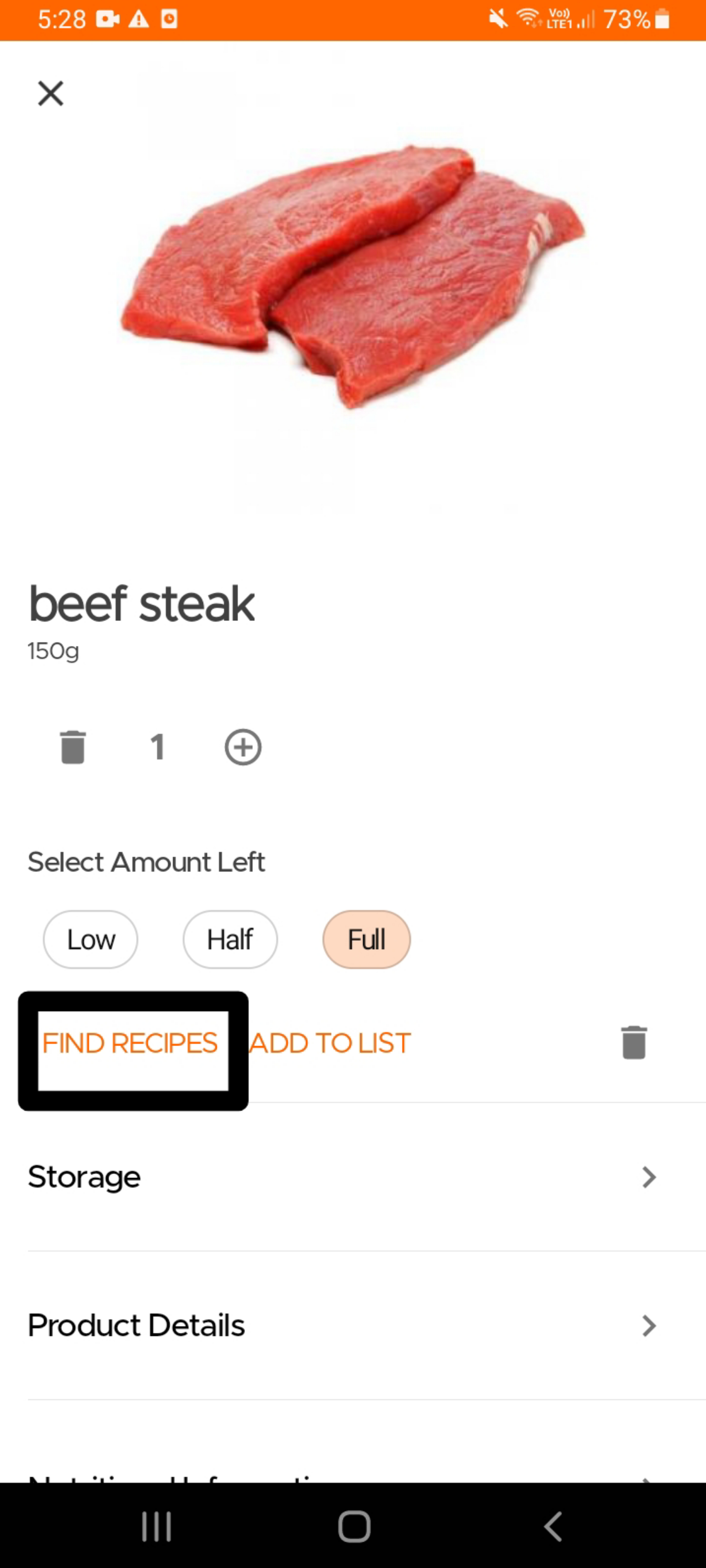
Alternatively, if you are looking for recipes that use a single specific ingredient , you can also open the product card for that ingredient and click on the "Find Recipes" option.
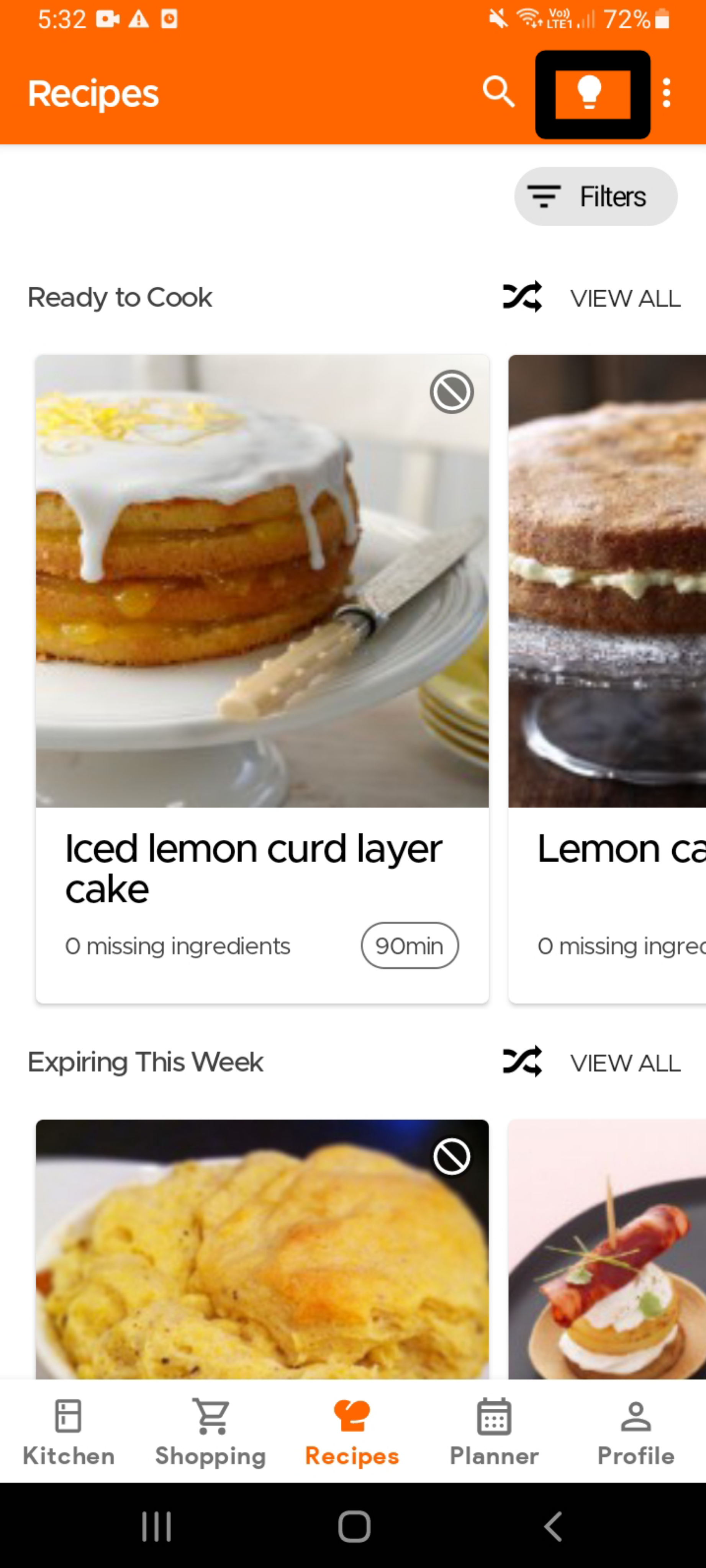
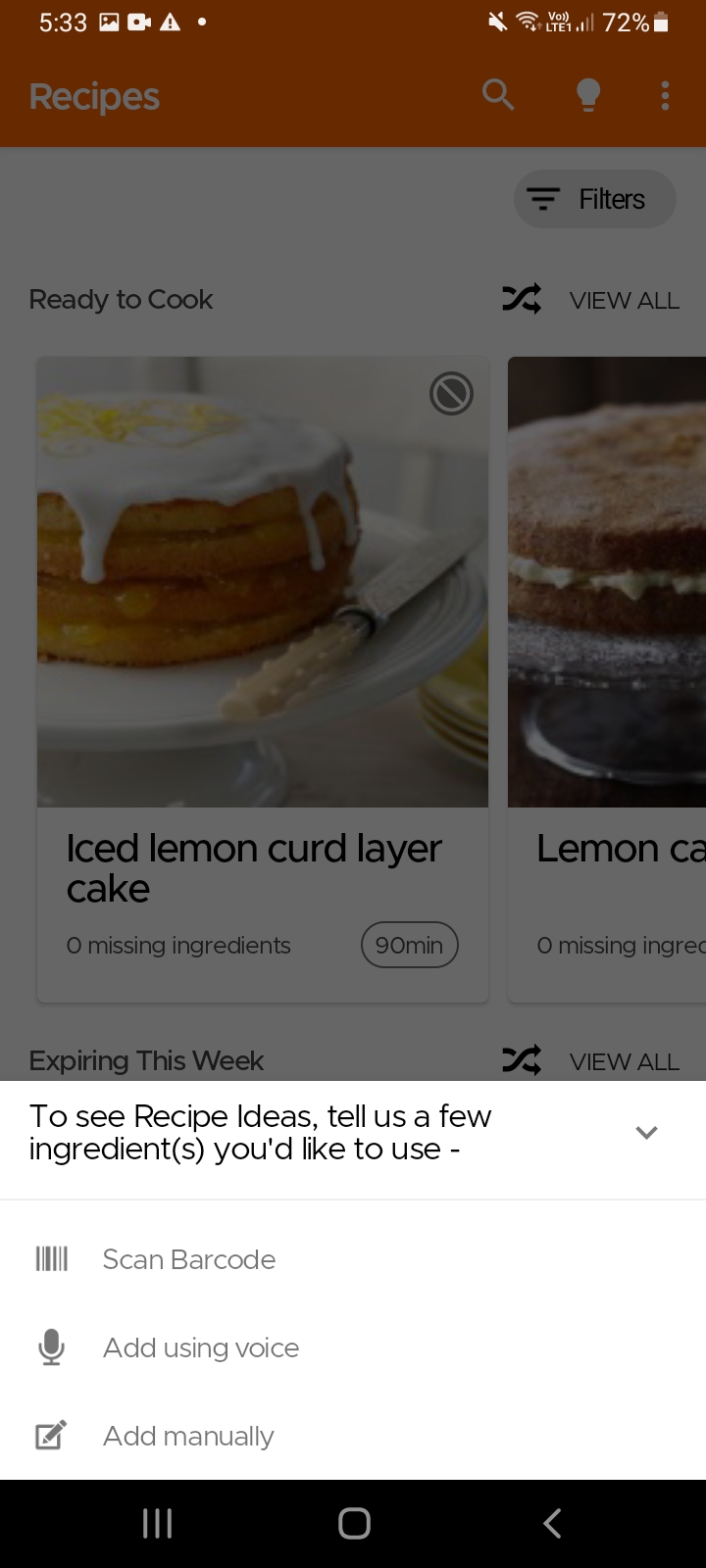
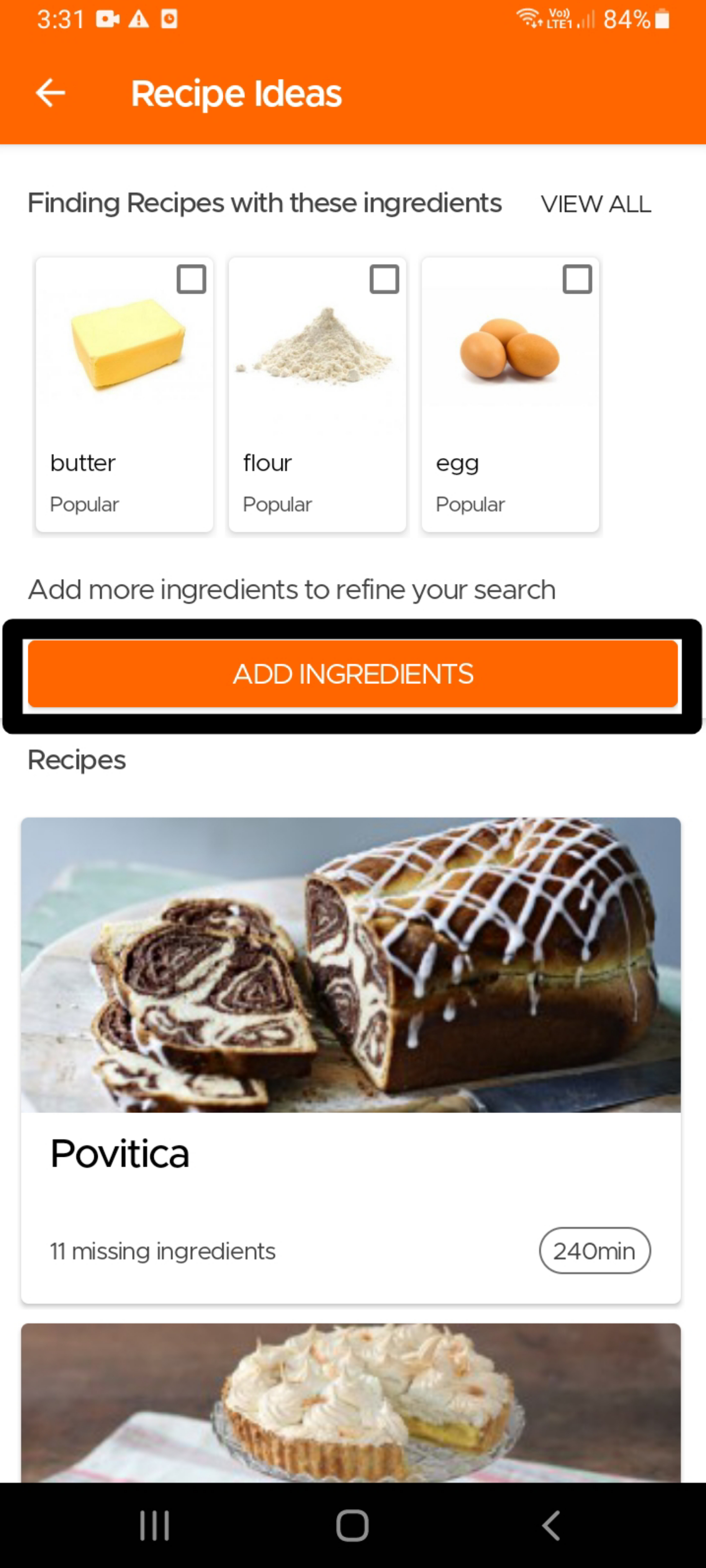
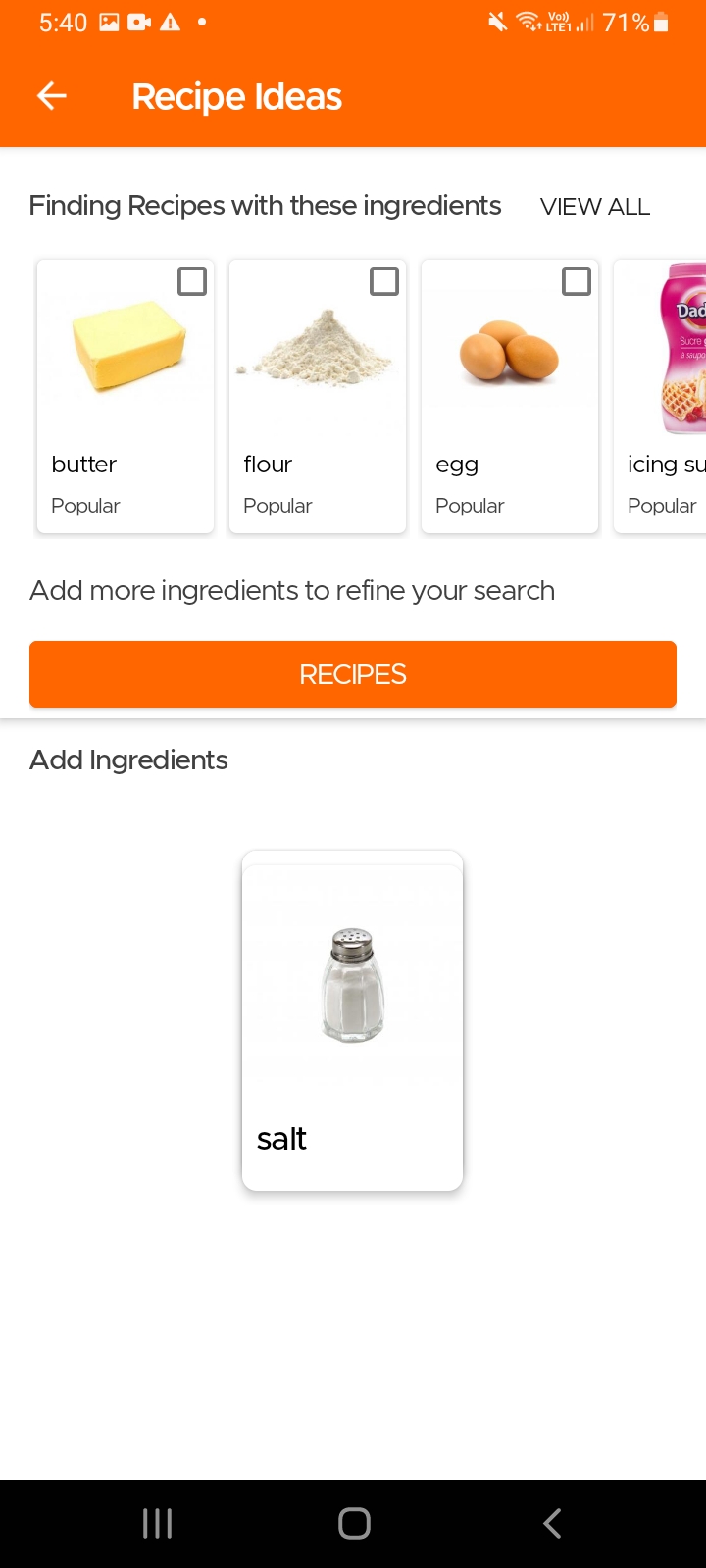
Another option to find recipes using specific ingredients, especially in case you do not use our Pantry feature, is to simply go to the Recipes page and click on the Idea icon (light bulb) on the top right. The app will then ask you to input the main ingredients for which you are looking for recipes. It will then give you tailored recommendations which you can refine further by choosing additional ingredients that should be included or excluded.
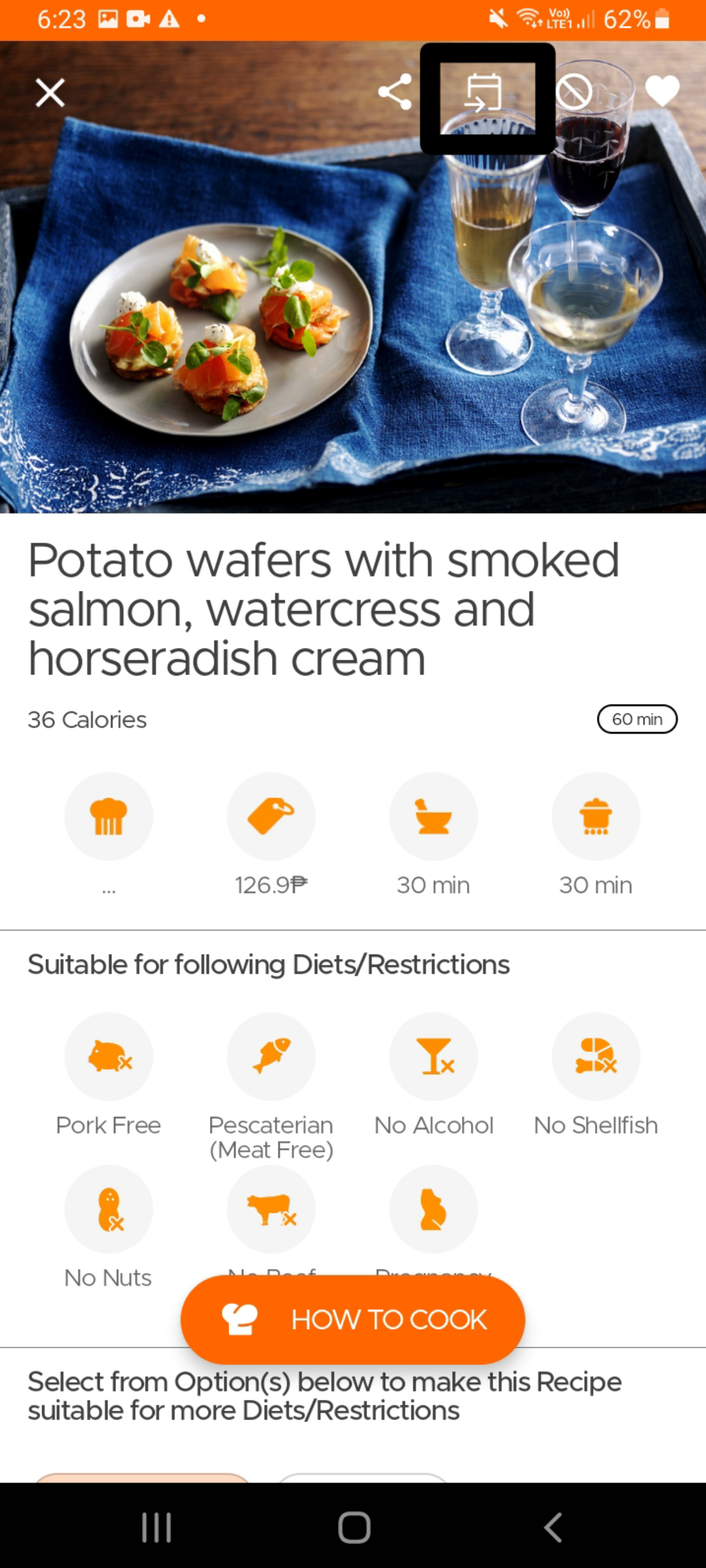
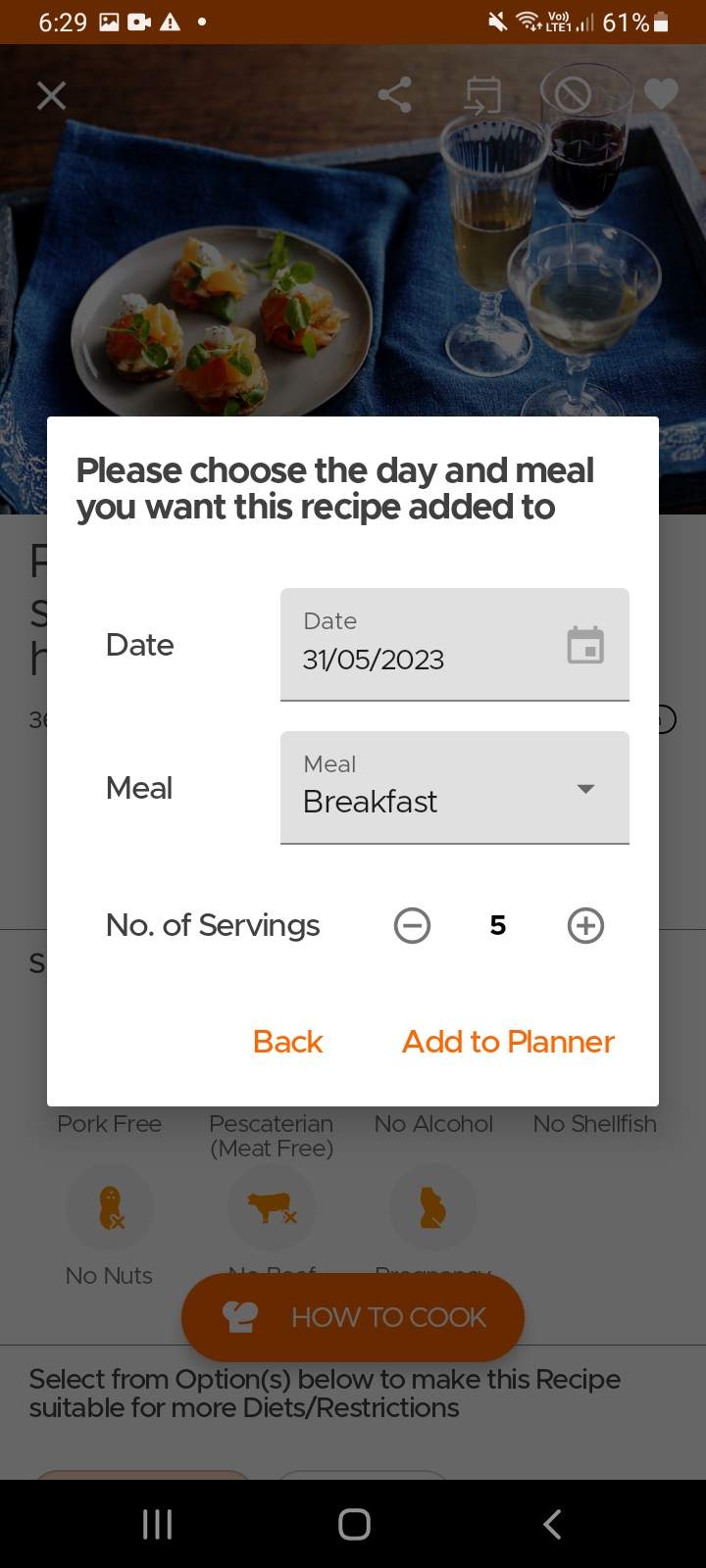
To add a recipe to your planner, simply open the recipe page and click on the Add to Planner icon on top. Select the date, meal and the number of servings and viola, you are done.
Les utilisateurs peuvent créer des plats maison/cuisinés ou des restes dans l'inventaire (en utilisant l'option créer) et définir une date d'expiration pour ceux-ci. Cela vous permettra de voir une liste de tous les plats disponibles à manger, ainsi que les articles de votre inventaire.
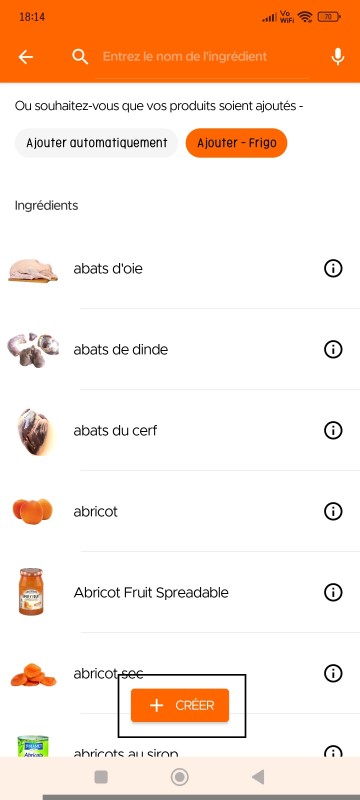
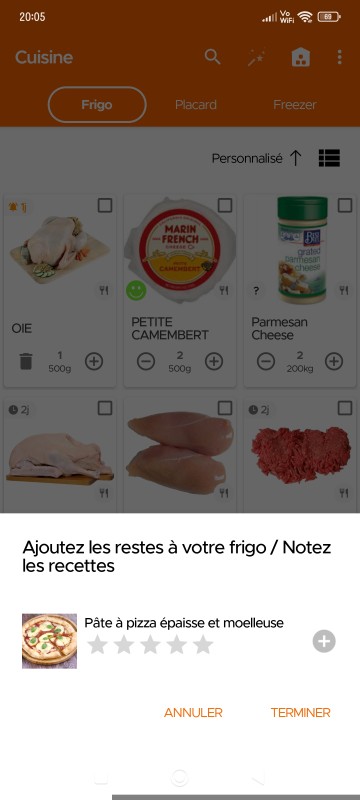
De plus, après avoir cuisiné une recette [depuis la page recette], la prochaine fois que vous ouvrirez l'application, un message comme celui-ci s'affichera dans la section Cuisine, vous permettant d'ajouter directement vos restes à la cuisine (les articles seront automatiquement ajoutés au réfrigérateur avec une expiration de 3 jours, que vous pourrez modifier plus tard).
Still Need Help?
Can't find what you're looking for? Our support team is here to help!
Email Support Help Center